6. TERMINAL FILE PROGRAMMING
EO3-11106
6.36 Key Status Programming
6-153
6.36 Key Status Programming
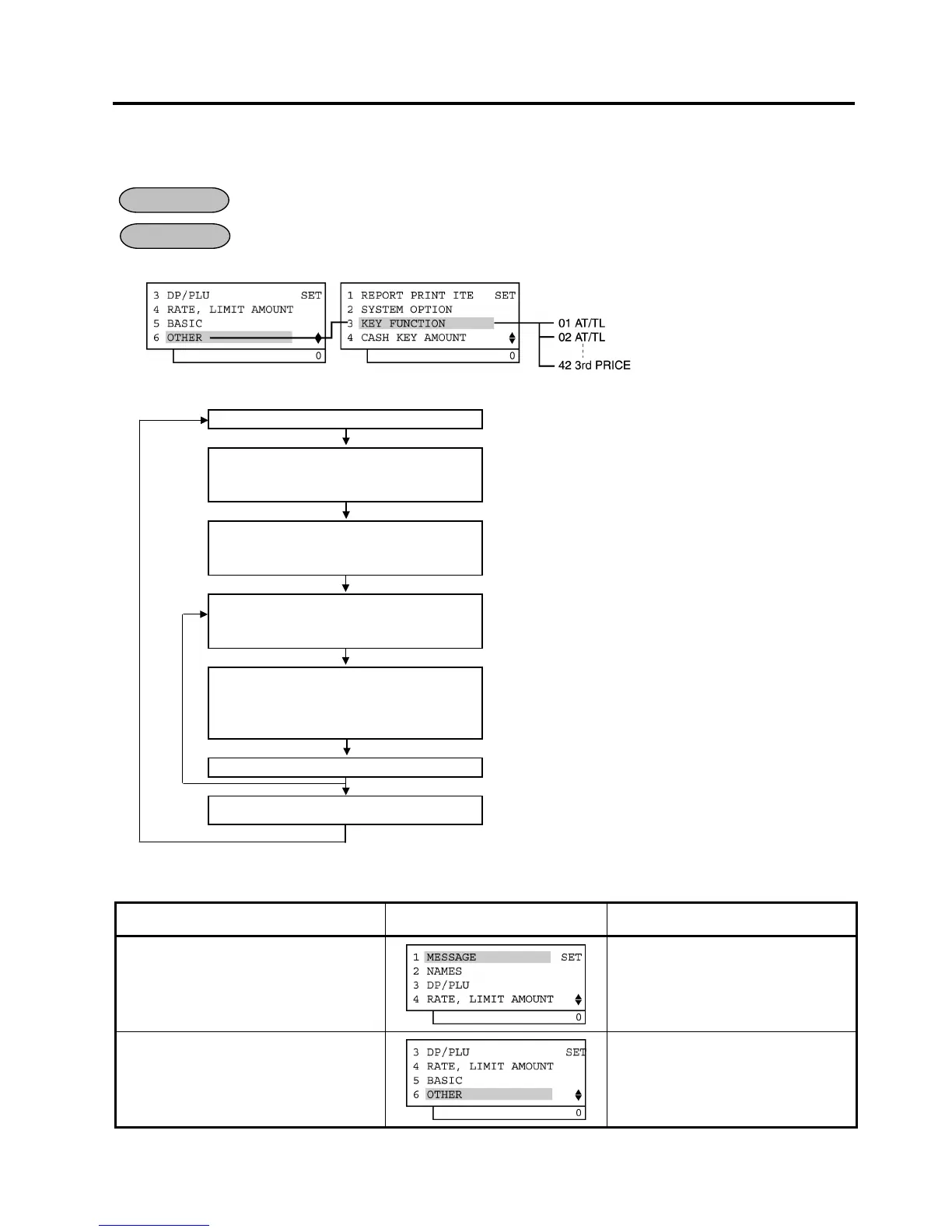
Various selective statuses of media keys and other function keys are programmed here.
Any time outside a sale
Mode Lock: SET
1) Menu Tree
2) Operation Flowchart
Main Menu
ECR is being outside a sale and in SET mode.
Depress [↓] five times then [Enter].
or
Depress [6].
“6 OTHER” is selected.
Depress [↓] twice then [Enter].
or
Depress [3].
“3 KEY FUNCTION” is selected.
Move the cursor on to a key name to be
programmed with the [↑] or [↓] key,
then depress [Enter].
Move the cursor on to a bit No. to be
programmed with the [↑] or [↓] key,
then select the status with the [←] or
[→] key.
[Enter]
[End]
This programming is ended. A long receipt is issued and the
display returns to Main Menu screen.
3) Example)
To change Bit No. 2 status of Key Code 3 ([CHK TEND]) from SET to RESET.
Operation LCD Display Remarks
When the ECR is being outside a sale
and in SET mode, depress the [↓] key
five times.
The cursor is moved on to “6 OTHER”.
Depress the [6] or [Enter] key.
“6 OTHER” is selected.
(continued on the next page)
OPERATION
CONDITION


 To Next Page
 Loading...







