6. TERMINAL FILE PROGRAMMING
EO3-11106
6.27 VAT or Add-on Tax Rate Setting
6-130
6.27 VAT or Add-on Tax Rate Setting
The rates of VATs or Add-on Taxes are set in this operation,. (Which VAT or Add-on Tax is applicable to each
Department or PLU has already been set in the DEPARTMENT TABLE PROGRAMMING and PLU TABLE
PROGRAMMING.)
After Financial Daily Reset
Mode Lock: SET
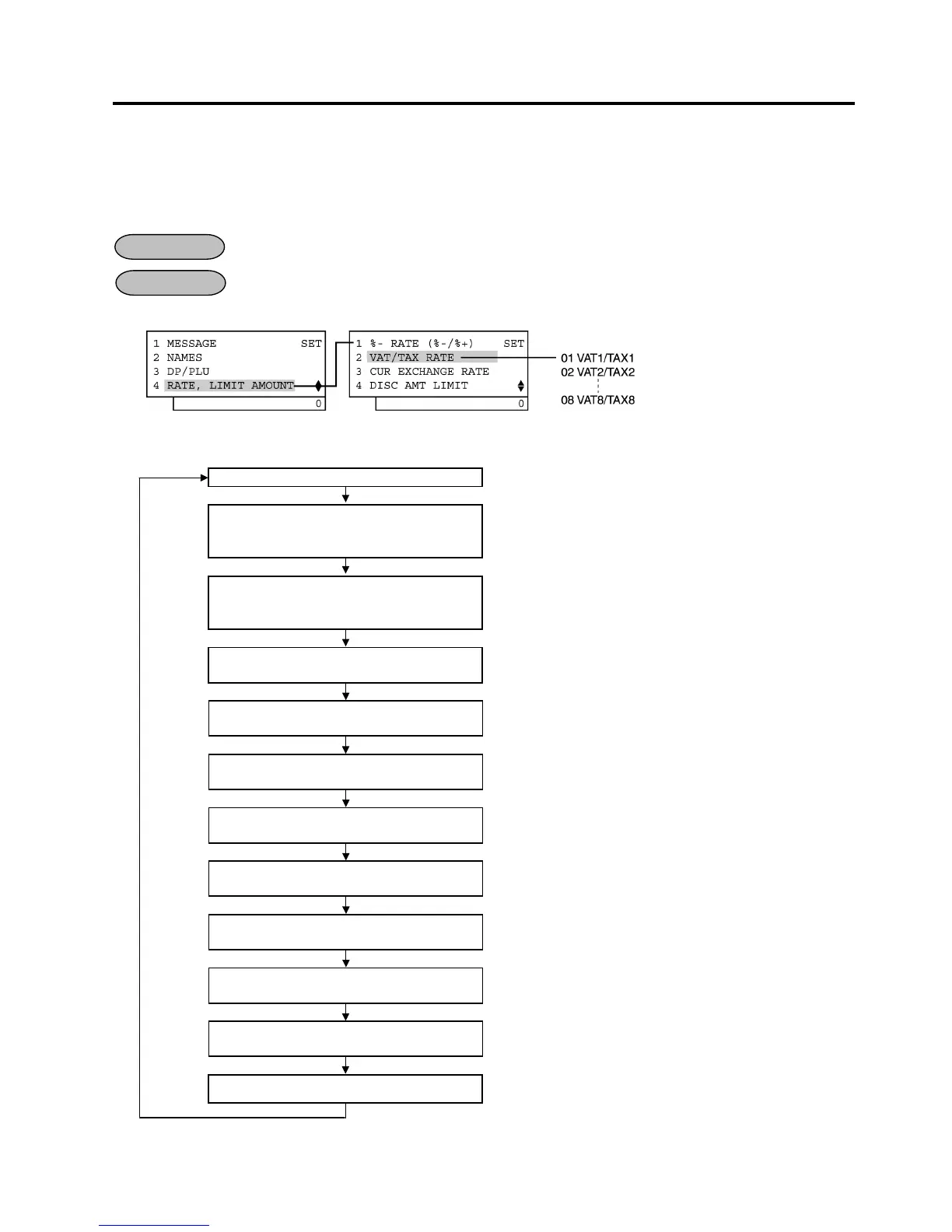
1) Menu Tree
2) Operation Flowchart
Main Menu
ECR is being outside a sale and in SET mode.
Depress [↓] three times then [Enter].
or
Depress [4].
“4 RATE, LIMIT AMOUNT” is selected.
Depress the [↓] then [Enter]
or
Depress [2].
“2 VAT/TAX RATE” is selected.
Input a rate of VAT1 or TAX1, then
depress the [Enter] key.
0,01 to 99,99 (%): Use the [.] key if decimal portion is contained.
Input a rate of VAT2 or TAX2, then
depress the [Enter] key.
0,01 to 99,99 (%): Use the [.] key if decimal portion is contained.
Input a rate of VAT3 or TAX3, then
depress the [Enter] key.
0,01 to 99,99 (%): Use the [.] key if decimal portion is contained.
Input a rate of VAT4 or TAX4, then
depress the [Enter] key.
0,01 to 99,99 (%): Use the [.] key if decimal portion is contained.
Input a rate of VAT5 or TAX5, then
depress the [Enter] key.
0,01 to 99,99 (%): Use the [.] key if decimal portion is contained.
Input a rate of VAT6 or TAX6, then
depress the [Enter] key.
0,01 to 99,99 (%): Use the [.] key if decimal portion is contained.
Input a rate of VAT7 or TAX7, then
depress the [Enter] key.
0,01 to 99,99 (%): Use the [.] key if decimal portion is contained.
Input a rate of VAT8 or TAX8, then
depress the [Enter] key.
0,01 to 99,99 (%): Use the [.] key if decimal portion is contained.
[End]
This setting is ended. A long receipt is issued and the display
returns to Main Menu screen.
NOTE: Either VAT or Add-on Tax can be used. Tax feature is according to the status selected in Address No.
21, Bit No. 5 of the system option.
OPERATION
CONDITION


 To Next Page
 Loading...







