6. TERMINAL FILE PROGRAMMING
EO3-11106
6.37 Cash Tender key Preset Amount Setting
6-157
6.37 Cash Tender Key Preset Amount Setting
A maximum of 6-digit amount is preset to the Cash Key ([CASH 1] to [CASH 3]).
When depressing the cash key with preset amount in a registration operation, it will be processed as a tendering
operation of the preset amount.
Any time outside a sale
Mode Lock: SET
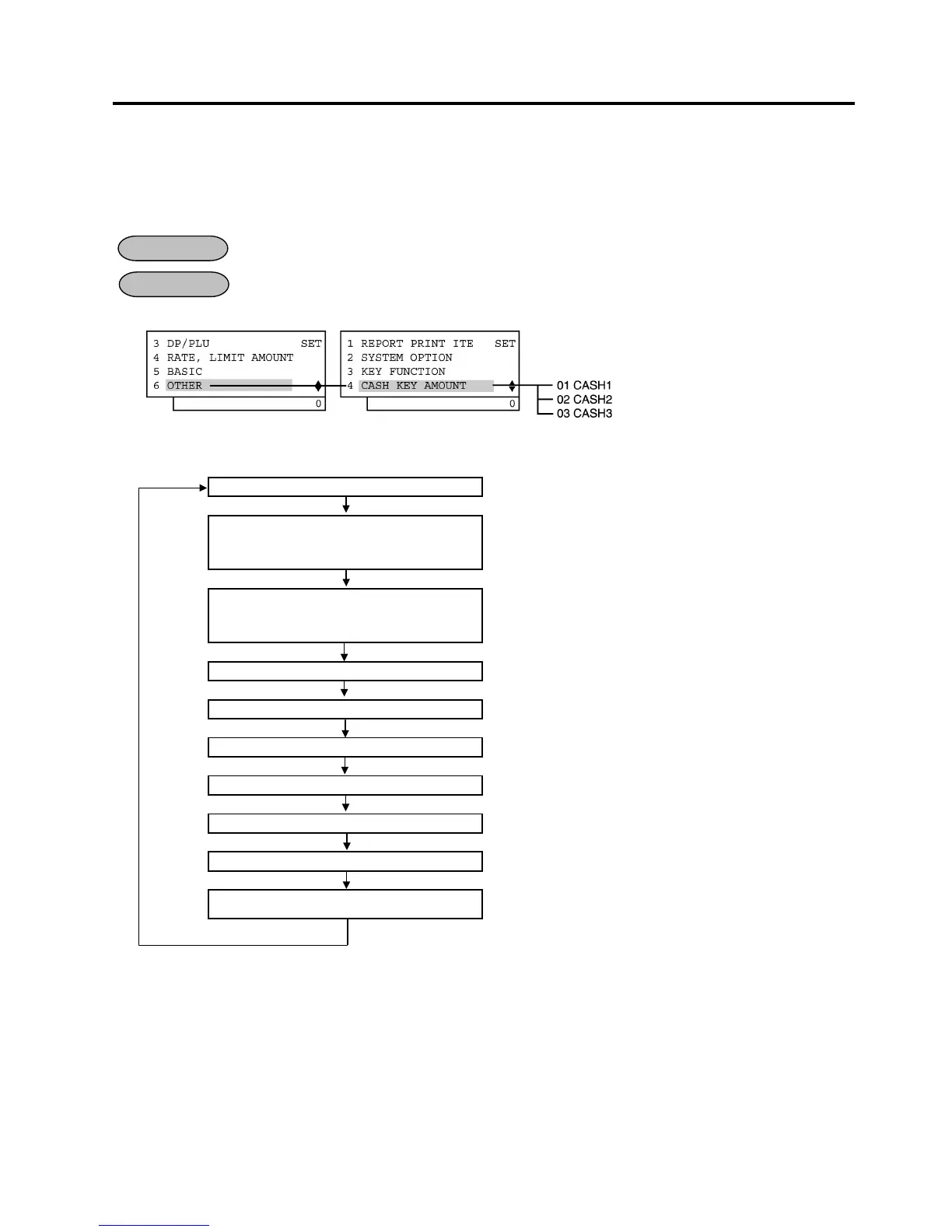
1) Menu Tree
2) Operation Flowchart
Main Menu
ECR is being outside a sale and in SET mode.
Depress [↓] five times then [Enter].
or
Depress [6].
“6 OTHER” is selected.
Depress [↓] three times then [Enter].
or
Depress [4].
“4 CASH KEY AMOUNT” is selected.
Input a preset amount of the [CASH 1].
Preset amount: Max. 6 digits (0 to 999999) (See NOTE below.)
[Enter]
Input a preset amount of the [CASH 2].
Preset amount: Max. 6 digits (0 to 999999) (See NOTE below.)
[Enter]
Input a preset amount of the [CASH 3].
Preset amount: Max. 6 digits (0 to 999999) (See NOTE below.)
[Enter]
[End]
This setting is ended. A long receipt is issued and the display
returns to Main Menu screen.
NOTE: When inputting “0”, the preset amount will be reset. An operation of the cash key of which preset
amount is reset may cause an error in a registration transaction.
OPERATION
CONDITION


 To Next Page
 Loading...







