6. TERMINAL FILE PROGRAMMING
EO3-11106
6.34 Tone Volume Setting
6-146
6.34 Tone Volume Setting
Key-in tone for the ECR keyboard and error tone are selectable from High, Low, and OFF.
Any time outside a sale
Mode Lock: SET
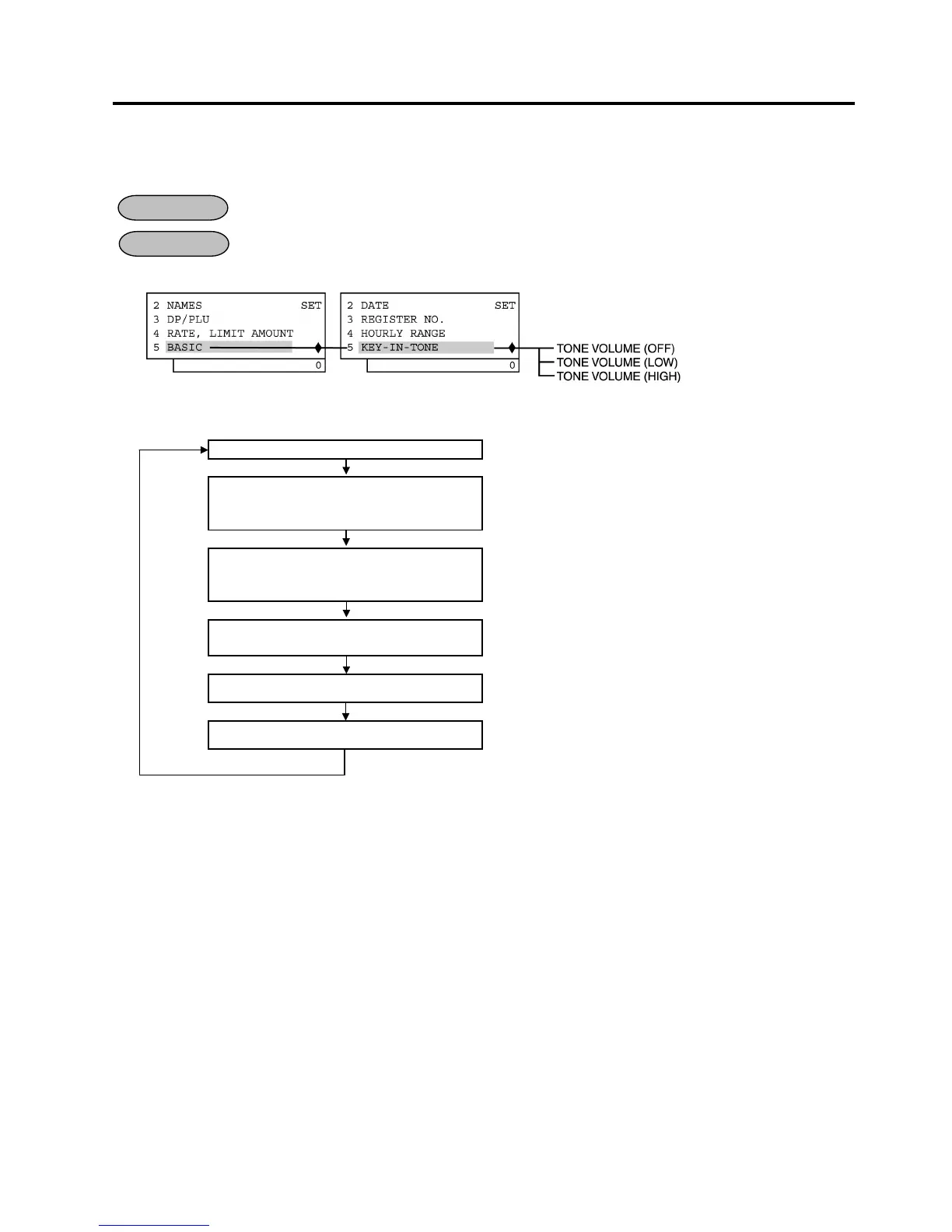
1) Menu Tree
2) Operation Flowchart
Main Menu
ECR is being outside a sale and in SET mode.
Depress [↓] four times then [Enter].
or
Depress [5].
“5 BASIC” is selected.
Depress [↓] four times then [Enter].
or
Depress [5].
“5 KEY-IN TONE” is selected.
Select a key tone with the [↑] or [↓]
key.
It is selectable from HIGH, LOW, and OFF.
[Enter]
The [Enter] key depression results in that the selected key tone
sounds for 2 seconds. (See NOTE 1 below.)
[End]
This setting is ended. A long receipt is issued and the display
returns to Main Menu screen.
NOTES:
1. The [Enter] key depression results in that the selected key tone sounds for 2 seconds. When the key tone
“OFF” is selected, no sound occurs.
2. After performing a RAM Clear, the key tone “HIGH” is set as standard.
OPERATION
CONDITION


 To Next Page
 Loading...







