6. TERMINAL FILE PROGRAMMING
EO3-11106
6.13 Salesperson Name Programming
6-68
6.13 Salesperson Name Programming
By programming Salesperson here, the name of each salesperson can be programmed in a maximum of 12
characters.
Any time outside a sale
Mode Lock: SET
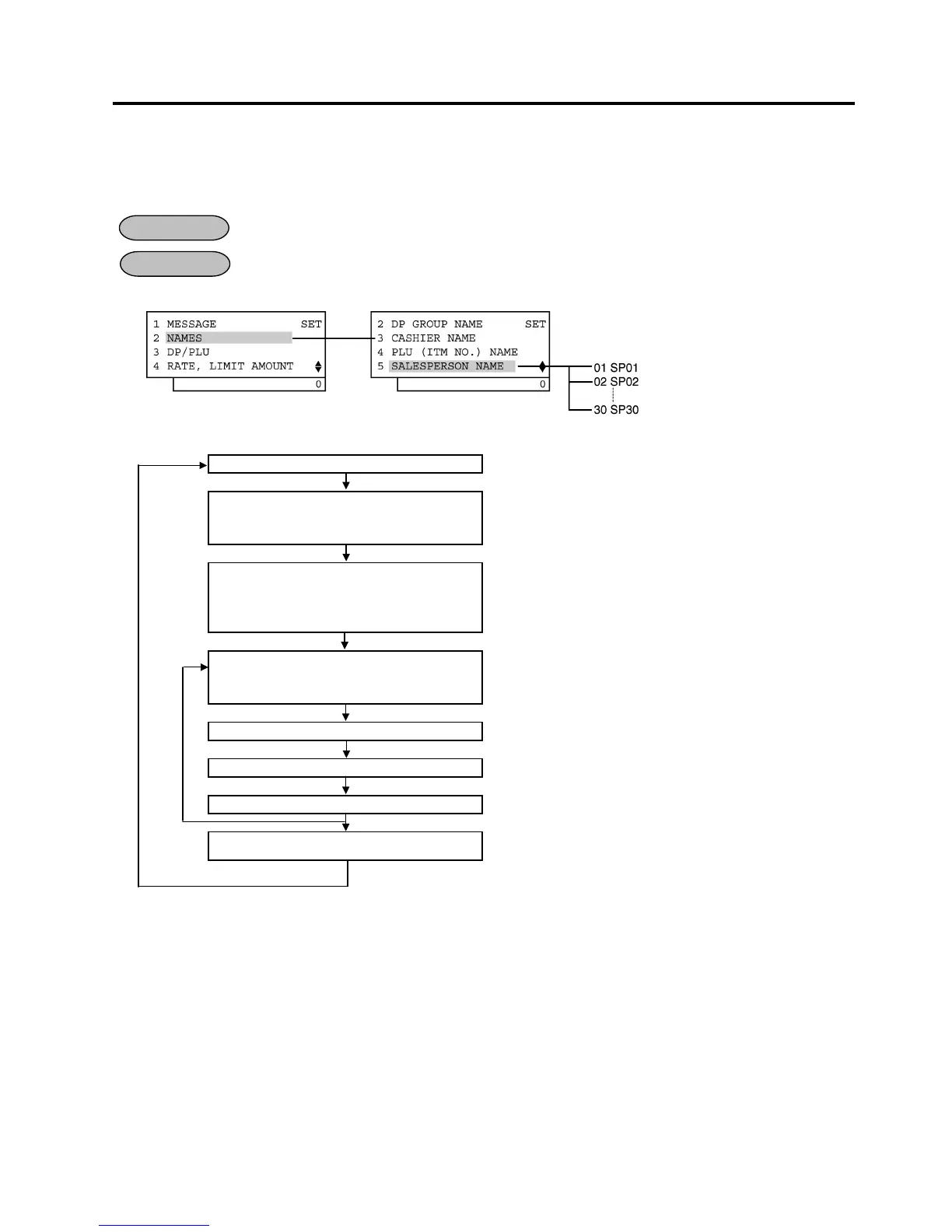
1) Menu Tree
2) Operation Flowchart
Main Menu
ECR is being outside a sale and in SET mode.
Depress [↓] then [Enter].
or
Depress [2].
“2 NAMES” is selected.
Depress the [↓] key four times then
[Enter] key.
or
Depress [5].
“5 SALESPERSON NAME” is selected.
Select a salesperson of which name is
to be programmed with the [↑] or [↓]
key.
The salesperson name already programmed is displayed.
[Enter]
The ECR enters character input mode.
Input a salesperson name.
A maximum of 12 one-byte or 6 two-byte characters are input.
[Enter]
The salesperson name is entered and printed.
[End]
This programming is ended. A long receipt is issued and the
display returns to Main Menu screen.
NOTES:
1. A maximum of 30 salesperson names can be set. The salesperson codes 1 to 30 are fixed.
2. A maximum of 12 one-byte characters or 6 two-byte characters can be entered. A combination of both types
is also available.
OPERATION
CONDITION


 To Next Page
 Loading...







