6. TERMINAL FILE PROGRAMMING
EO3-11106
6.29 Negative Amount Key Limit Amount Setting
6-135
6.29 Negative Amount Key Limit Amount Setting
The limit amount to be entered through each of the negative-amount keys [VND CPN], [STR CPN], and [-] Are
set here.
Any time outside a sale
Mode Lock: SET
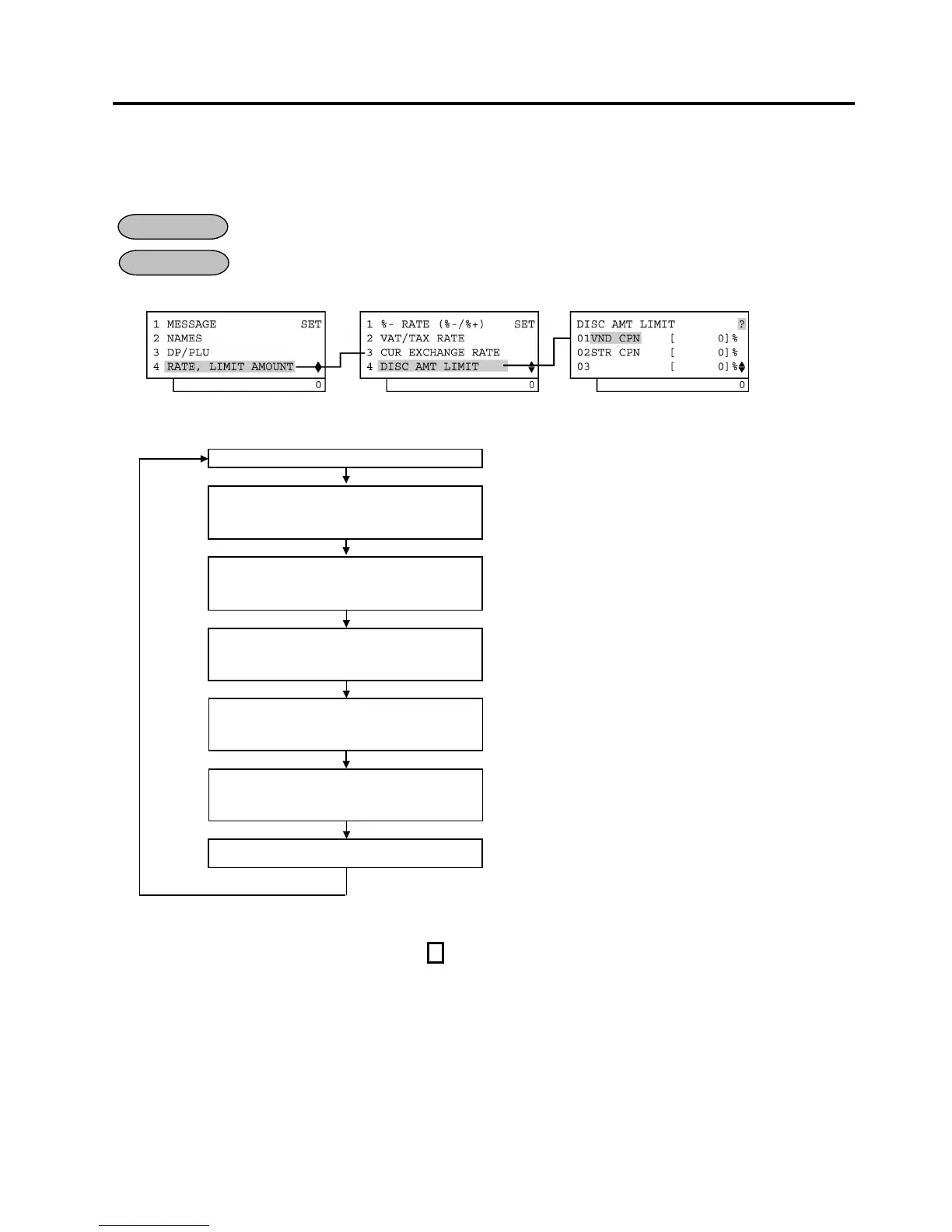
1) Menu Tree
2) Operation Flowchart
Main Menu
ECR is being outside a sale and in SET mode.
Depress [↓] three times then [Enter].
or
Depress [4].
“4 RATE, LIMIT AMOUNT” is selected.
Depress [↓] three times then [Enter].
or
Depress [4].
“4 DISC AMT LIMIT” is selected.
Input the limit amount of the Vender
Coupon Key ([VND CPN]), then
depress [Enter].
0 to 999999 (€0,00 to €9999,99)
Input the limit amount of the Store
Coupon Key ([STR CPN]), then
depress [Enter].
0 to 999999 (€0,00 to €9999,99)
Input the limit amount of the Amount
Discount Key ([-]), then depress
[Enter].
0 to 999999 (€0,00 to €9999,99)
[End]
This setting is ended. A long receipt is issued and the display
returns to Main Menu screen.
NOTES: 1. The [VND CPN] key will not be restricted by the limit amount set here but the amount up to 7
digits will be entered in MGR or - mode.
2. The limit amount set here cannot be released by the [LC OPEN] (or [OPEN]) key in transaction
entries.
OPERATION
CONDITION


 To Next Page
 Loading...







