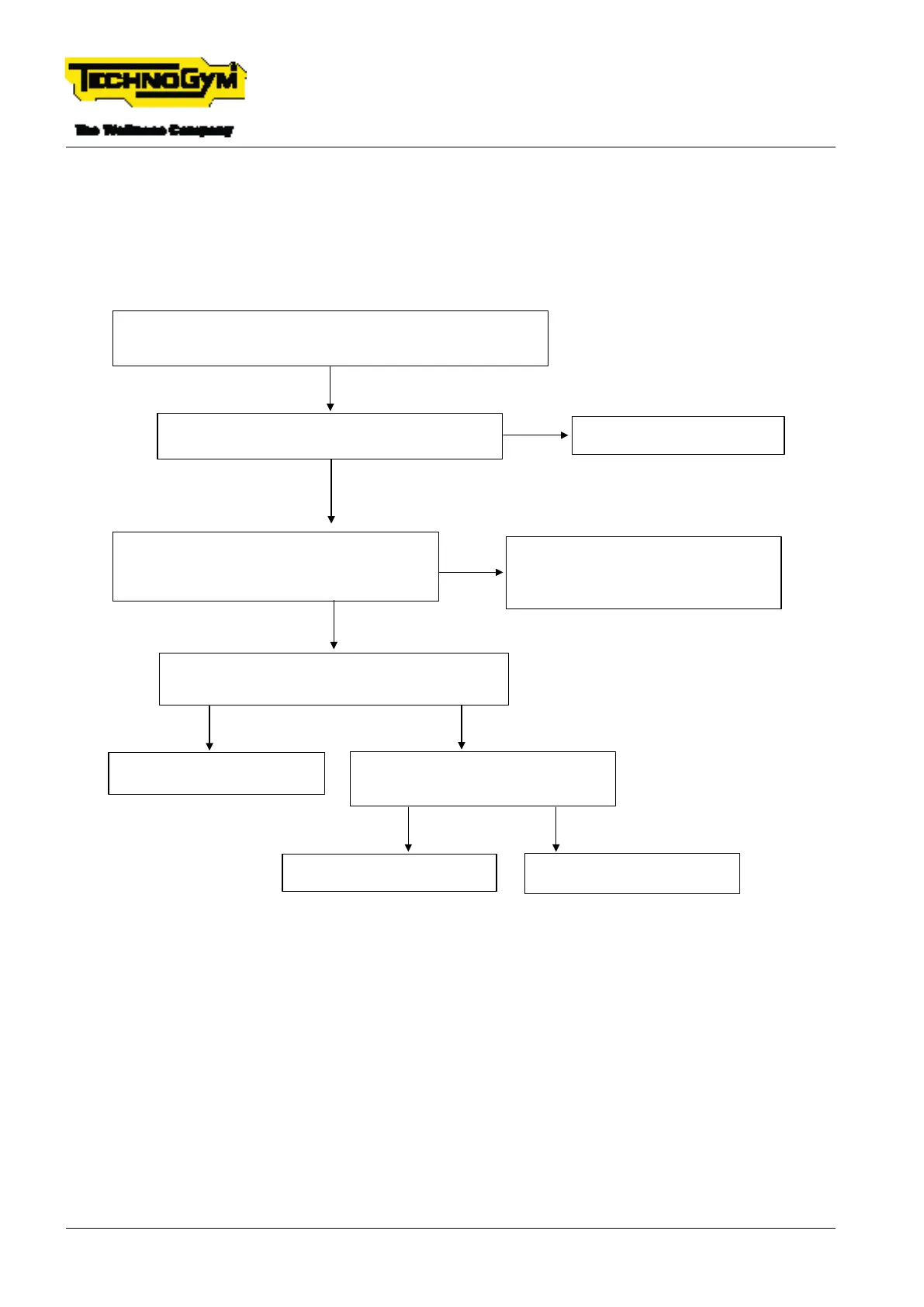
6.8.1 MESSAGE ON THE DISPLAY ‘PLEASE WAIT’ OR PRESS
START – THE EXERCISE SCREEN APPEARS AND THEN
THE SYSTEM AUTOMATICALLY RETURNS TO THE STAND-
BY SCREEN
Fixed message ‘Please Wait’ on the display OR Press the START button,
the exercise screen appears and then the system automatically returns
to the standby screen.
CHECK THE CONTINUITY OF THE MICROSWITCH.
Insert the tips of the tester in PIN 5 and PIN 6 of the
display connector 20X2, (cable 0WCU1419xx).
Is there continuity?[4]
Restore the contacts of the microswitches /
replace the microswitches / replace the
cable 0WCU1419xx.
Make sure the problem is solved.*
NO
CHECK THE STOP SIGNAL TO THE LOW KIT.
Are 6 V measured between PIN 4 of the STIWI connector
(cable 0WCU1266xx) and the earth? [5]
YES
NO
Replace the drive, [1].
Make sure the problem is solved.*
YES
Is there continuity between PIN 4 (STIWI
connector) and PIN 8 (Display connector)?
(cable 0WCU1266xx)
Replace the display, [2].
Make sure the problem is solved.*
YES
Replace the cable 0WCU1266xx.
Make sure the problem is solved.*
NO
Is there continuity between PIN 3 and PIN 9 of the
STIWI connector? (cable 0WCU1266xx) - [3]
NO
YES
Replace the cable.
Make sure the problem is solved.*
Fig. 30
[*]: For details, see: $”6.15 EQUIPMENT TESTING AFTER THE INTERVENTION OF TECH-
NICAL SERVICE”.
[1]: For details, see: $”6.1.2 REPLACING THE DRIVE (LOW KIT)”.
[2]: For details, see: $”6.1.1 REPLACING THE DISPLAY (HIGH KIT)”.
TECHNOGYM RUN Technical Service Guide
Rev. 1.0
- 78 - TSG-00284-EN- Uncontrolled copy if printed











 To Next Page