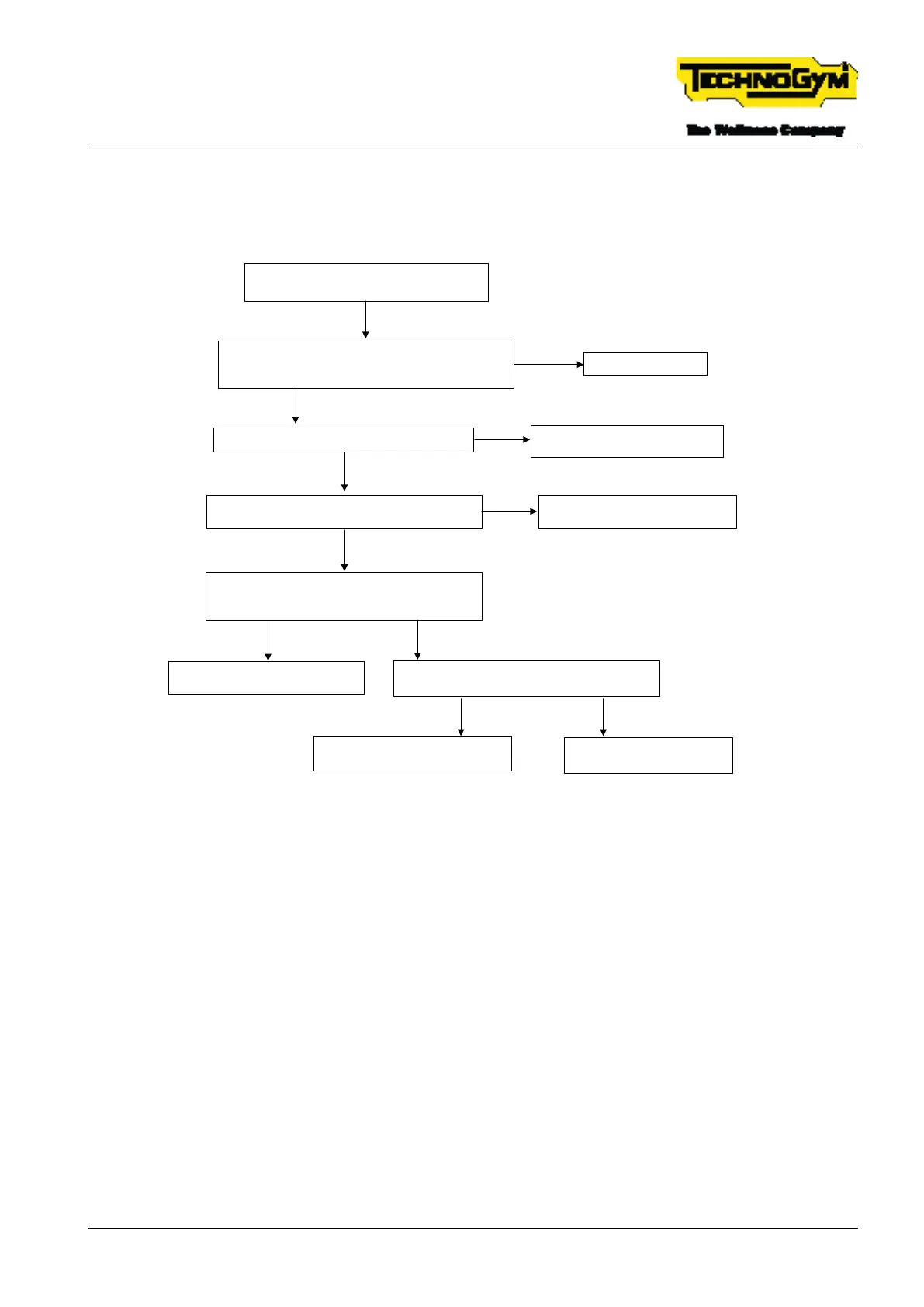
6.11 TREAD BELT DOES NOT MOVE SMOOTHLY BUT
JERKS/ERROR 08 AC BELT MOTOR ENCODER
Tread belt does not move smoothly but
jerks / Error 08 AC belt motor encoder
Upgrade the FW of the Low Kit. Implement the
factory setting procedure.
Perform the standard setting, [1]. Problem solved*?
OK. Problem Solved.
YES
Is the value of parameter P05 around 400? [2]
NO
YES
Check the correct operation of the Encoder [4].
Does the belt motor encoder function correctly?
Check the value of resistance between the 3 belt
motor phases, [5].
Is the resistance value correct?
YES
NO
Replace the drive, [3].
Make sure the problem is solved.*
Replace the belt motor.
Make sure the problem is solved.*
NO
Check the Vac of the 3 phases on the drive, [6].
Are the values correct?
YES
Replace the drive, [3].
Make sure the problem is solved.*
NO
Repeat the troubleshooting
procedure from the start.
YES
Replace the belt motor.
Make sure the problem is solved.*
NO
Fig. 47
[*]: For details, see: $”6.15 EQUIPMENT TESTING AFTER THE INTERVENTION OF TECH-
NICAL SERVICE”.
[1]: For details, see: $”6.5 PROCEDURE FOR RESTORING THE LOW KIT FACTORY SETTINGS”.
[2]: Check parameter P05: In the service menu (2501), access the LOW KIT section. Enter ‘5’ and
read the value. Correct value ~ 400.
[3]: For details, see: $”6.1.2 REPLACING THE DRIVE (LOW KIT)”.
[4]: Encoder operational check:
▪ Access the Service menu 2501;
▪ Access the Troubleshootings menu;
▪ Press START and check the speed (Km/h);
▪ Check that the frequency values of the DRIVE Output Frequency parameter (P36) are around:
TECHNOGYM RUN Technical Service Guide
Rev. 1.0
- 89 -TSG-00284-EN- Uncontrolled copy if printed











 To Next Page