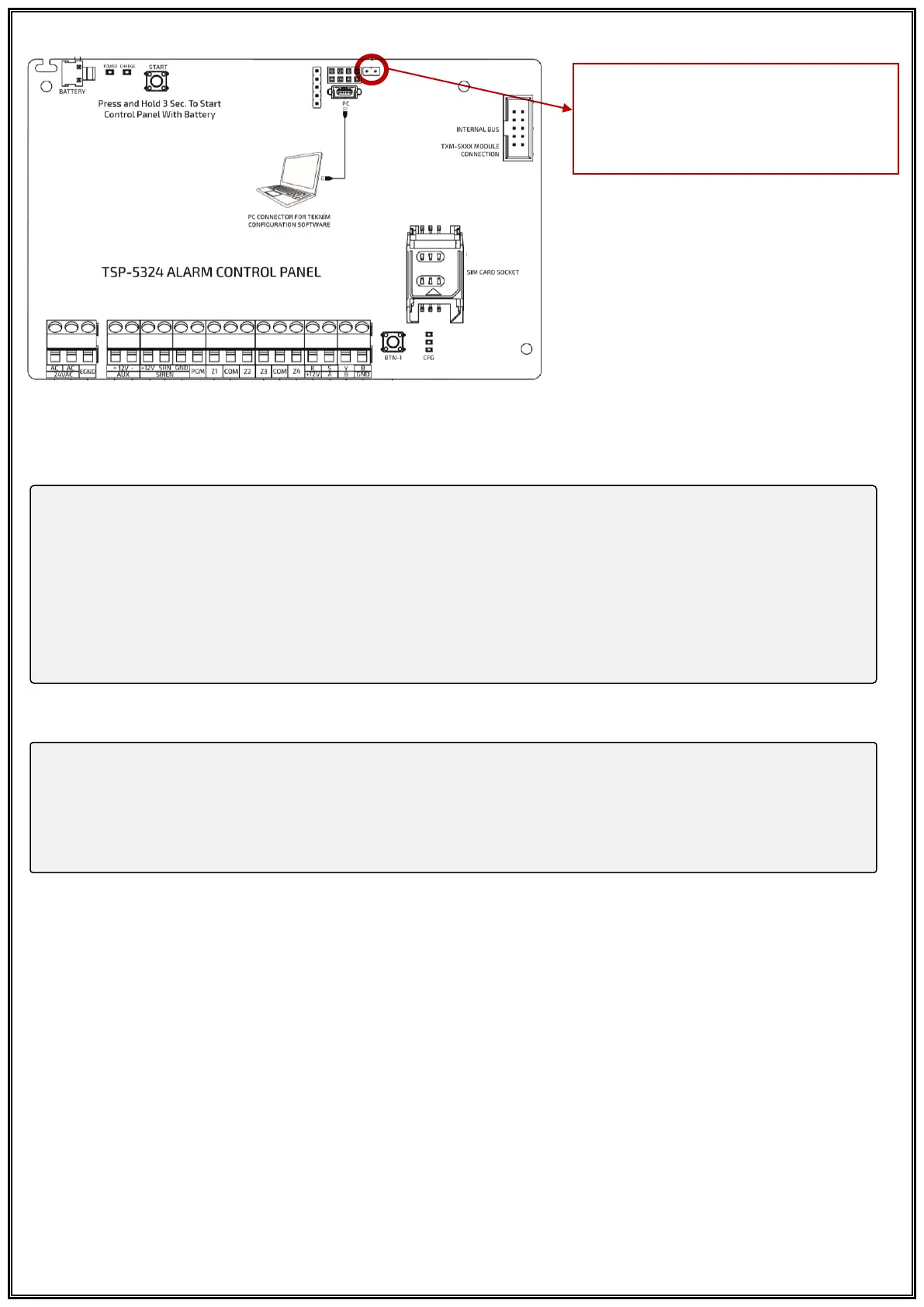
To enable Panel Reset permission;
• [Fx] [4]→[Installer Code XXXX]
• LED Keypad;
[10] [04]→[ Press 2 to give permission to Reset Panel Settings]→[√ OK]
• LCD Keypad;
[Panel Settings √ OK]→[General Settings √ OK]→[Reset Permission - Press 2 for Reset Panel Settings
Permission]→[√ OK]
Şifreleri Fabrika Ayarlarına Döndürmek İçin;
• LED Keypad;
[10] [03] → [Press 2 to reset all Panel Settings] → [√ OK]
• LCD Keypad;
[Panel Settings √ OK]→[General Settings √ OK]→[Def. Set. Req. Press 2 to Reset all Panel Settings]→[√ OK]
Important: The RST jumper
connection on the panel must be
short-circuited to restore the Panel
Settings to the Factory Settings.



 To Next Page