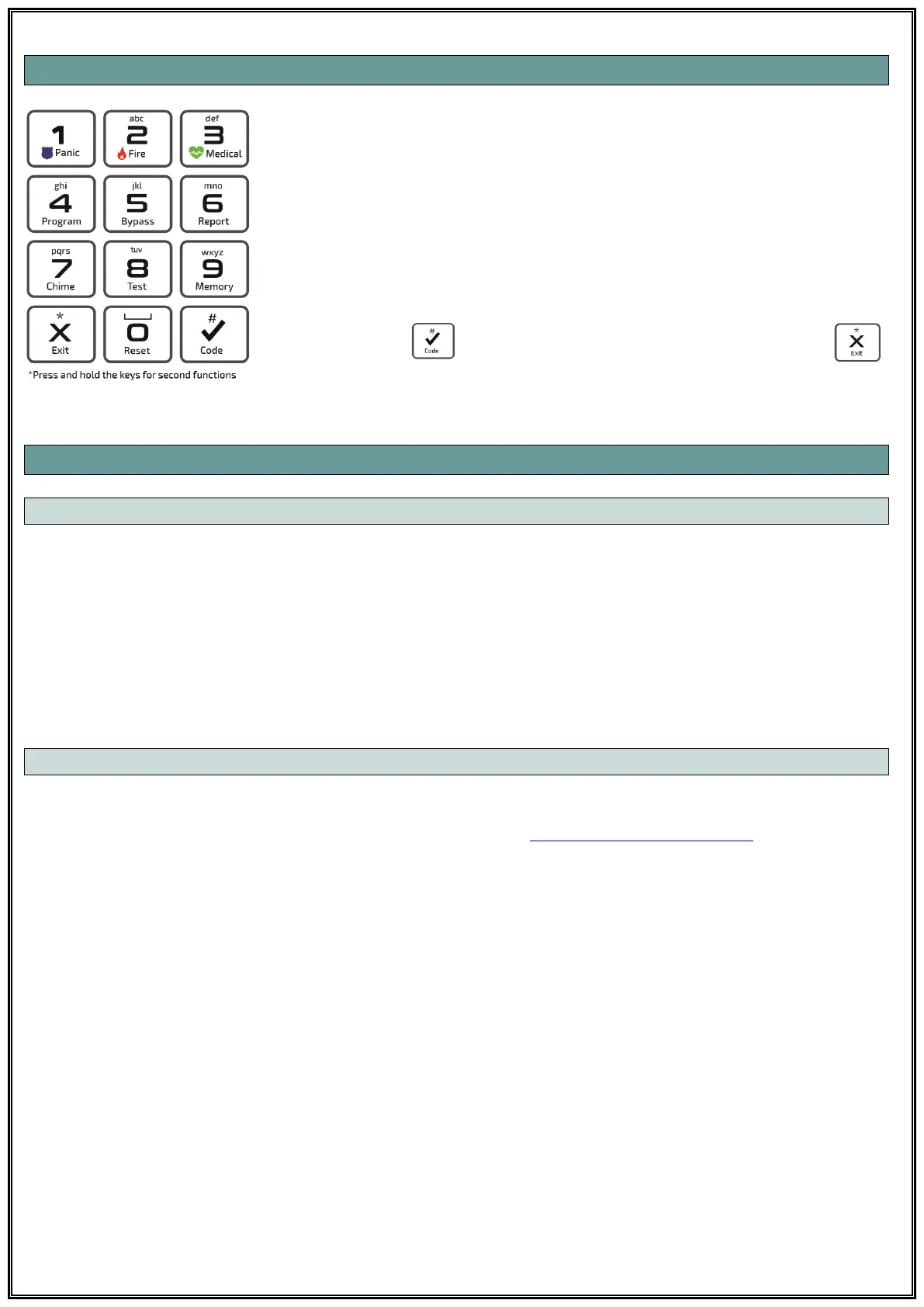
13.4 KEYPAD
Numeric Keys: Keys used to enter values in all keypad operations. Each
key has a secondary function. Also, when typing zone names on LCD
Keypad, defined letter groups are used on these keys.
Secondary Functions: Press and hold the key until the beep sounds to
operate the secondary functions defined on the keys.
1: Panic Alarm - 2: Fire Alarm - 3: Medical Alarm - 4: Enter Programming
5: Bypass - 6: Report Menu - 7: Chime - 8: Test - 9: Memory - 0: Reset
Confirmation key to confirm an operation for any menu or exit
key to discard and exit an operation.
.
13.5 KEYPAD NOTIFICATIONS
13.5.1 KEYPAD SOUND NOTIFICATIONS
When you enter any value into your system via the keypad, you will hear a beep, which means
confirmation or rejection.
Confirmation Sound: When any information is successfully entered or the system switches to a
new mode, the keypad emits two short "beeps", which means confirmation.
Rejection Sound: The keypad emits a long "beep" meaning rejection when incorrect information
is entered or the system switches to the previous mode.
13.5.2 KEYPAD LED NOTIFICATIONS
LED and LCD keypads have status notification lights to indicate the current status of the system.
What these notification lights mean is explained in section 13.1 Status LED Indicators.
LCD Keypad can also display all information about the system in writing.



 To Next Page