To set PGM Type as Fire Detector;
• LED Keypad;
[13] [01] → [5] → [√ OK]
• LCD Keypad;
[Panel Settings √ OK]→[PGM Settings √ OK]→[Use PGM as “Fire Sensor”]→[√ OK]
PGM Reset Time;
• LED Keypad;
[13] [02] → [X second] → [√ OK]
• LCD Keypad;
[Panel Settings √ OK]→[PGM Settings √ OK]→[PGM Setting X Second]→[√ OK]
11.2 FIRE SIREN CONNECTION WITH PGM OUTPUT
The alarm system is programmed to notify any alarm conditions with an external siren. If a fire
alarm occurs in the system, a different type of siren can be used to isolate the fire alarm from the
burglar alarm and this siren can only sound in case of a fire alarm.
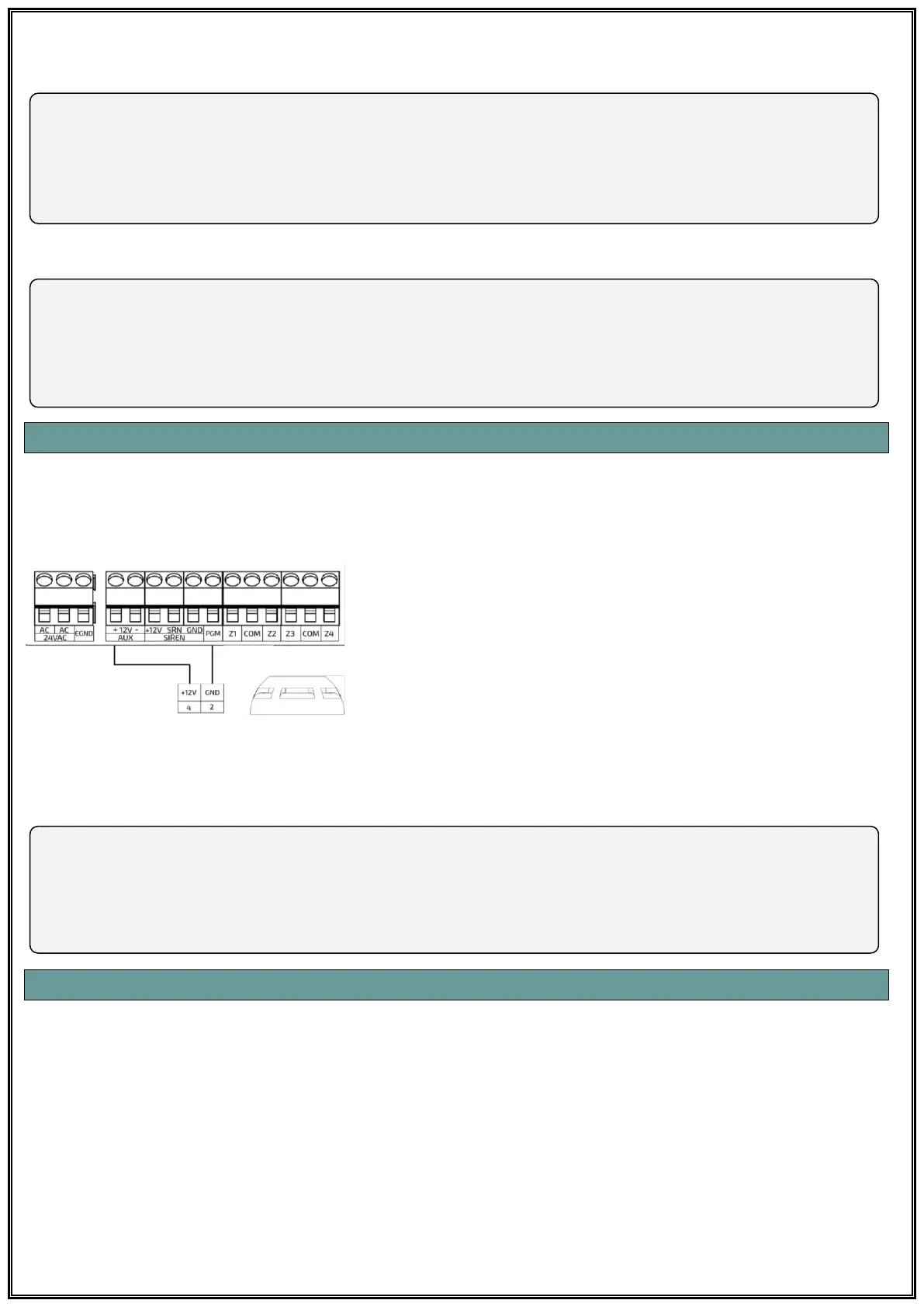
The fire siren is connected to the PGM output as shown and
“Fire Siren” option is selected as PGM type from the program.
If the PGM type is set to “Fire Siren”, a parameter setting is not
required. This output is active as long as the system gives a
fire alarm.
To set PGM Type as Fire Siren;
• LED Keypad;
[13] [01] → [4] → [√ OK]
• LCD Keypad;
[Panel Settings √ OK]→[PGM Settings √ OK]→[ Use PGM as “Fire Siren”]→[√ OK]→[√ Tamam]
11.3 PARTITION
Pars series alarm panels can be used by creating a total of four (4) different partitions. Zones for
each partition can be specified and alarm notifications from each partition can be forwarded to the
related persons. In addition, four different keypads can be selected for four different partition and
users can be restricted in the corresponding partition.
In this way, for example; in a company with office, production, warehouse and finance departments,
the user can use the system according to which department has the authority arm and disarm. In
addition, different keypads can be installed in these partitions to arm and disarm in independent
time periods and alarm notifications from the related partitions can be directed to authorized
persons in those partitions.



 To Next Page