Addressable Fire Panel IRIS - Installation and Programming Manual 27
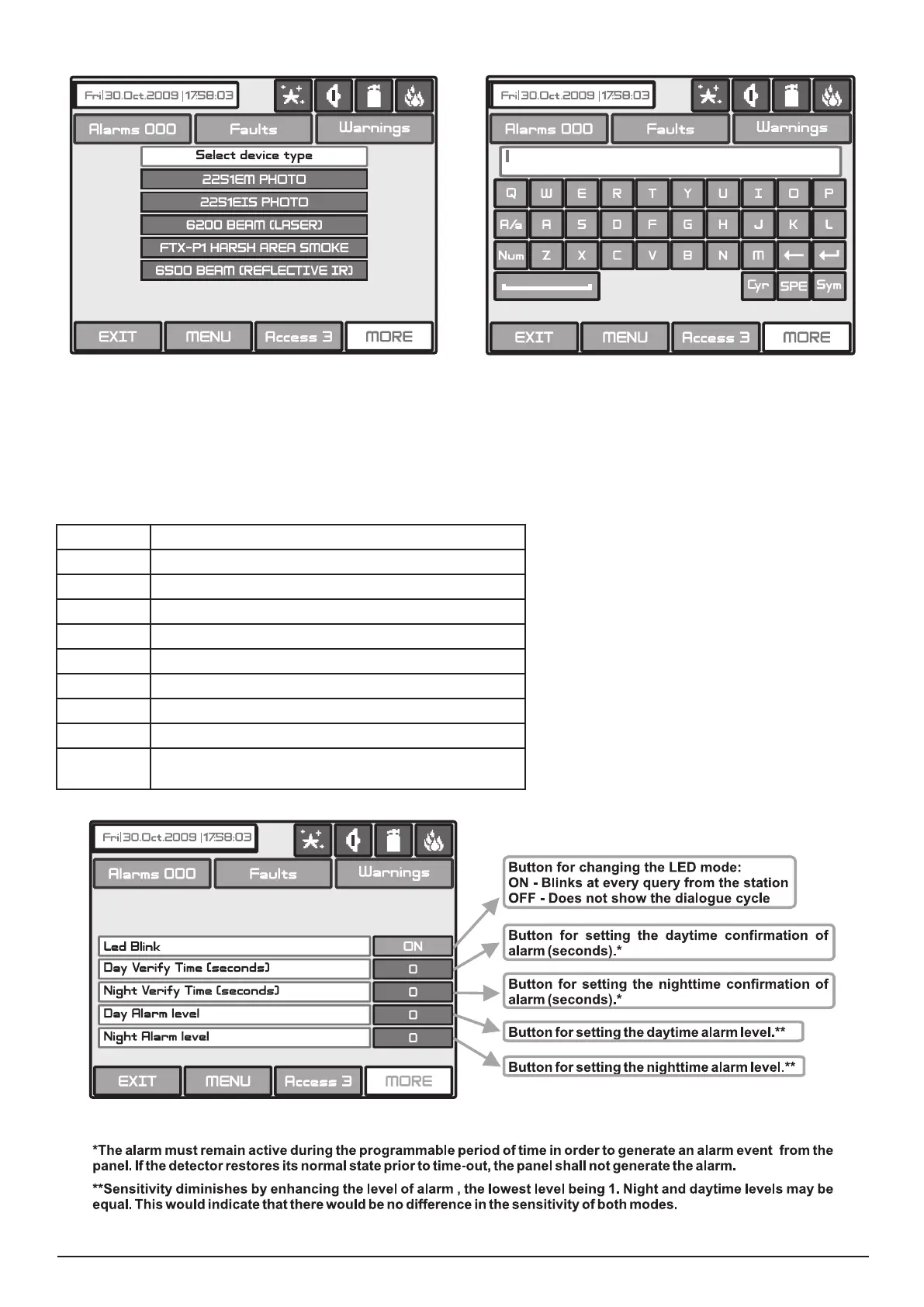
Figure Screen 9. Figure Screen 10.
The Installer/User can choose how to write the device names - with Cyrillic or Latin letters. The buttons of the keypad
have the following meaning:
Button Function
Cyr Switches to Cyrillic letters.
SPE Switches to Spanish letters and symbols.
Lat Switches to Latin letters.
Sym Switches to specic symbols.
A/a Switches between capital and small letters.
Num Switches to numbers.
Space.
Deletes numbers or letters.
Conrmation of the entered numbers or letters.
Fig. Screen 11. Additional settings for System Sensor devices.
]



 To Next Page