EN
71
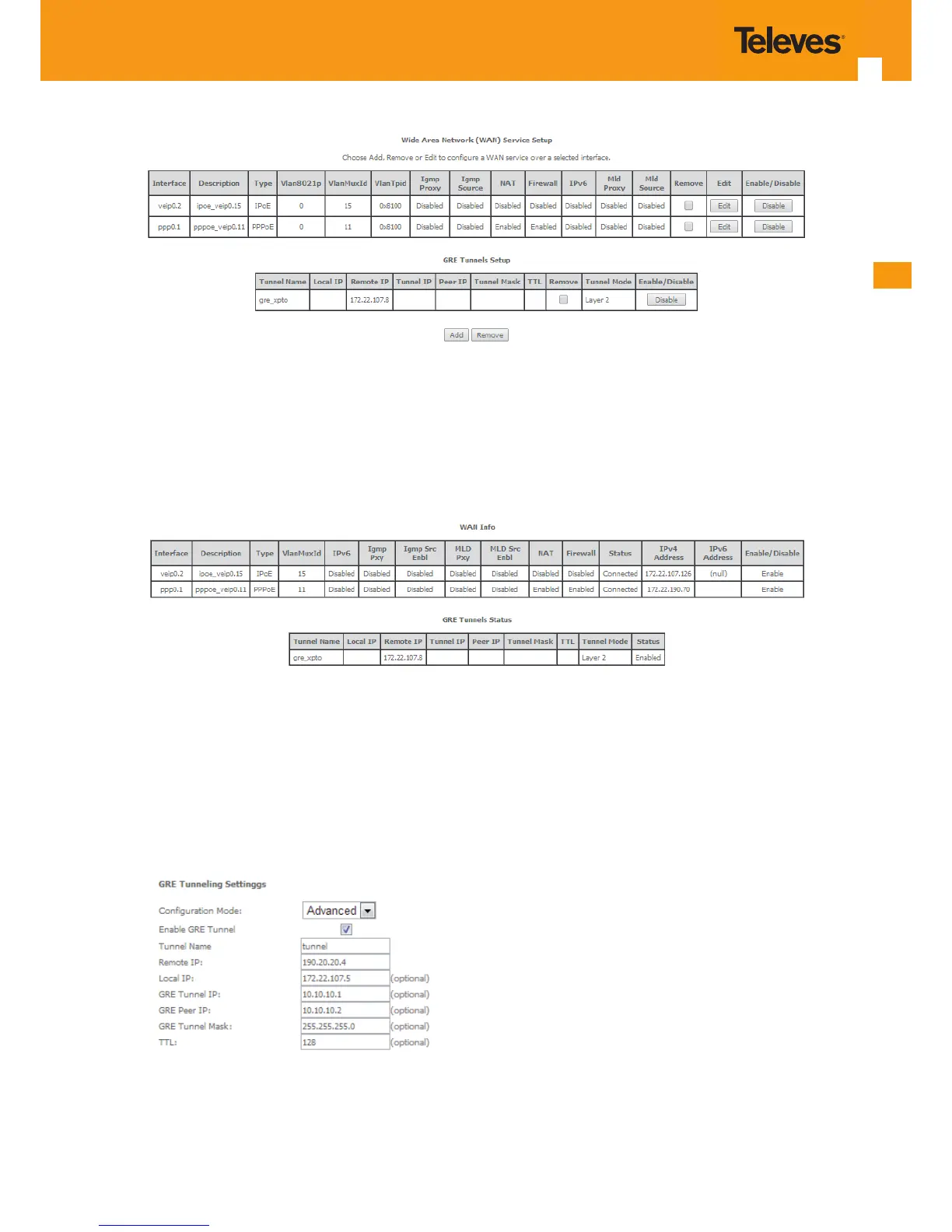
Figure 5-58: WAN Service Setup Initial Window- service conguration displayed
It is now possible to view the currently congured WAN services’ parameters as well as obtained IP addresses by Selecting the Device Info sub-
menu item WAN, Figure 5-59.
Figure 5-59: Device Info- WAN service Current conguration
5.6.2.3.2 GRE Tunnel Setting – Advanced Conguration Mode
In the Advanced conguration mode the following information is required for setting the GRE Tunnel, Figure 5-56, Figure 5-60, and Table 5-14.
Figure 5-60: WAN Service setup window- GRE Tunn



 To Next Page