LINGUA CHARGING CASE
Overview
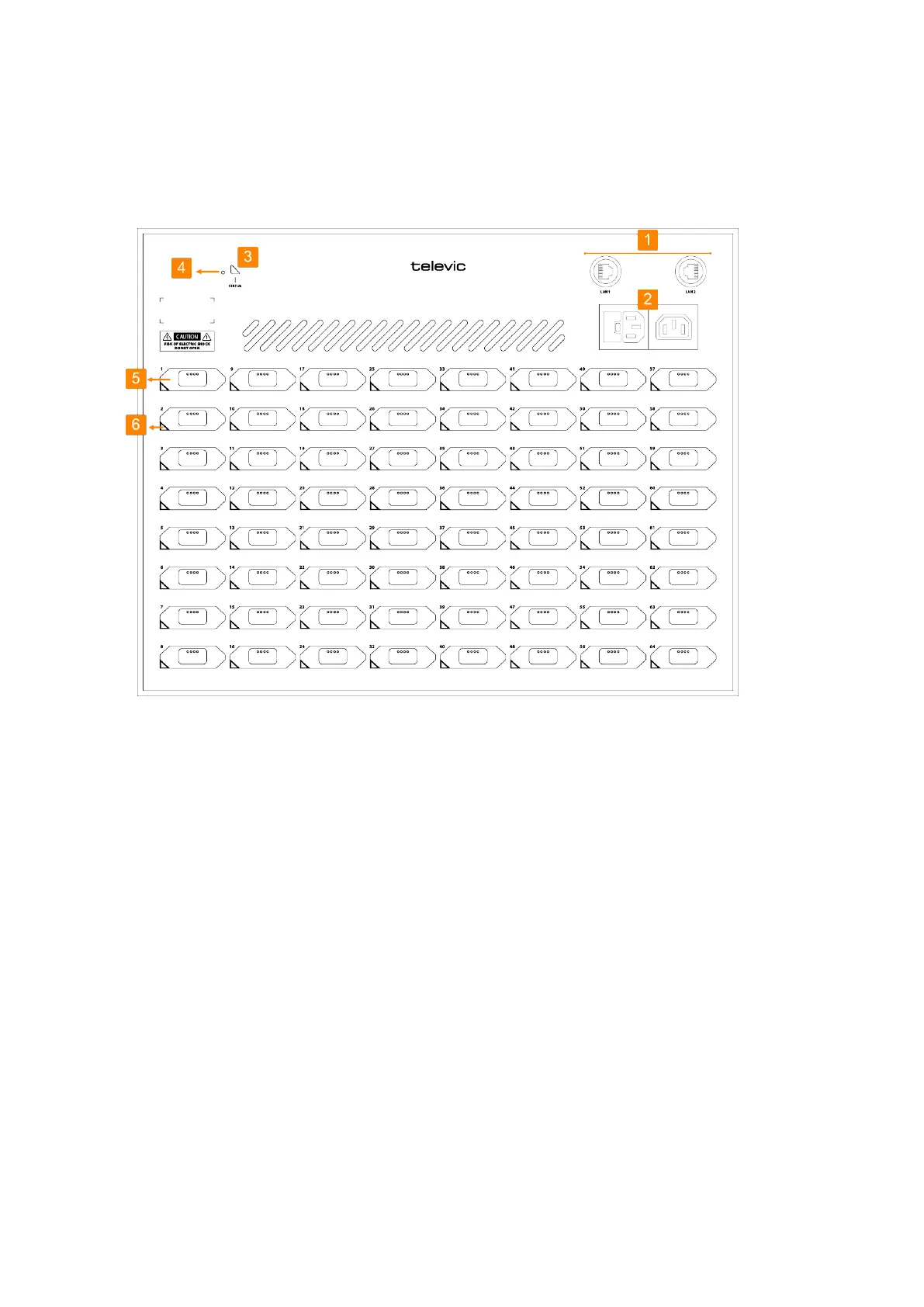
Figure 1-6 Lingua IR charging case
1.
LAN connection: two connections to daisy chain multiple charging cases and to configure the
charging case and receiver settings using the web server.
2.
Two mains connectionsfor loop through. You can daisy chain up to three charging cases when
using 125V or maximum of six for 230V.
3.
Status LED: shows the status of the Lingua IR charging case.
4.
Reset button: different reset options are available see "Reset the Lingua IR Charging Case" on the
next page for more information.
5.
Receiver slot: positions in the case to charge and update Lingua IR receivers.
6.
Receiver LED: indicates the status of the receiver.
LING UA CHARG ING CASE 30



 To Next Page