TEST THE LINGUA IR SYSTEM
Configure The Test Tone
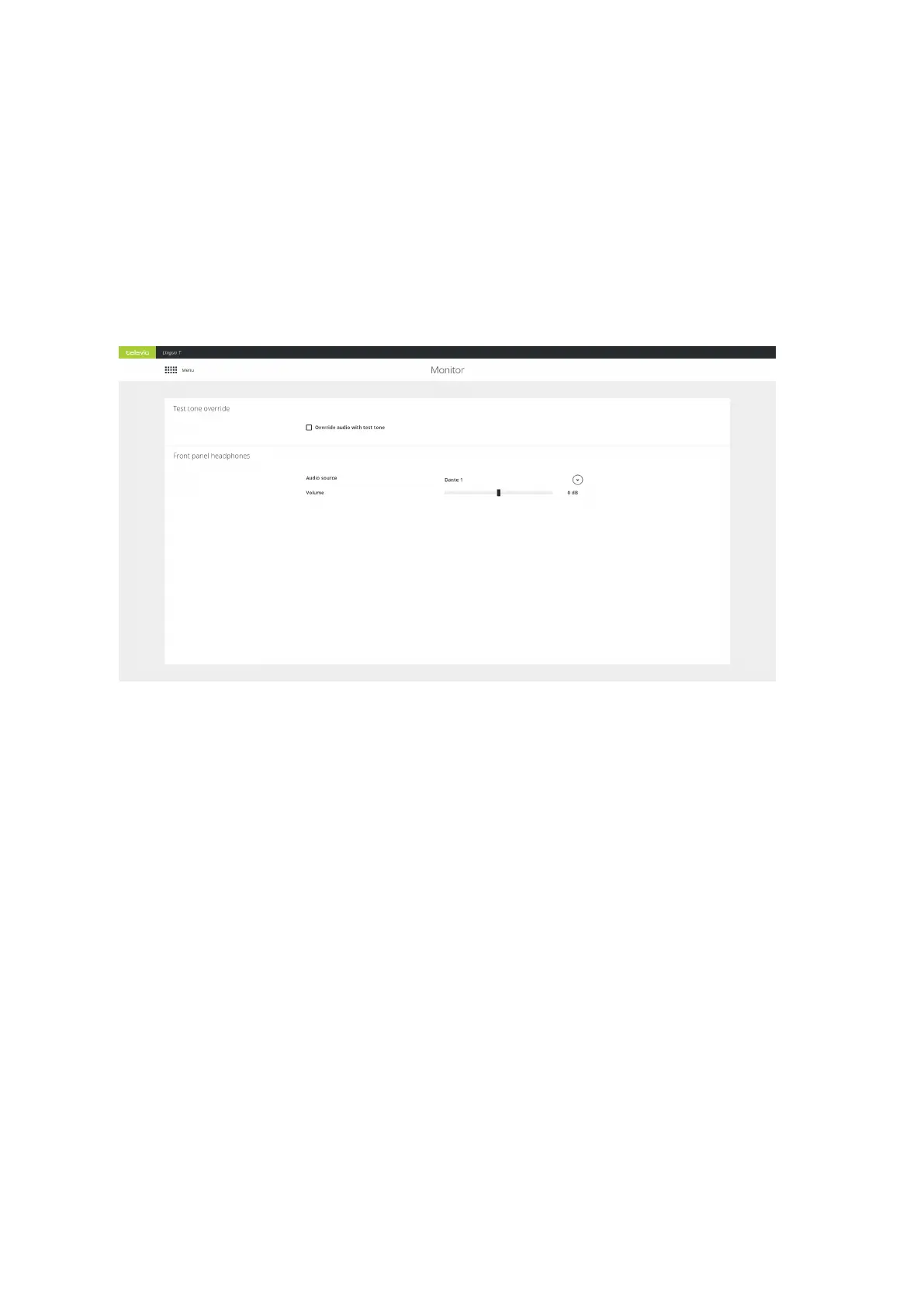
When you set up the Lingua IR system, you need to test the audio inside the room. If during testing there is
no audio is available, you can use the test tone to check whether the receivers have audio. Select Override
audio with test tone on the Monitor page.
Figure 7-1 The Monitor page
Configure The Front Panel Headphones
On the transmitter it is possible to check the input of every Dante™ channel and the AUX input. To hear the
input plug a headphone into the front of the transmitter. On the Monitor page of the transmitter you can
select the Dante™ channel you want to listen to by opening the dropdown next to Audio source. Change
the volume of the channel by adjusting the Volume slider.
TEST THE LING UA IR SY STEM 81


 To Next Page