CONNECT TO PLIXUS SYSTEM
televic
REC
DANGER
™
Plixus Engine
Lingua IR Transmitter
Dante
TM
LAN
USB
AUX OUT
AUX IN
Booths with Lingua Interpreter Desk
Plixus
Lingua IR
Dante™
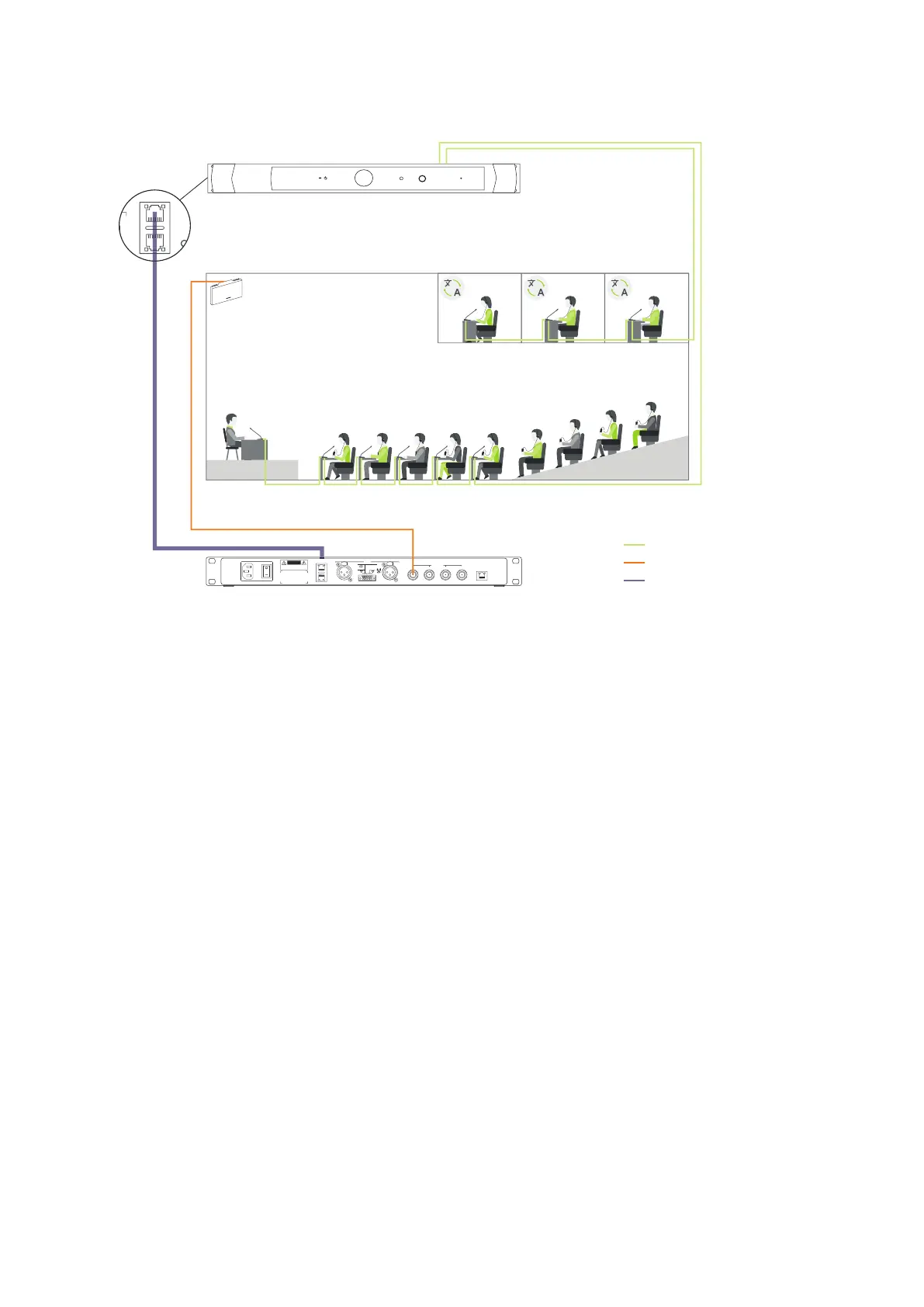
Figure 1-24 How to connect your Plixus conference system with the Lingua IR system to distribute the languages
provided by the interpreters to the participants inside the room. Connection goes through the Dante™
connection on the Plixus engine and the Lingua IR transmitter.
You need to feed input into the Lingua IR system to broadcast this content to the receivers. One option is to
use the audio from your Plixus conference system.
In a typical conference setup some delegates have a microphone and can join the discussion, others are
passive participants that can hear the meeting in the language they prefer. Interpreters provide these
languages with the Lingua Interpreter Desk. Transfer the languages from the Plixus system to the Lingua IR
system over Dante. The radiator can then transmit the infrared signal with these languages to the
receivers in the room.
Use the Dante™ connection on the engine and the transmitter to couple both systems. After connecting
both systems, you still need to configure the Dante™ routing as described in "Set up Dante™" on page57.
COUPL E LING UA IR CO MPO NENTS 52



 To Next Page