Chapter 2 – Seeder Settings
29
2.9. Settings for blocked heads
The seeder may get blocked during the course of seeding operations,
which leads to gaps in product application. Blocked head sensors alert
the operator to the status of the seeder heads and triggers an alarm if
blockage occurs.
1.
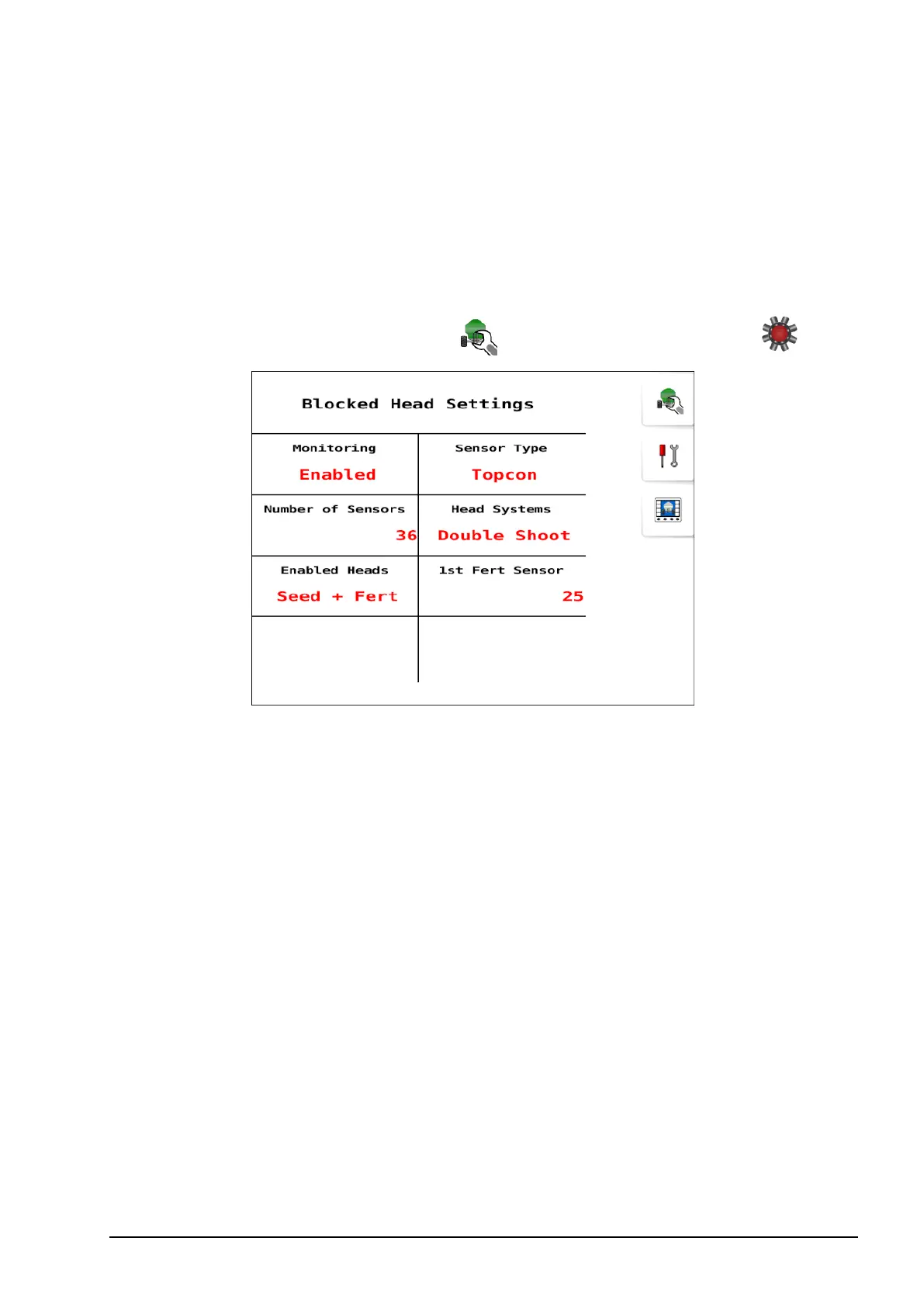
Select Seeder Settings Menu / Blocked Head Settings .
l Monitoring: Enable if a blockage system is installed.
l Sensor Type: Select sensor type as Topcon unless using Dickey-
john sensors.
l Number of Sensors: Enter the number of sensors for distribution
heads. Number of sensors depends on the Head Systems described
next.
l Head Systems: Can be Single Shoot or Double Shoot.
Note: Single shoot head systems have one transfer line (entire
product metered into a single line), and one seeder kit is mounted
on the tillage implement. Double shoot systems are configured with
two transfer lines and two separate seeder kits are mounted on the
tillage unit.
l Enabled Heads: This setting can be used to disable sensors that are
not in use to avoid false alarms.



 To Next Page