79
Chapter 10 – Seeder Operation
This chapter describes how to operate the Apollo ISOBUS UT seeder.
10.1. Selecting the seeder operation screen
1.
Select from the main Universal Terminal screen to open
the Seeder screen.
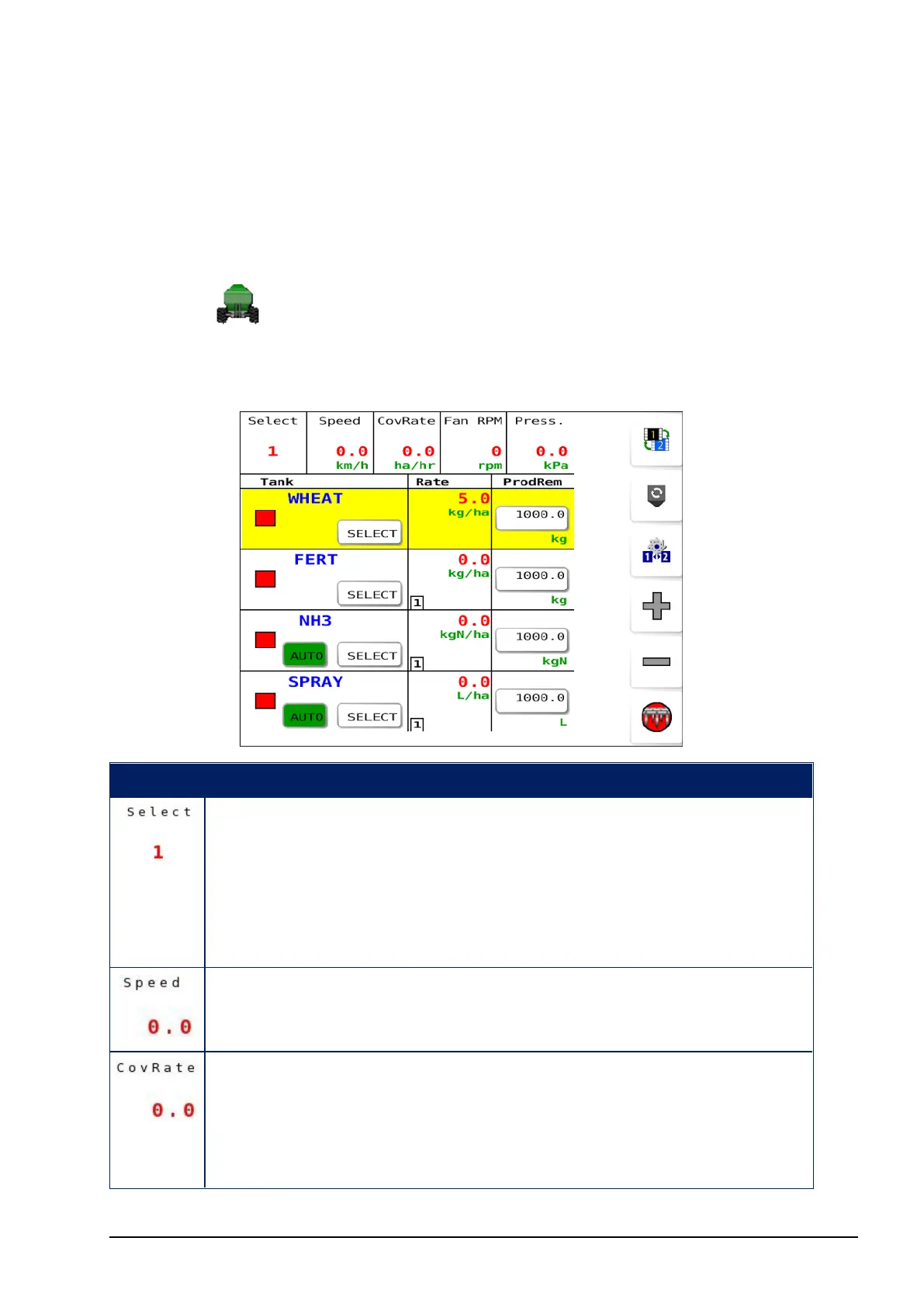
Operation screen 1
Icon Description
Used to select the required tank/s (the Select button in each
tank may also be used). All tanks may be selected
simultaneously.
Tanks that do not have a product assigned may be selected
using this method.
The current speed of the vehicle/implement as calculated
from the configured speed source.
The instantaneous coverage rate. Calculated by speed and
width with at least one tank turned on. For example: an
implement of 10 m width, moving at 10 km/hr gives a
coverage rate of 10 hectares/hr.



 To Next Page