Chapter 10 – Seeder Operation
83
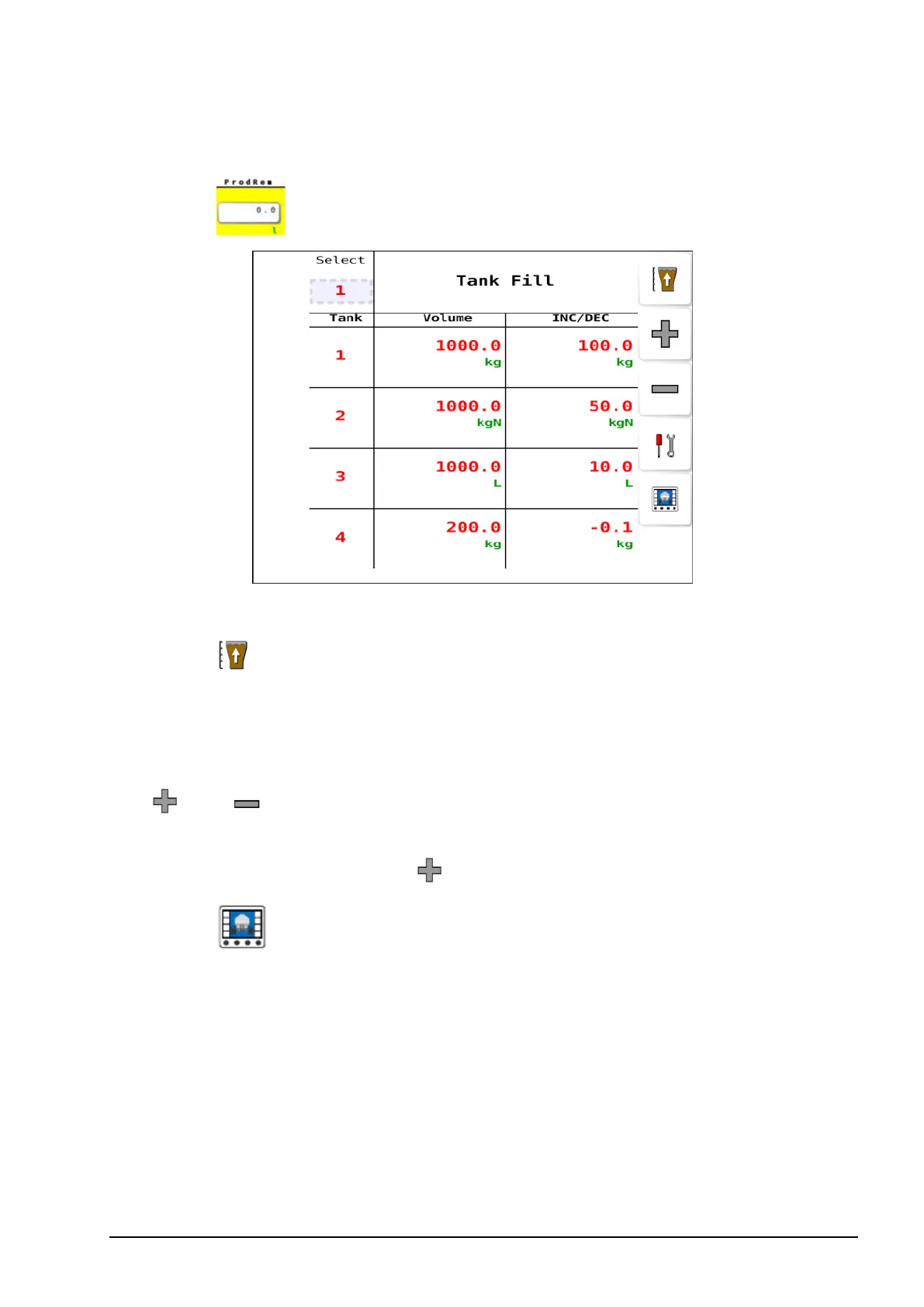
10.2. Selecting and filling tanks
1.
Select to open Tank Fill options.
2. Press Select to select an individual or All tanks.
3.
Select to fill the selected tanks to their maximum capacity.
4. Select the number displayed in the Volume column to manually
enter the volume that is in a tank/bin if that is known.
5. Enter a value in the INC/DEC column to assign an amount to the
and buttons. This feature may be helpful when adding
bagged product (for example, certified canola.) Set the inc/dec value
to the bag size, then press each time you add a bag.
6.
Select to return to the operation screen.



 To Next Page