Chapter 9 – Advanced Settings
75
9.2. Upgrading ECU firmware
The Apollo ECU firmware can be upgraded from the Advanced
Settings screen.
Note: Contact your Topcon dealer for the Apollo ECU firmware
upgrade file/s. These should be placed in the root (top-level) directory
of a USB flash drive.
9.2.1. CM-40 Main ECU
1.
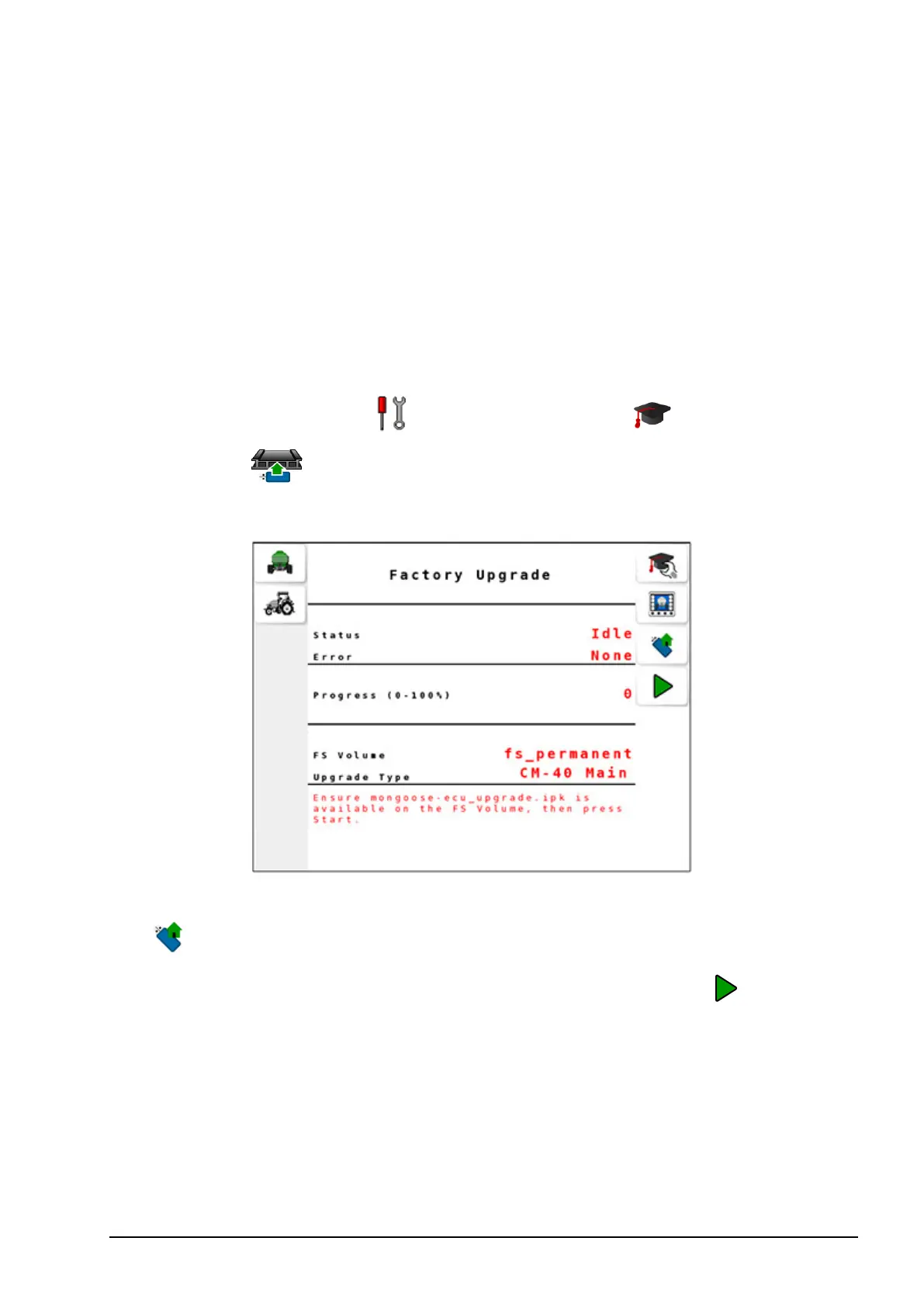
Select Settings Menu / Advanced Settings / Factory
Upgrade .
2. Ensure CM-40 Main is selected as the Upgrade Type.
3. Insert the USB flash drive into the terminal’s USB port and select
to read the drive.
4.
If the USB flash drive contains a valid *.ipk file, select to start
the upgrade.
The Progress indicator starts counting to 100 and the Status appears
as Transferring.



 To Next Page