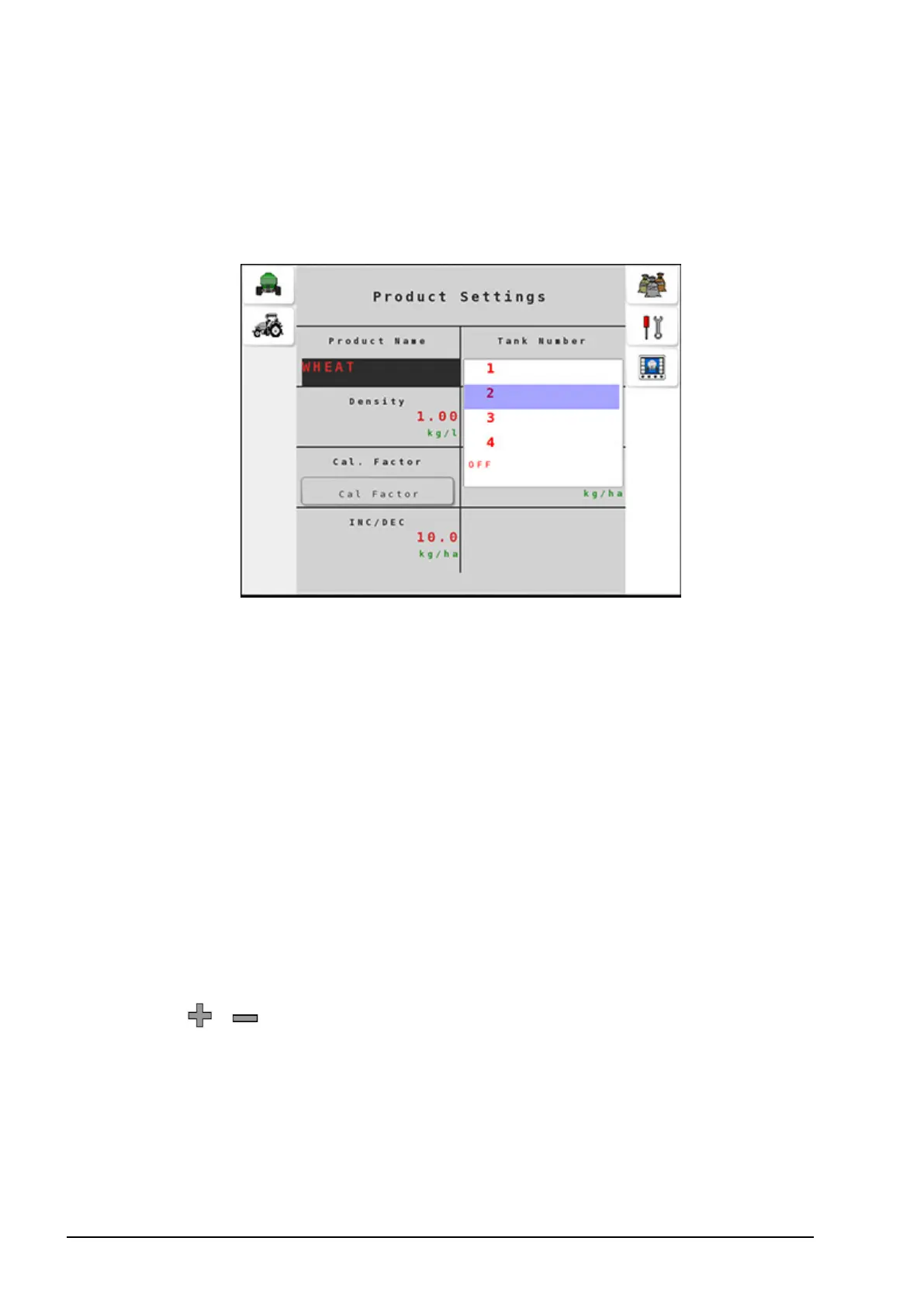
4.1. Setting up products
40
l Product Name: Type in a name for the product.
l Tank Number: Assign a tank number to use this product in the
selected tank. Set to OFF if this product is not currently being
used in a tank.
l Density: Enter the product density. The density of the product
determines the actual weight of each tank.
l Preset Rate 1: Sets the primary seeding rate. This is the default
application rate.
l Preset Rate 2: Sets the secondary seeding rate. Preset rates can be
toggled from the operation screen.
l Cal. Factor (Calibration Factor): Enter a calibration factor
manually or perform the calibration according to the steps
described in the next section. Refer to Calibrating the Tanks, page
43, for instructions to determine calibration factor. A Tank
Number must be assigned before calibration can be performed.
l INC/DEC: Sets the amount the rate will change by when pressing
the / buttons on operating screen 1 for this product.
l Product Type: Select Seed or Fertilizer. When Task Controller is
enabled, it is important to correctly set the product type to ensure
the console knows the type of product that is in each tank for
documentation purposes. Some systems will not allow tanks that
don’t have the correct product type associated to be associated



 To Next Page