EasyManua.ls Logo

Topcon Apollo ISOBUS UT - Completing Liquid Tank Calibration; Measuring and Entering Volume; Saving or Rejecting Liquid Calibration Factor

Topcon Apollo ISOBUS UT
116 pages
Print Icon
To Next Page IconTo Next Page
To Previous Page IconTo Previous Page
Loading...
5.2. Automatic calculation of calibration factor
52
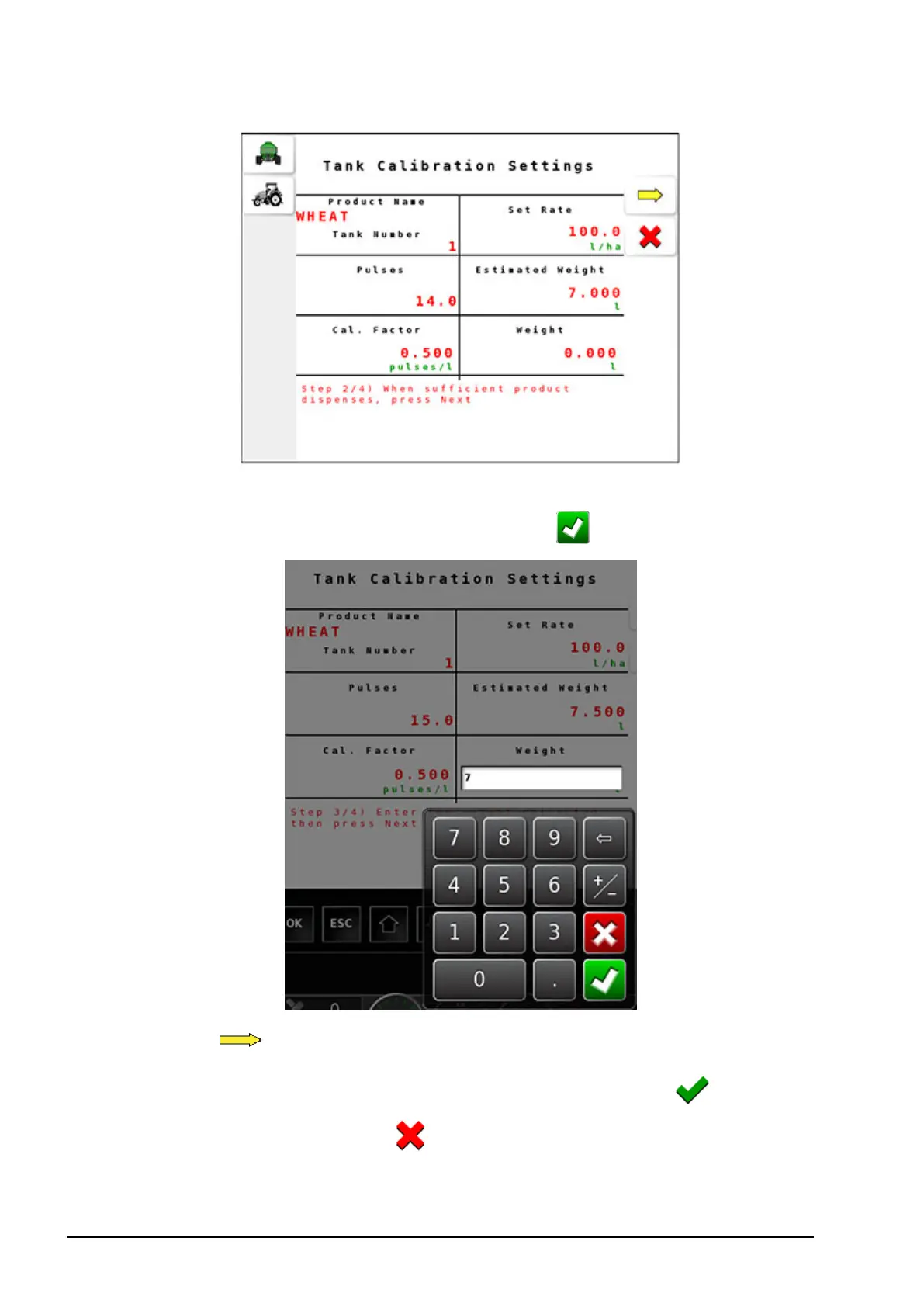
8. Measure the volume collected in the bucket and enter the value
by selecting Volume and select confirm .
9.
Select to complete the calibration.
10.
The new calibration factor appears on screen. Select to save
the calibration factor or to reject it.


Table of Contents

Related product manuals