Deleting Files
P/N 7010-0681
4-13
Deleting Files
Use the following steps to delete files from your receiver.
1. Connect your receiver and computer. See “Connecting the
Receiver and a Computer” on page 2-10 for this procedure.
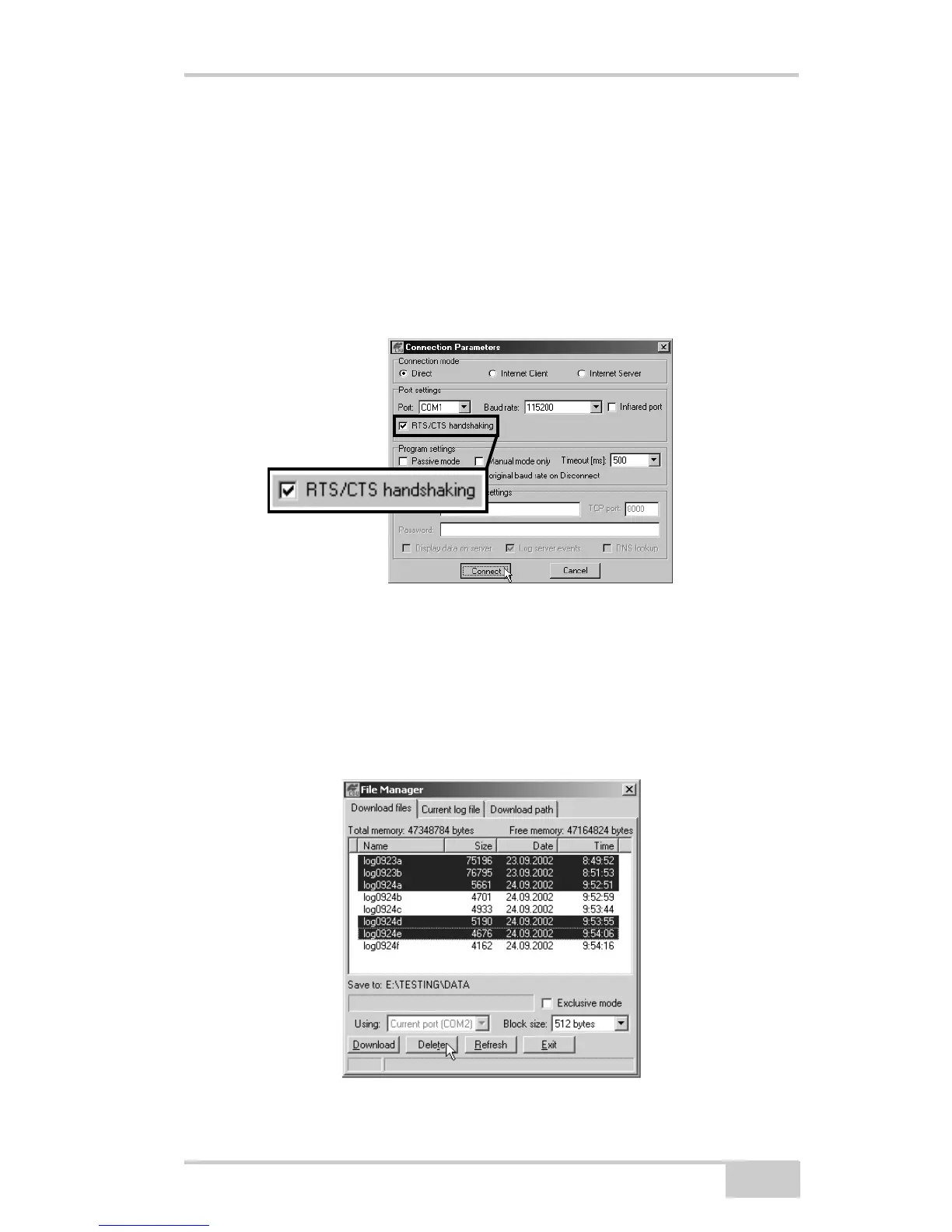
2. On the Connection Parameters dialog box, enable RTS/CTS
handshaking (Figure 4-7).
Figure 4-7. Connection Parameters – RTS/CTS Handshaking
3. Click FileFile Manager and select the file(s) to delete on the
Download files tab (Figure 4-8).
To select multiple files, hold down the shift key and click on non-
sequential files to select several files at once; or hold down the
Ctrl key and click on individual files.
Figure 4-8. Delete Files



 To Next Page