Configuration
HiPer Pro Operator’s Manual
2-26
Radio Configuration
Modem-TPS is Topcon’s radio modem configuration utility for
modems embedded in HiPer family receivers. Modem-TPS provides
the following functions:
• Connecting a PC to an integrated radio modem via a serial port or
Bluetooth wireless technology.
• Displaying information about the radio modem installed in the
receiver.
• Programming the radio modem’s settings.
For HiPer Pro receivers, the integrated Satel radio modem provides
TX/RX UHF communications between a Base Station and Rover. To
configure the Satel radio modems, have the following ready:
• Computer running Windows® 98 or newer
• Modem TPS ver 1.6 or newer
• Serial cable
• Frequency list
• NetID Setting
First, download and install Modem-TPS, then connect your computer
and the receiver, and run the configuration program.
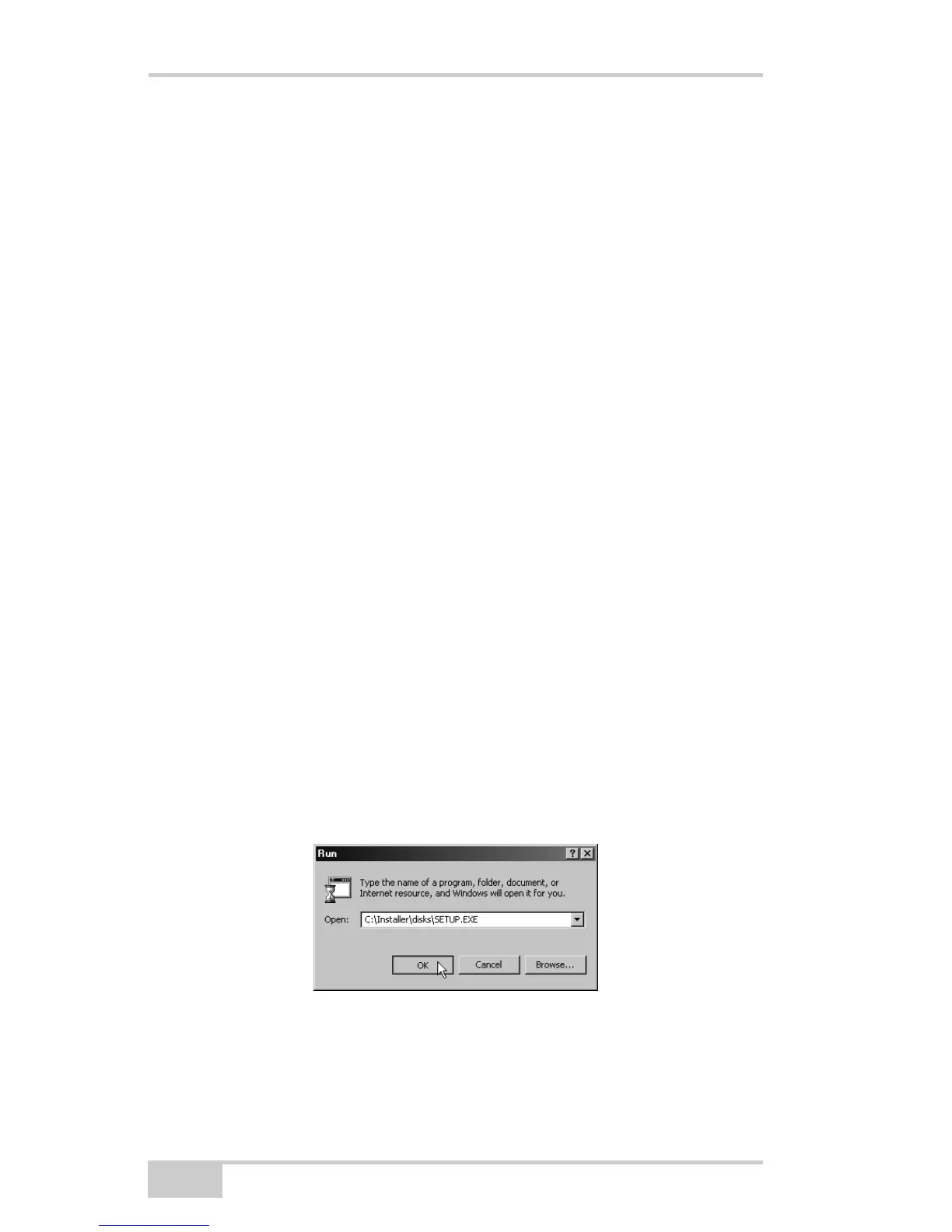
1. On your computer, click StartRun to open the Run dialog box.
Click the Browse button to find the Modem-TPS “setup.exe”
program, and click OK (Figure 2-18).
Figure 2-18. Run Modem-TPS
2. Follow the on-screen instructions to complete the installation.



 To Next Page