Setup and Survey
HiPer Pro Operator’s Manual
3-8
5. Set up each antenna and receiver as described in “Receiver
Setup” on page 3-1.
6. Begin surveying.
Kinematic (Stop and Go) Survey
In a kinematic, stop and go, survey, the stationary receiver (Base
station) is set up over a point, such as a survey monument. The
receiver continually tracks the satellites and logs the raw data into its
memory. The rover receiver is set up over a point and collects data in
static mode for 2 to 10 minutes.
1. Using PC-CDU, configure and set up the Base as described in
“Static Survey” on page 3-5.
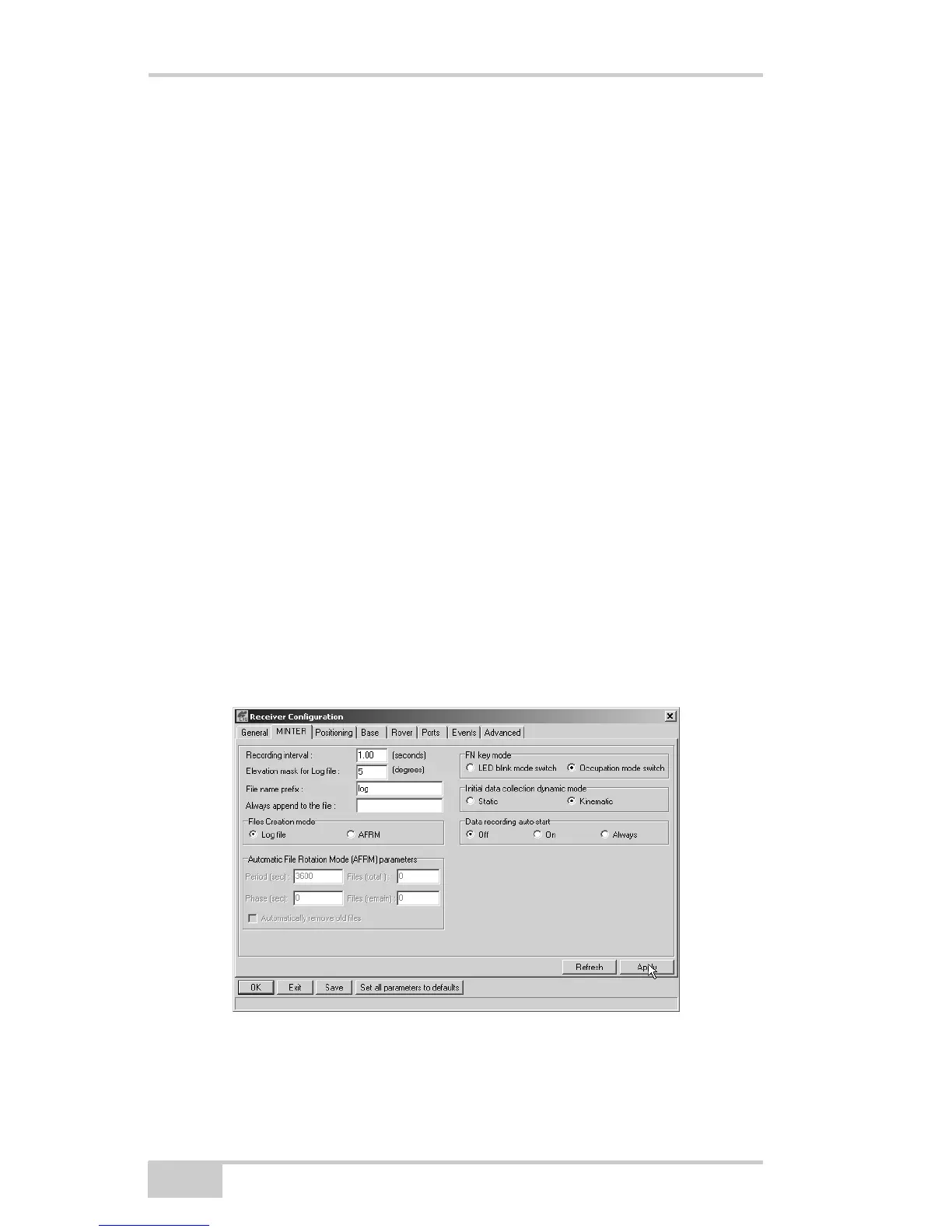
2. Using PC-CDU, click ConfigurationReceiverMINTER,
and configure the Rover with the following parameters, then click
Apply (Figure 3-5):
• FN key mode, Occupation mode switch – enable
• Initial data collection dynamic mode, Kinematic – enable
See Table 4-1 on page 4-5 for FN key functions and REC LED
statuses.
Figure 3-5. Rover MINTER Configuration



 To Next Page