Operation
HiPer Pro Operator’s Manual
4-2
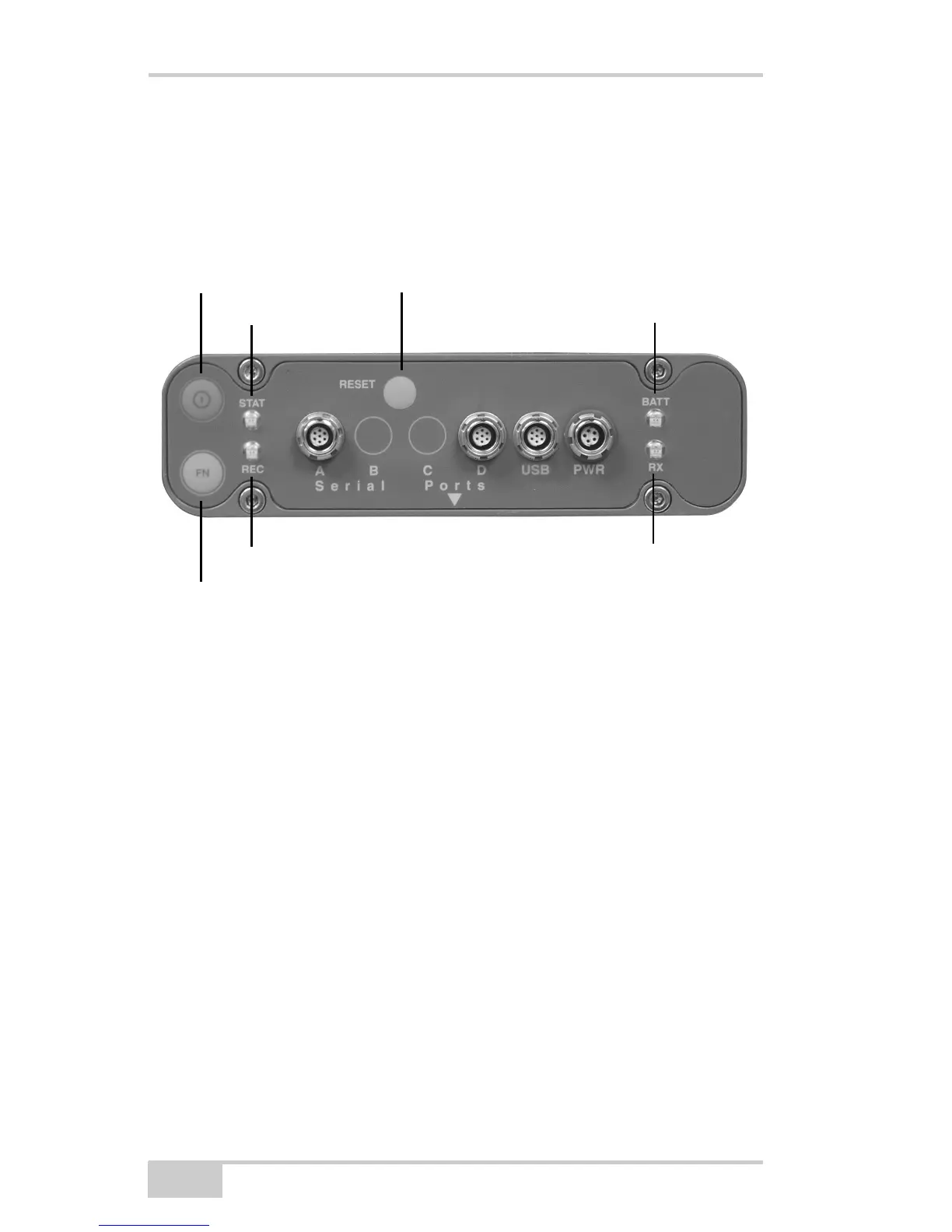
Using the MINTER
The MINTER (Figure 4-1) is Topcon’s Minimum INTERface used to
display and control data input and output, and is the same for all
HiPer family receivers.
Figure 4-1. MINTER
Power Key
Pressing the power key turns the receiver on and off.
Status LED
• When the receiver is on and no satellites are tracked, the STAT
LED will blink red.
• When satellites are tracked, the STAT LED will produce one
blink for each tracked satellite (green for GPS, orange for
GLONASS).
Power Button
Reset
BATT
(battery LED)
RX
(modem status LED)
STAT (status LED)
FN (function/recording button)
REC (recording LED)



 To Next Page