Radio Configuration
P/N 7010-0681
2-31
Occasionally, the receivers may encounter interference if a jobsite
has more than one set of HiPer Pro receivers. In this case, enter a
different Free Scan net ID for each set of receivers.
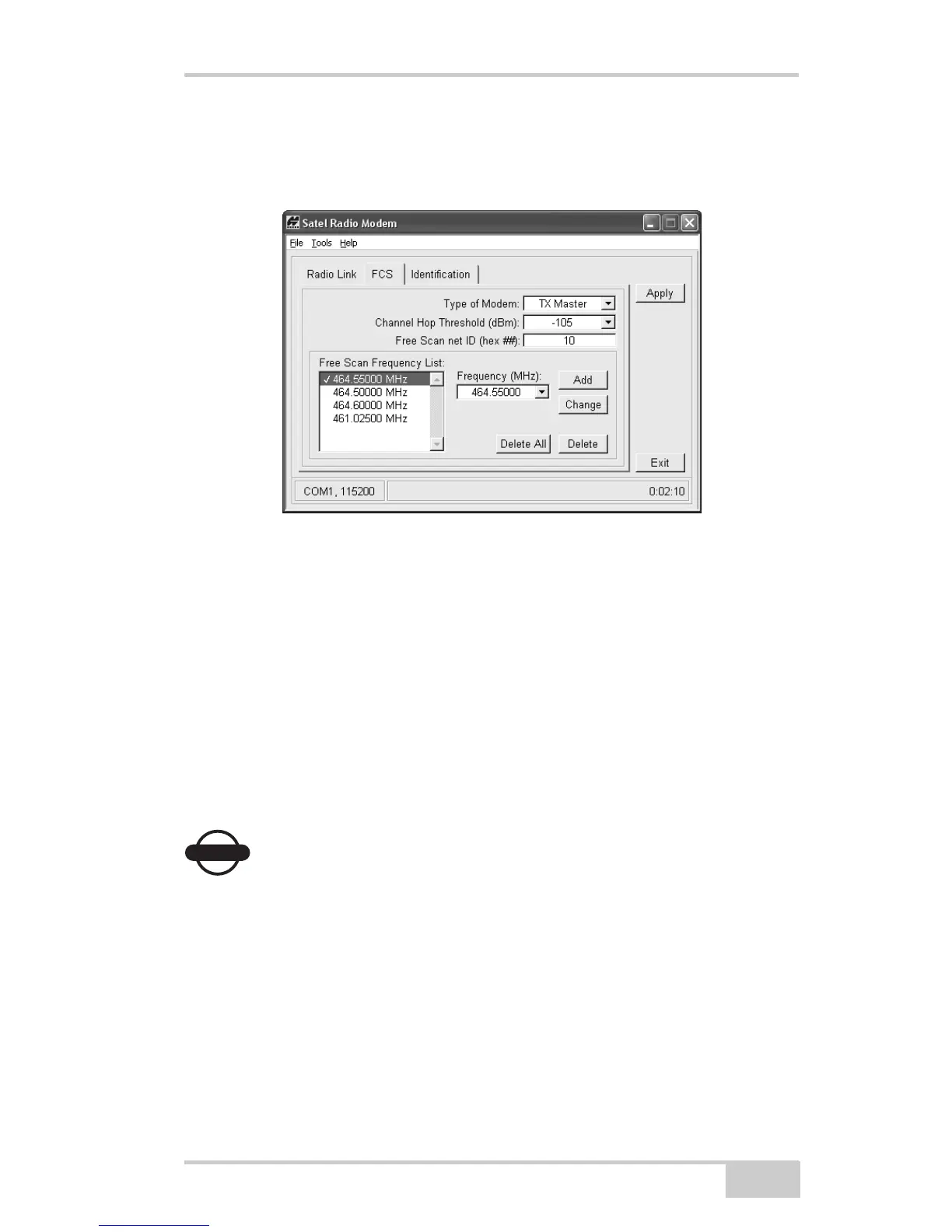
Figure 2-22. FCS Tab
4. To set up the frequency list for communication between the Base
Station and Rover, select a frequency from the Frequency list and
click Add. Only select those frequencies that you have a license
for and that are available in your location.
• To change a frequency, select a frequency in the Free Scan
list, then from the Frequency list. Click Change.
• To delete a frequency, click Delete all or select one frequency
and click Delete. Be sure to delete the same frequency for
both receiver setups.
NOTICE
NOTICE
The frequencies must be in the same order for both Base
Station and Rover setups.
5. Click Apply after making changes to the radio configuration.
6. Click FileDisconnect then FileExit to quit Modem-TPS.



 To Next Page