Calibration
Excavator Hitch
57
Excavator Indicate System P/N: 1022461-01
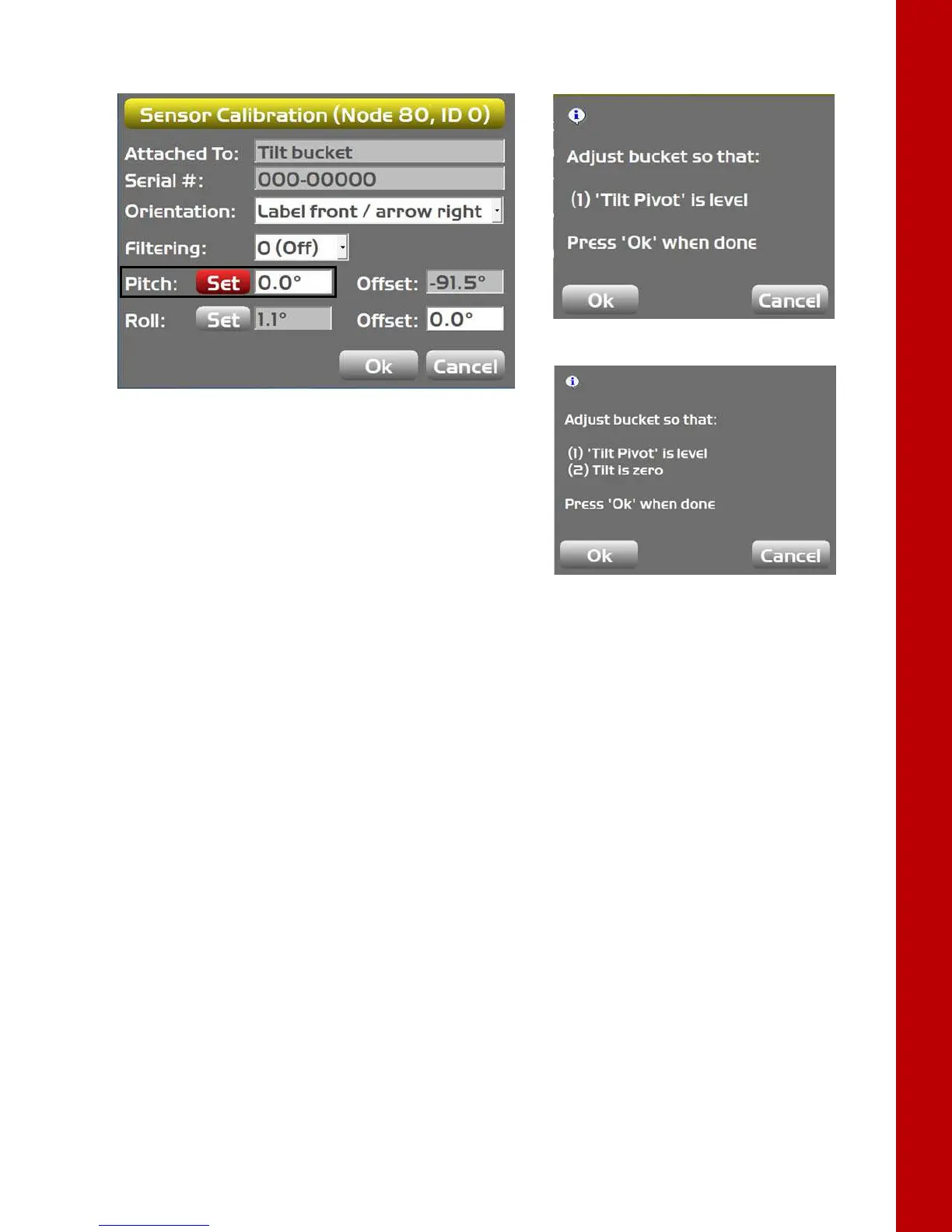
Figure 77: Set Pitch
10. To set the pitch:
a. Single-axis: Ensure the tilt axis (or pin) is horizontal. Tap Ok.
– The Pitch will be set to 0.0, and the relationship between the Tilt Pivot and the Hitch
sensor is recorded.
b. Dual-axis: Ensure the tilt axis (or pin) is horizontal and the tilt is level. Tap Ok.
– The Pitch will be set to 0.0, and the relationship between the Tilt Pivot and the Hitch
sensor is recorded.
11. Tap the Set button for Roll (Figure 78 on page 58). A popup screen will appear.
Single-axis TS-i3
Dual-axis TS-i3d



 To Next Page