6: BASIC OPERATIONS
6.5 CHANGE THE CLAMPING PRESSURE
Note: Choosing the clamping pressure — or the
amount of force that the jaws exert onto the part —
depends on the type of material you're cutting. For
more information, see a machinist's handbook.
To change the clamping pressure:
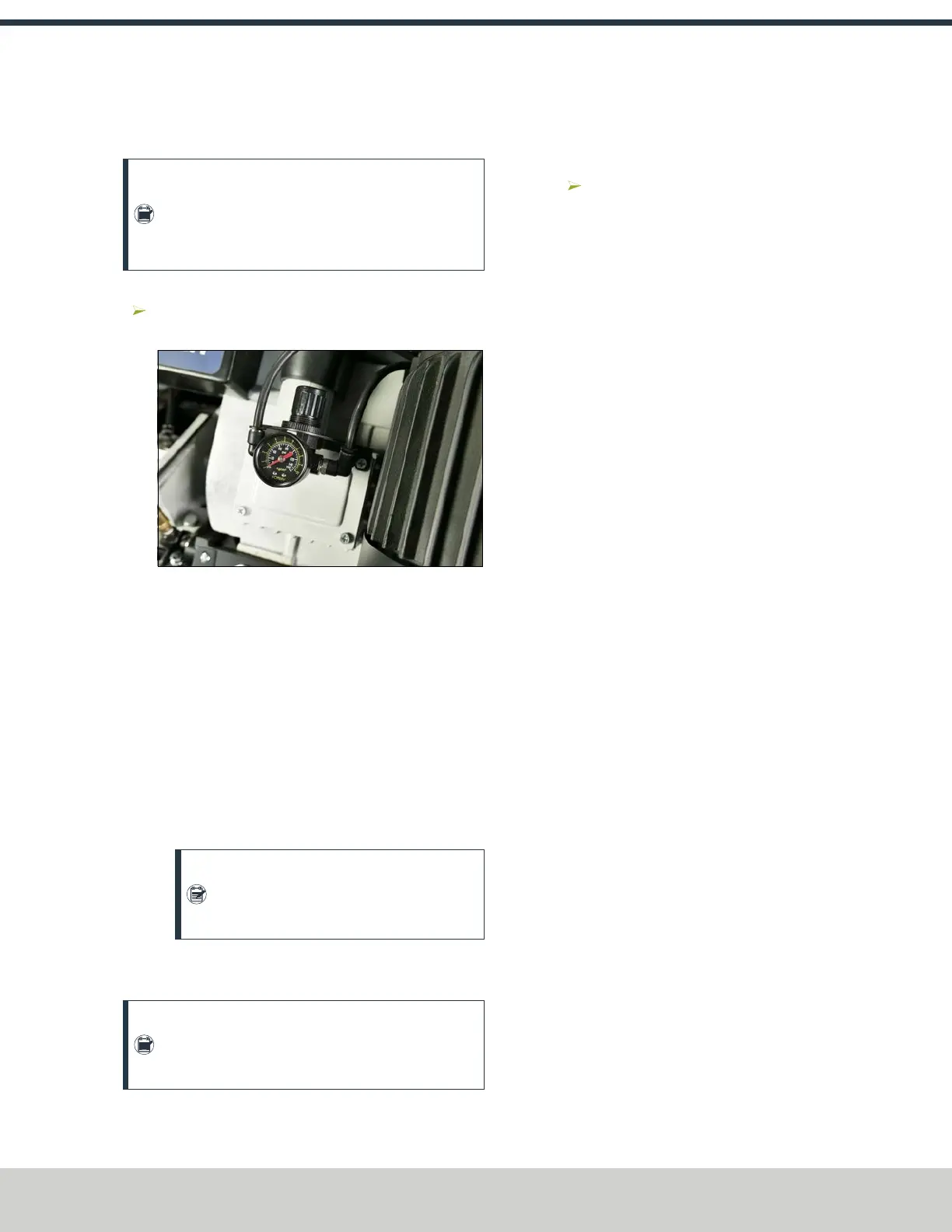
Adjust the pneumatic regulator on the gearbox to
increase or decrease the clamping pressure.
Figure 6-13: Pneumatic regulator.
6.6 SET THE NUMBER OF CUTS
Use the Up Arrow and Down Arrow buttons on the control
panel to indicate the number of cuts.
To set the number of cuts:
l
Automatic Mode Select a number from 1 to 999.
l
Manual Mode Do one of the following:
o
Push the Down Arrow and Up Arrow buttons at the
same time. The control panel displays ---.
o
Push the Down Arrow button until the control panel
displays ---.
Note: A display of --- on the control panel
indicates that the machine is in manual
mode.
6.7 SET THE NUMBER OF CYCLES
Note: You'll only set the number of cycles in
automatic mode. The Stroke button isn't used in
manual mode.
If the required length is longer than a full stroke can move, use
the stroke multiplier.
To set the number of cycles:
Use the Stroke button to indicate the number of cycles:
select a number from 1 to 5.
©Tormach® 2024
Specifications subject to change without notice.
Page 35 UM10825: AF50+ Autofeed Bandsaw Operator's Manual (Version
0324A)
For the most recent version, see tormach.com/support


 To Next Page