Section 2. Considerations before Installation
2.5.4 Signal names
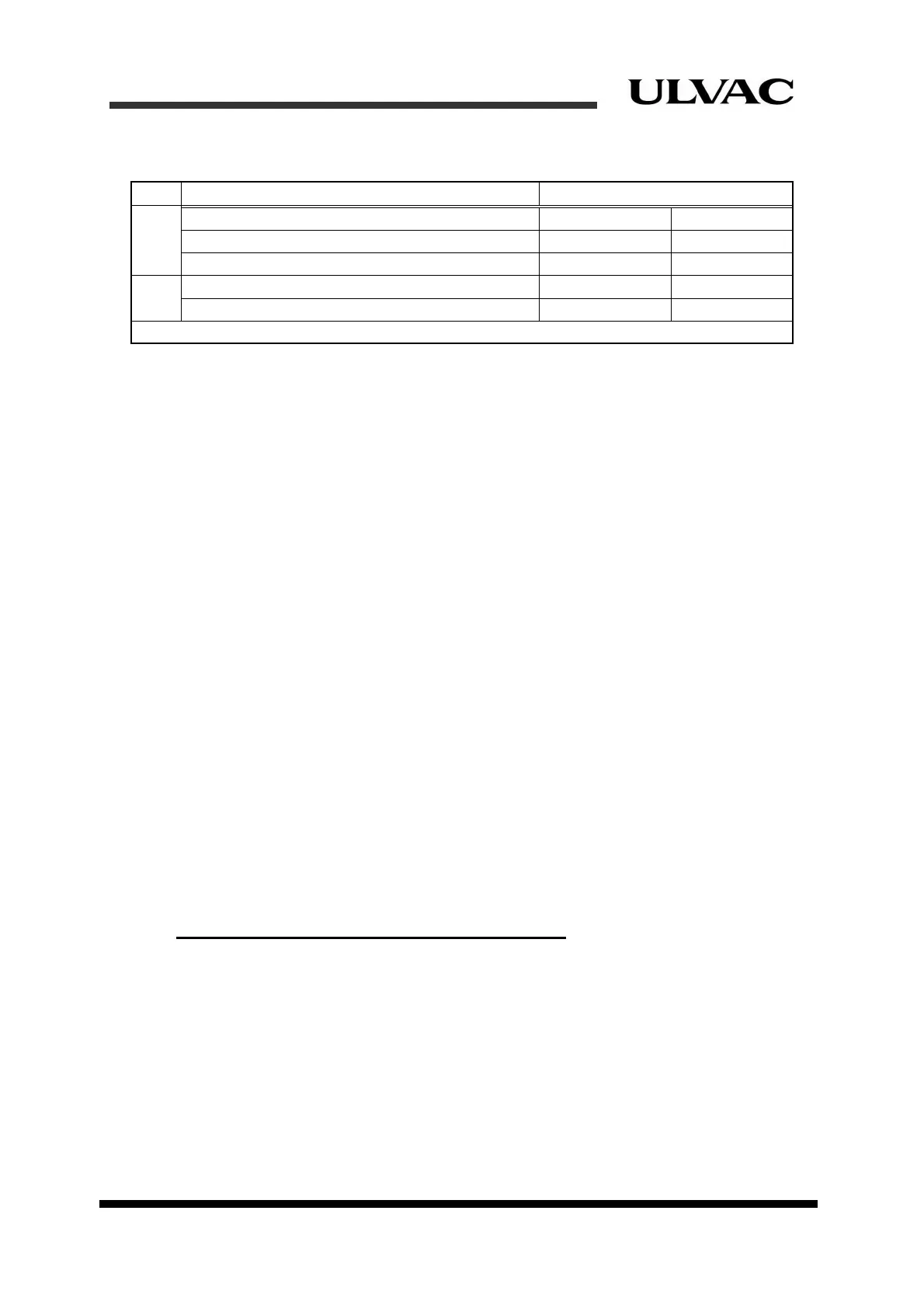
Table 2-6 Remote interface signals
Type Signal description Signal name
Input
Compressor start (Momentary operating mode) COMP START COM
Compressor stop (Momentary operating mode) COMP STOP COM
Compressor start/stop(Alternate operating mode) COMP ON/OFF COM
Output
Compressor answer-back COMP RUN1 COMP RUN2
Alarm ALARM1 ALARM2
Note: Refer to “Section 4.5 Electrical connections” for details of signal names.
2.5.5 Signal functions
The compressor can be controlled in two different operating modes, Momentary operating mode
and Alternate operating mode. You can neither use both operating modes at the same time, nor
switch one operating mode to the other depending on the situations. Ensure to choose one of the
operating modes and connect signal lines needed for the operating mode you chose. Do not
connect signal lines for the operating mode that you will not use. Decide the operating mode
depending on the application of the equipment side. Momentary operating mode is equivalent to
operate by using pushing button switch, and Alternate operating mode is equivalent to operate
by using selector switch.
Alternate operating mode is easier and simpler for use in general.
Selecting operating mode
There are Momentary operating mode and Alternate operating mode.
1. Momentary operating mode
2. Alternate operating mode
Default operating mode is either Momentary operating mode or Alternate operating mode.
The operating mode is switched automatically.The operating mode is determined by
recognizing into which input pin the operation command of the compressor has entered
after turning on the power supply.
Once the operating mode is selected, the mode will be kept until the compressor is turned
off.
Signal functions only for Momentary operating mode
COMP START(Compressor start)
The compressor pump starts operation by turning this command signal ON for a short
period of time and the compressor keeps the operation status. Turn the command signal
ON for more than 0.3 second. (Refer to the description of COMP STOP below).
For C30HVRT, when the compressor pump starts operation, the cryocooler starts at the
same time.
2-8
ULVAC CRYOGENICS INCORPORATED



 To Next Page