UniPOS Fire Extinguishing Control Panel FS5200Е
Instruction Manual Page 29
Revision 7/06.12 of 63
pressing of the same button.
The local sounder is
activated again:
- when the fire
extinguishing control
panel enters Fire
condition;
- new Fault condition
occurs;
Press it to enter Information
and Control Mode. All occurred
faults could be viewed in Menu View
Faults.
For detailed information how
to view all faults in Information
and Control Mode see section
12.
10. Disabled component
10.1. Description
The fire extinguishing control panel enters Disabled component after a manual operation,
disabling a fire alarm line or an output.
At access level 2 – Secret switch in position and menu System Functions> Disables it is
possible the following inputs and outputs to be disabled:
> Disable Line 1 ;
> Disable Line 2 ;
> Disable Line 3 ;
> Disable Rel 1ST ;
> Disable Rel 2ST ;
> Disable Out. S1 .
Upon fire detecting line disable the power supply to the line is switched off and nor processing is
done.
Upon output disable, the respective output is not activated under any circumstances.
10.2. Indication
10.2.1. LED and sound indication
If a component is disabled the indicator starts to illuminate.
No sound indication is supported for this condition.
10.2.2. Text messages
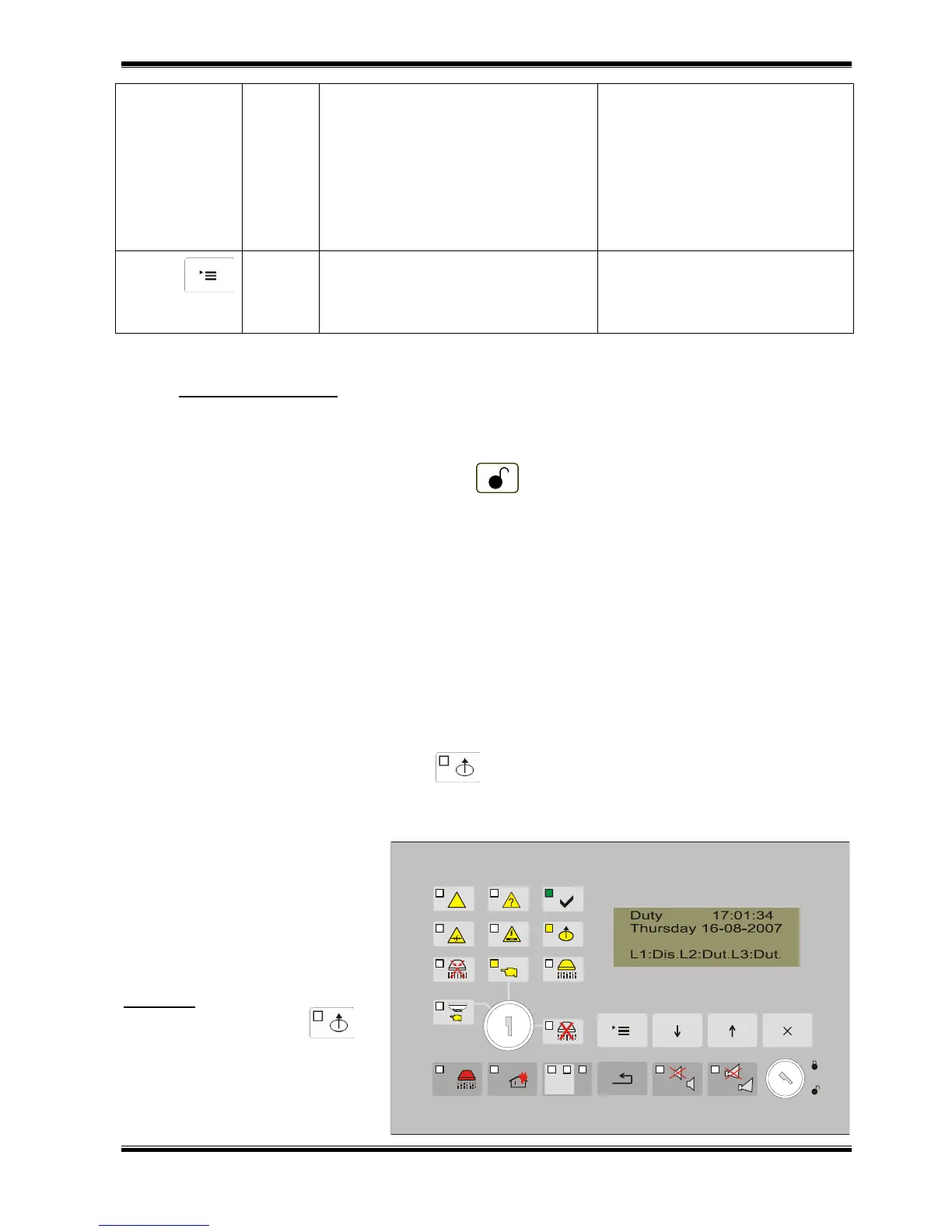
When a fire detecting line is
disabled it is indicated on the
display in the status of the line.
There is no text message for
disabled output.
All entered disables could be
viewed in Information and Control
mode.
Example: Disable for line 1 is
entered. The indicator is
illuminated, in the line status there
is a text message “Dis”.



 To Next Page