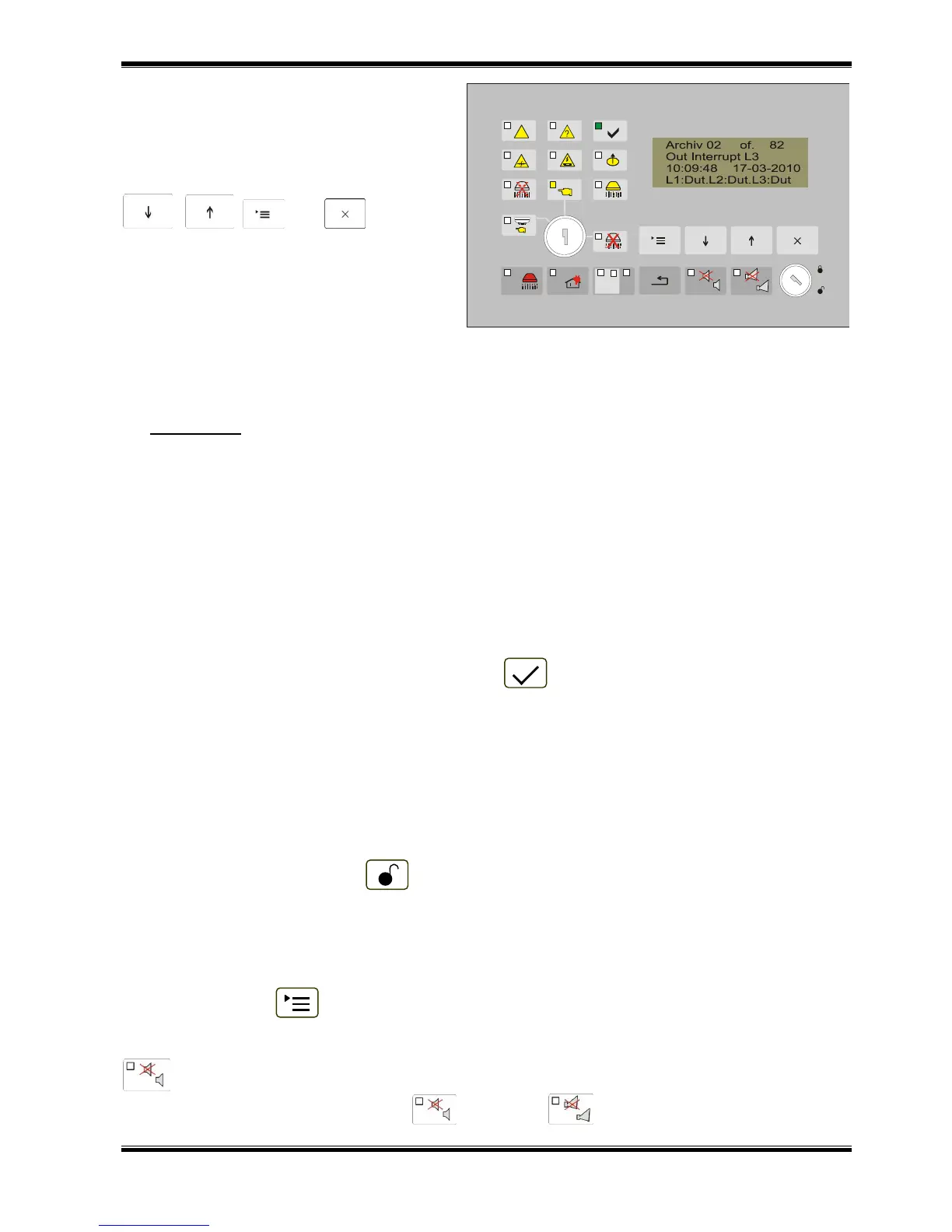
12.4.5.8. Screen Archive
The screen Archive Counter is part of
the menu System Functions.
The active buttons to enter it, to move to
another entry in the archive and to exit the
screen are:
, , and .
The information recorded in the archive
has the following structure:
- No. of the record;
- Total number of the records;
- Text of the event in the
archive (fire condition, initial
reset, activated input, etc.);
- Time of the record;
- Date of the record.
13. Setup Mode
13.1. Description
Set Up mode is used for setting the configuration parameters of the fire extinguishing control
panel. Access to the Set Up screen is provided through menu System Functions in Information and
Control Mode.
When the fire extinguishing control panel enters Set Up mode, it exits all other conditions and
saves the configuration in its energy independent memory.
Important: In Setup Mode the fire extinguishing control panel discontinues the service of its fire
alarm lines, inputs and outputs.
13.2. Indication
13.2.1. LED and sound indication
In Set Up mode only the green LED indicator (Power supply) is illuminated. The local
sounder is off.
13.2.2. Text message
The text message shown on the display is specific for each menu, function or screen. The
screens with the respective text message for each of the setup parameter are given in the part
describing the operation in menu Setup.
13.3. Using the keypad
Setup Mode requires Access Level 3. It is necessary:
- The switch to be in position ;
- To enter a password.
The text messages in this mode are organized in a tree structure, of main and subordinate
menus.
Press the button to enter Setup Mode from the screens of Duty Mode, Fire condition, Fault
condition, Test Mode and Disabled Component, thus their text messages are suppressed. Where the
fire extinguishing control panel operates in combination of Setup Mode and Fault Condition, button
(Alarm) is active too. Where the fire extinguishing control panel operates in combination of
Setup Mode and Fire Condition, buttons (Alarm) and (Outputs) are active.



 To Next Page