UniPOS Fire Extinguishing Control Panel FS5200Е
Instruction Manual Page 34
Revision 7/06.12 of 63
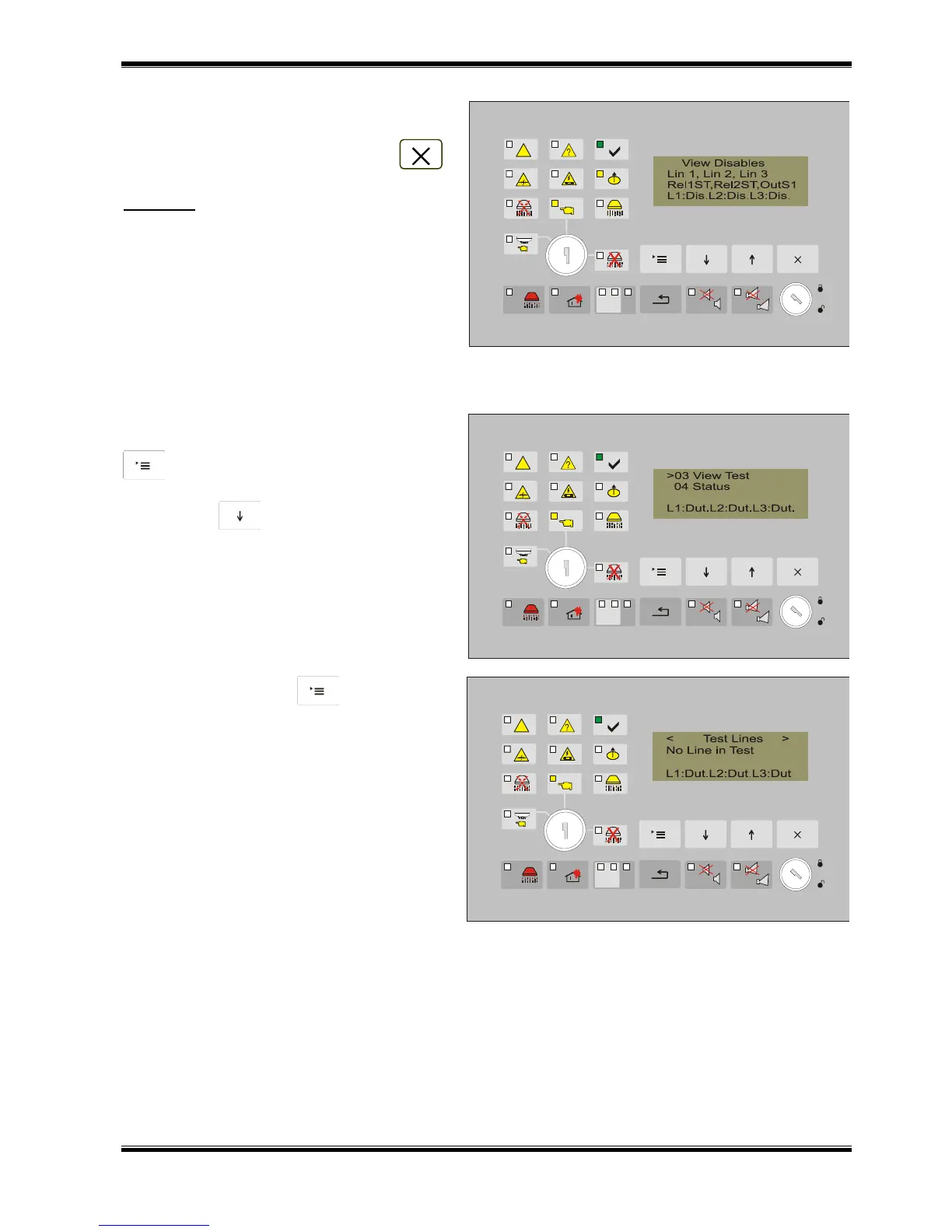
If there are disables all active disables
are displayed simultaneously on the screen.
To exit the menu – use the button .
Example: All entered disables are visualized
on the screen: line1, line 2, line 3, the two
relays that are activated for fire condition
stage I and stage II and the sounder output
for fire condition stage I. As disables are
entered for the lines to the last line on the
display these disables are also shown in the
statuses of the lines.
12.4.3. Menu View Test
The menu is accessible for all Access levels and contains information screens showing the lines
in test.
From the current status of the fire
extinguishing control panel, press the button
to enter the main menu. The cursor „>”
is positioned at the first point of the menu.
Press button until the cursor „>” moves
to point 03 of the menu.
Press the button to display the
screen to view the lines in test.
If there are no lines in test a text
message “No Lines in Test” appears on the
display.



 To Next Page