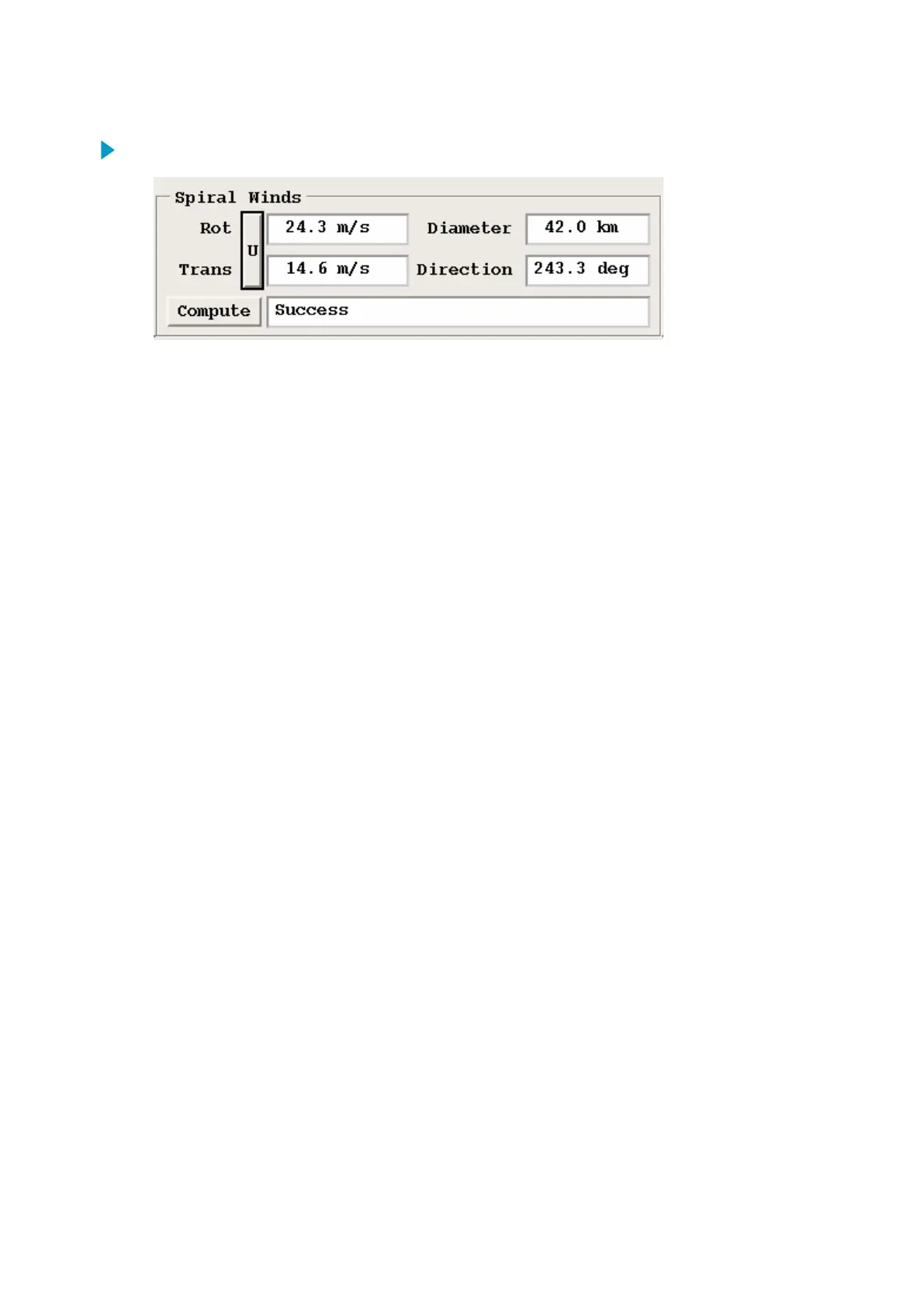
1. In the Track/Annotate > Spiral Winds section, calculate the maximum winds.
The IRIS QLW wind model looks at the data and finds the best fit of a rotation about the
center point, plus a mean horizontal translation.
a. Enter the values.
• The maximum wind and the wind speed at that diameter.
• The average translation speed and direction.
b. Select Compute.
The text box to the right of the Compute button shows the status of this calculation.
Note that this calculation requires a lot of CPU.
You must have the polar velocity data on your serving machine. If this data is
unavailable, the Compute option is grayed out.
If you move the spiral location, the status displays Repositioning Spiral. This remains
until you push the button. In this case, it displays Fitting winds, and finally Success. It
can take up to a minute to do the fit.
There are a number of possible errors in the fit. For example:
• If the weather is clear and there are no velocities in the data, the status shows
Error: 0 velocity points.
• If the fit cannot be solved, the status shows Error: Bad fit.
If you try to fit a cyclonic motion to a data set which is not rotating, you get unuseful
numbers such as a small rotation speed at a large range. Also because the radar cannot
detect rotation about the radar, if you place the cursor within a few km of the radar, the
numbers are invalid.
IRIS Product and Display User Guide M211319EN-H
240 RESTRICTED



 To Next Page