Advanced Digital Video Platform Hybrid-DVR User’s Guide
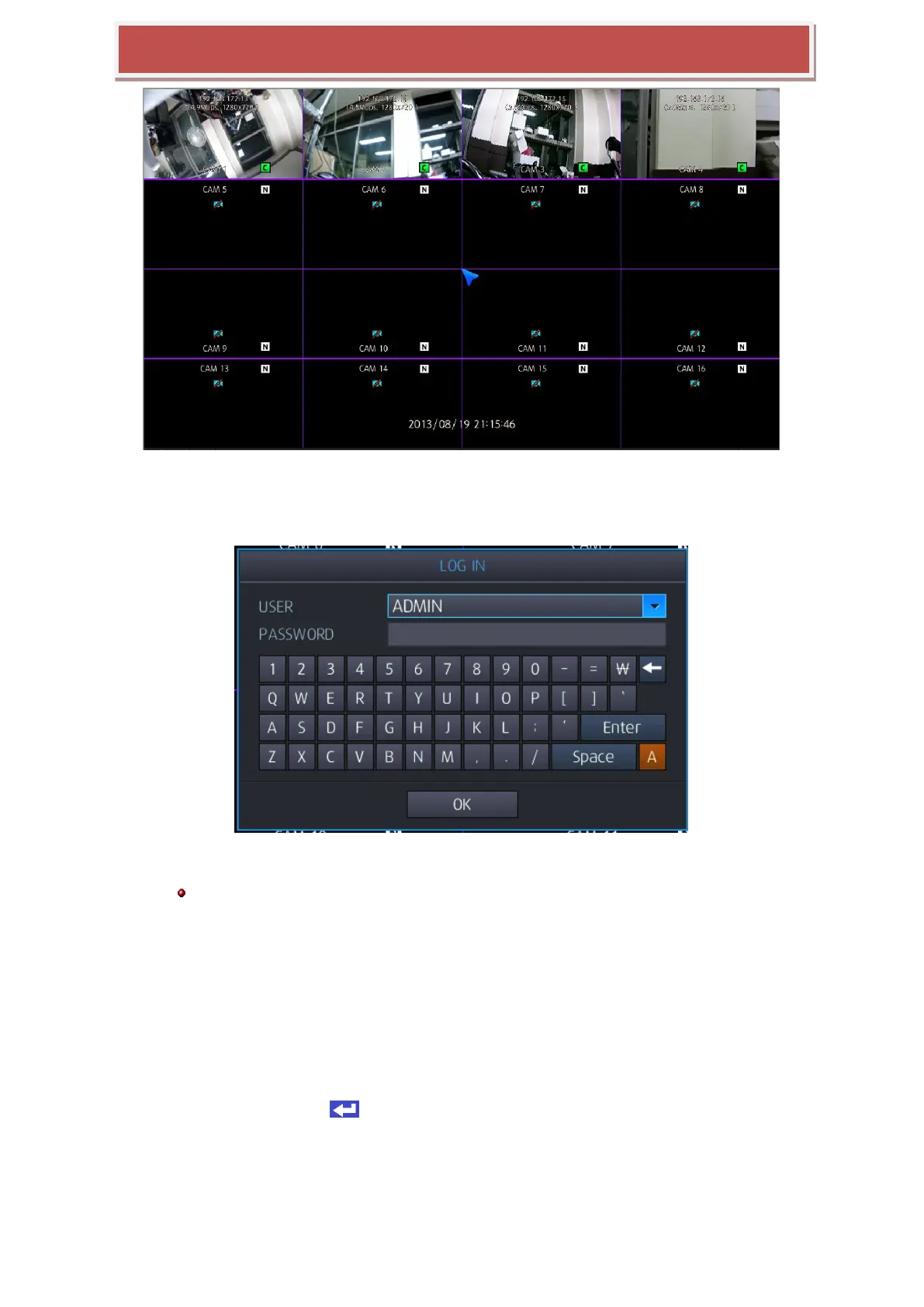
If start-up diagnostics are complete, the operator must log-in to the system. You need to type the default user
name ass “ADMIN” and the default password as “1234” and press the enter button
In case you don‟t use the automatic log in, select log-in account using mouse and type the pin code, then press
enter button or confirm, then you can log in.
[Log-In]
Log in with remote controller, operate as below
Using direction button, move to user‟s selected menu, press “enter” on remote controller and
move to user account selection mode.
Using Up/Down key, select account, and press “Enter” on remote controller for selecting user‟s
account
Using numeric key and input pin code,
If required, using direction key and move to virtual keyboard and input pin code.
After inputting pin code, using direction key, move to „enter‟ or „confirm‟ over virtual keyboard
and press „enter‟ ( ) to log-in



 To Next Page