Advanced Digital Video Platform Hybrid-DVR User’s Guide
7.1.3.5 JPEG Snapshot/ PTZ control / Video Configuration /Live Audio
In the Web Viewer, you can save the video as JPEG file, control the PTZ of camera and hear the audio from
the HYBRID-DVR. And especially, you can configure the transferred video directly from the viewer.
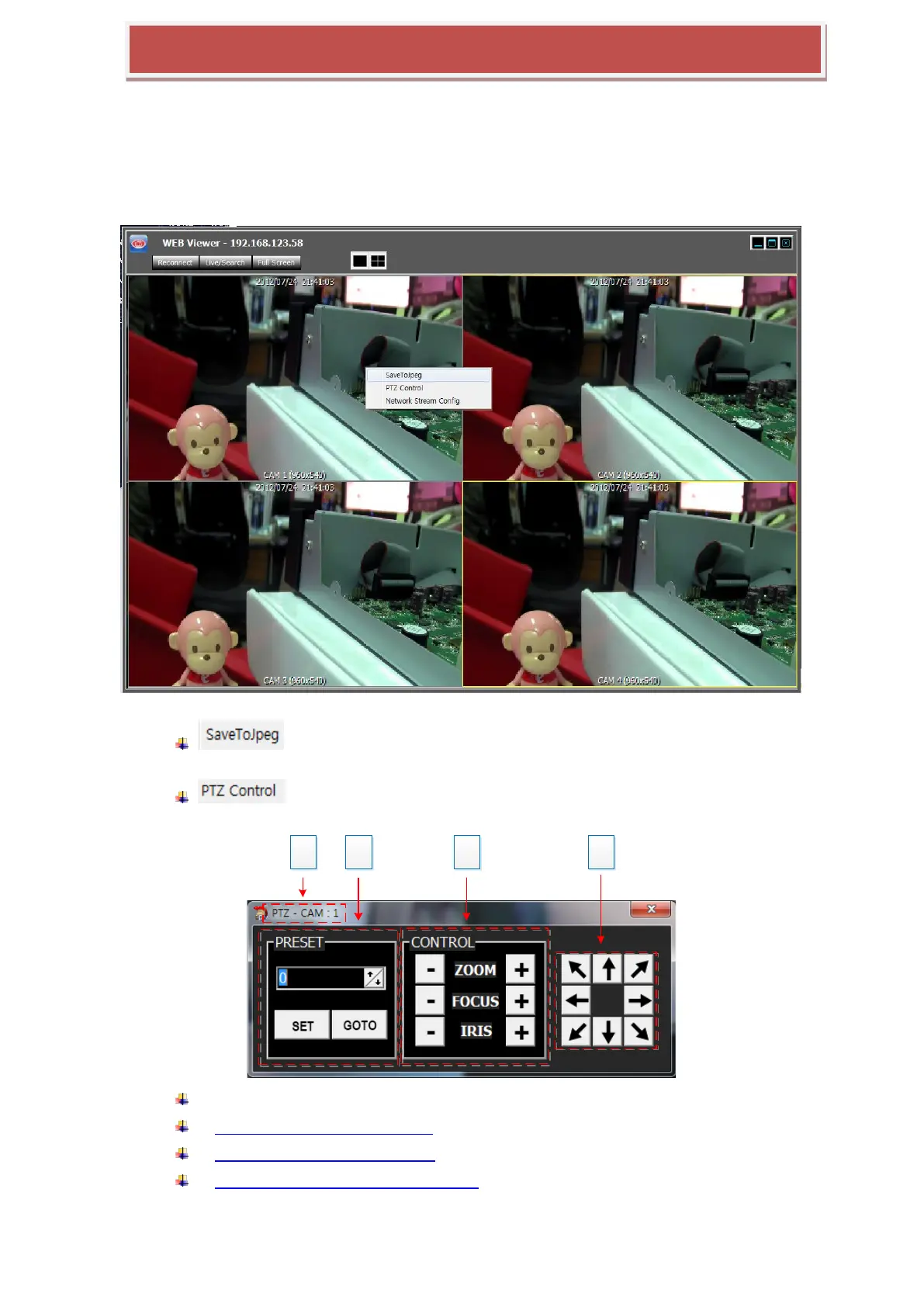
The right-click on the video window shows the pop-up menu such as following picture.
: Save the current video of the selected channel with the yellow border
into the PC as a JPEG file.
: Open the PTZ control panel, which controls the PTZ camera of the
selected channel.
1: Camera Channel number which is currently selected.
2: PRESET OPERATION OF PTZ
3: ZOOM/FOCUS/IRIS CONTROL
4: DIRECTION CONTROL (PAN & TILT)



 To Next Page