Advanced Digital Video Platform Hybrid-DVR User’s Guide
7.1.3.6 Search & Playback
Entering to the search & playback window or Returning to the live preview
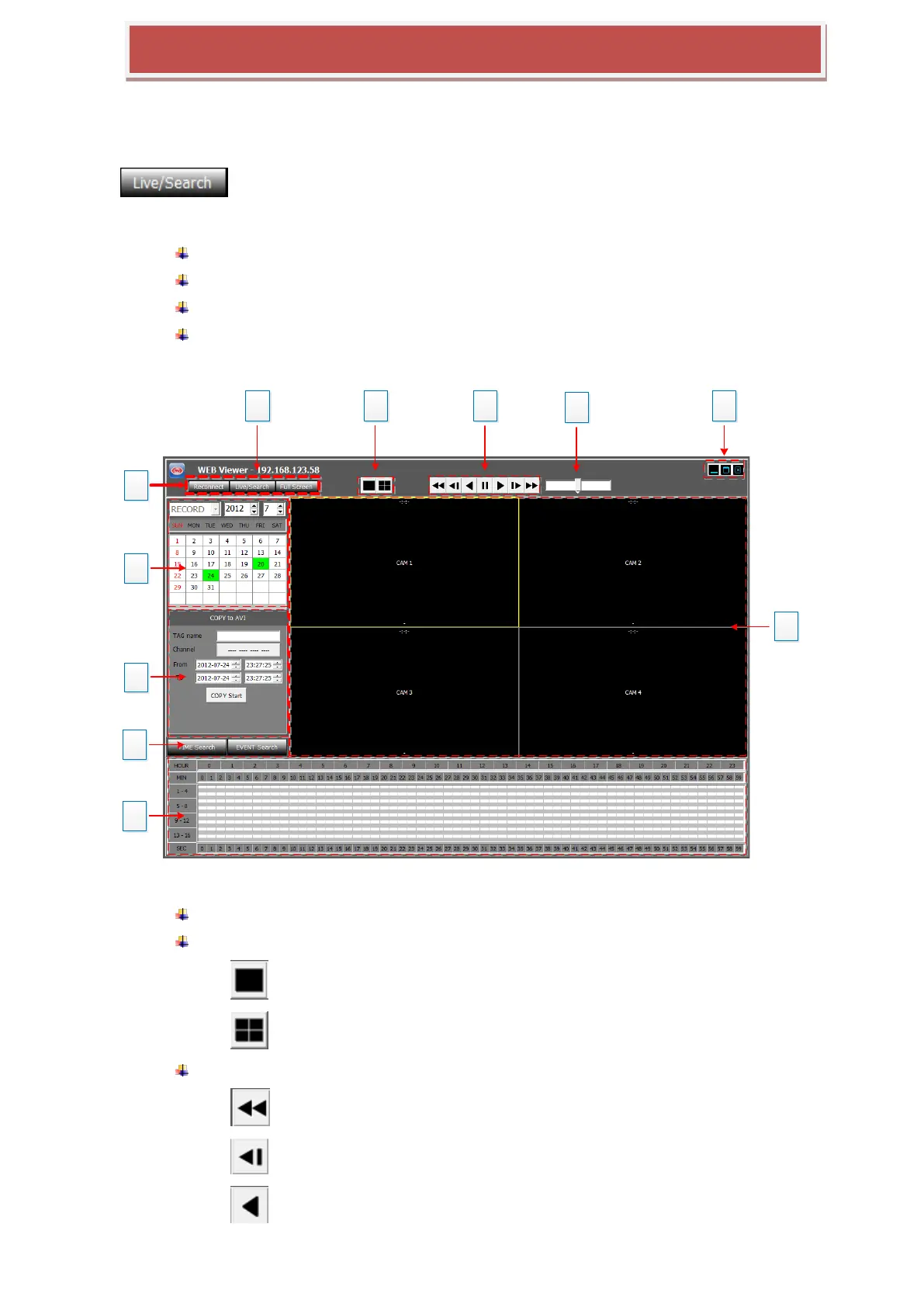
Features
User log-in/out feature (RECONNECT)
Switching between the live preview and the search & playback
Search & Playback
Copy the recordings in the HYBRID-DVR to the PC remotely
1: Show the IP address of HYBRID-DVR currently connected
2: Split mode selection.
: Single camera view
: Quad split view
3: Playback speed control
: Reverse Fast
: Reverse Slow
: Reverse Normal Speed



 To Next Page