Advanced Digital Video Platform Hybrid-DVR User’s Guide
Features
User log-in/out feature (RECONNECT)
Monitoring the live prewview
Snapshot and save the preview video as JPEG
(Admin Only) Control the resolution and quality for transferred video stream directly
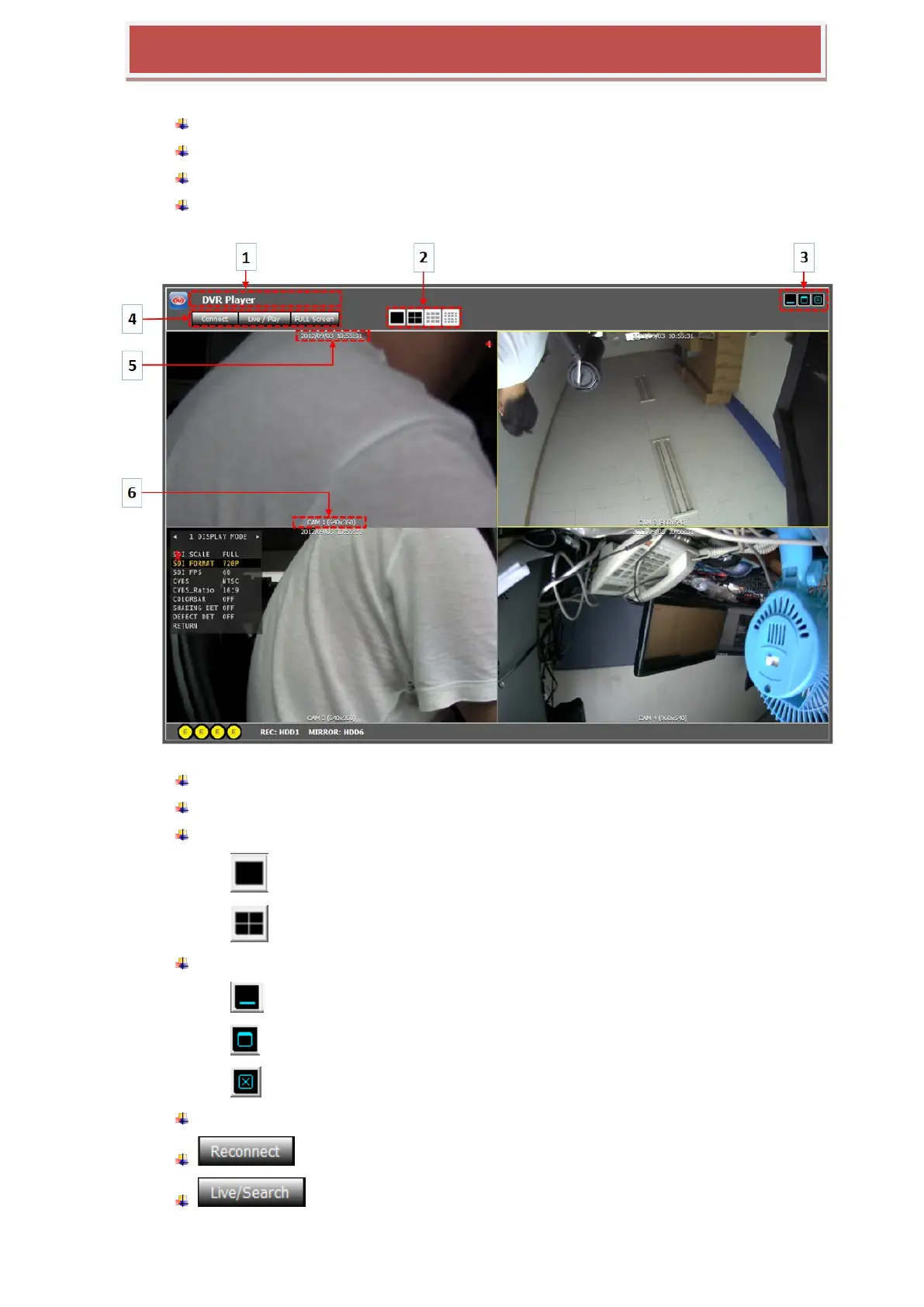
The yellow rectangle around video shows the currently selected camera
1: IP of HYBRID-DVR connected remotely
2: display split mode selection
: Single camera view
: Quad split view
3: WEB Viewer Minimize/Maximize/Close
: Minimize the window
: Maximize the window
: Exit the „Web Viewer‟
4: Reconnect/Live&Search/Full Screen
: Log out and Reconnect
: Switching between the live preview and the search & playback



 To Next Page