Vacuum Packaging Machine VC999 K7
Operation
2008-11-26 Art.-No. 592.016 Page 49/121
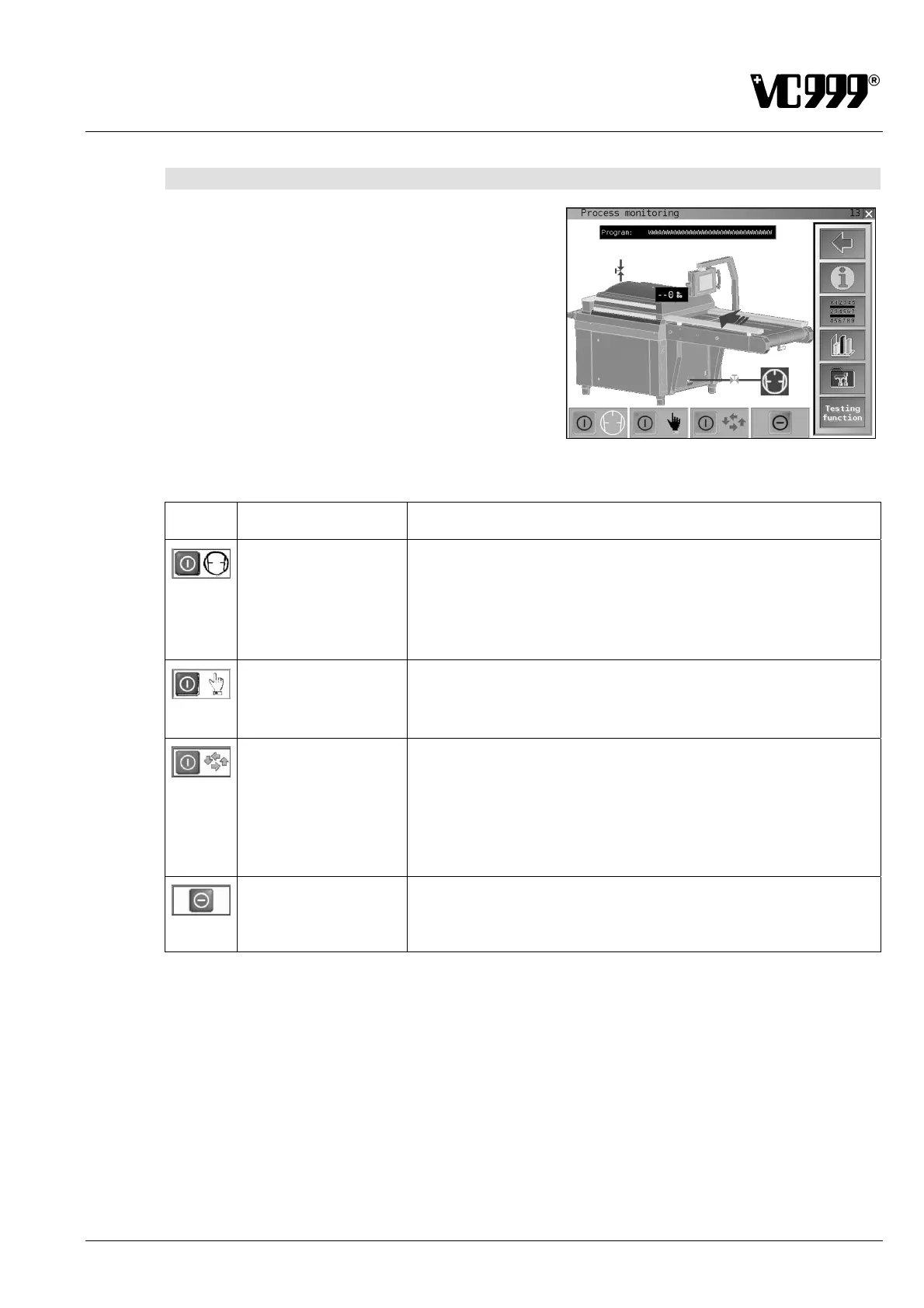
9.5.5 Mask 13: Process monitoring
This mask displays the individual process steps during
the packaging cycle.
The name of the currently loaded program is displayed
in the corresponding text box.
Fig. 9/13
Symbol Button designation Function
Vacuum pump
Switching on the vacuum pump:
Press the red function button to switch on the vacuum pump, the
color of the function button changes to green.
Switching off the vacuum pump:
Press the green function button to switch off the vacuum pump, the
color of the function button changes to red.
Single cycle
Starting single cycle:
After the pump has been switched on, press the red function button
to start a single packaging cycle. The color of the function button
changes to green.
Automatic operation
Starting automatic operation (production):
Press the red function button to start automatic operation or pro-
duction. The color of the function button changes to green.
Stopping automatic operation:
Press the green function button to stop production. The color of the
function button changes to red. The current packaging cycle is
completed.
Cycle interruption
Press the function button to immediately stop the current packag-
ing cycle (single cycle or automatic operation).
The vacuum pump is switched off and the vacuum chamber is
vented and opened!



 To Next Page