Vacuum Packaging Machine VC999 K7
Operation
Page 52/121 Art.-No. 592.016 2008-11-26
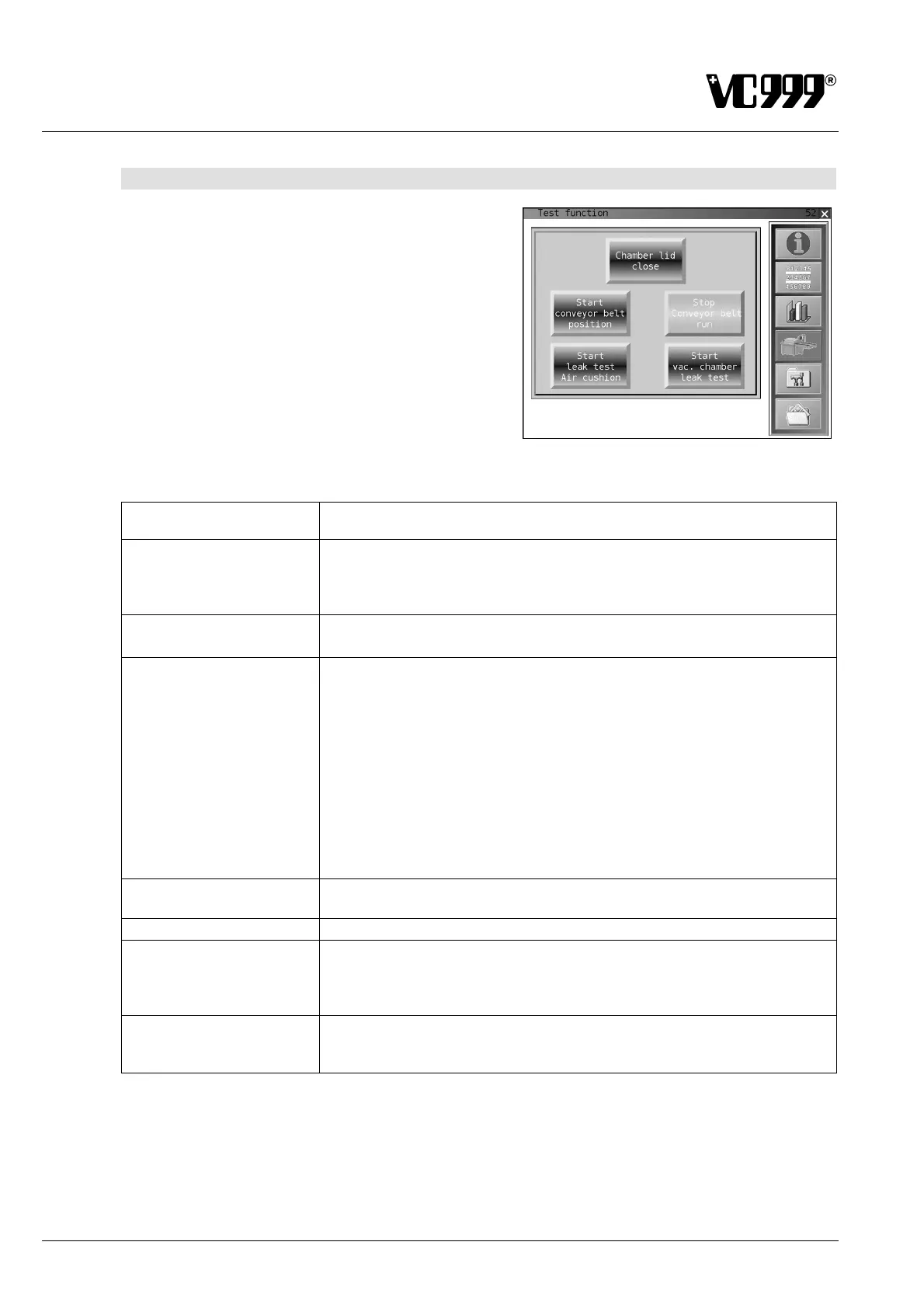
9.5.8 Mask 52: Test function
Various functions can be tested in this mask.
The text changes or another mask opens after press-
ing a function button.
Fig. 9/16
Button designation Function
Chamber lid close
When you press the key, the lid will descend and the vacuum chamber
will be closed. This allows external cleaning and washing down of the
machine. When you press the key a second time, the vacuum chamber
will be opened again. The machine will move to its home position.
Chamber lid open
The vacuum chamber is opened and the machine moves to the initial
position.
Start conveyor belt
position
Four positional markings are integrated in the conveyor belt and read by
a proximity switch. After pressing the button, the conveyor belt moves to
the next positional marking – to the initial position for the next loading.
Carry out this belt positioning after releasing the belt tension. "Searching
for position" is displayed on the screen until the initial position is reached.
If (after initial belt positioning!) the button is pressed four times, the con-
veyor belt should travel one complete revolution. Please check this ac-
tion, especially if the error display 12 occurs. If the conveyor belt does not
travel one complete revolution, it is most probably due to the fact that one
or several of the positional markings have not been recognized. In this
case, please read the instructions concerning error display 12 in section
10.2 “Faults and their remedies”.
Start conveyor belt run The conveyor belt run is started. This enables cleaning of the conveyor
belt or adjustment of the running direction.
Stop conveyor belt run
The conveyor belt is stopped.
Start leak test air-
cushion
Press the function button to close the vacuum chamber and to switch on
the vacuum pump. Mask 53: Leak test air-cushion appears on the screen.
Please refer to the mask description in the respective section for further
details.
Start leak test vacuum
chamber
A vacuum is created in the vacuum chamber and Mask 54: Leak test
vacuum chamber appears on the screen.
Please read the mask description in the respective section.



 To Next Page