Vacuum Packaging Machine VC999 K7
Error display and troubleshooting
Page 72/121 Art.-No. 592.016 2008-11-26
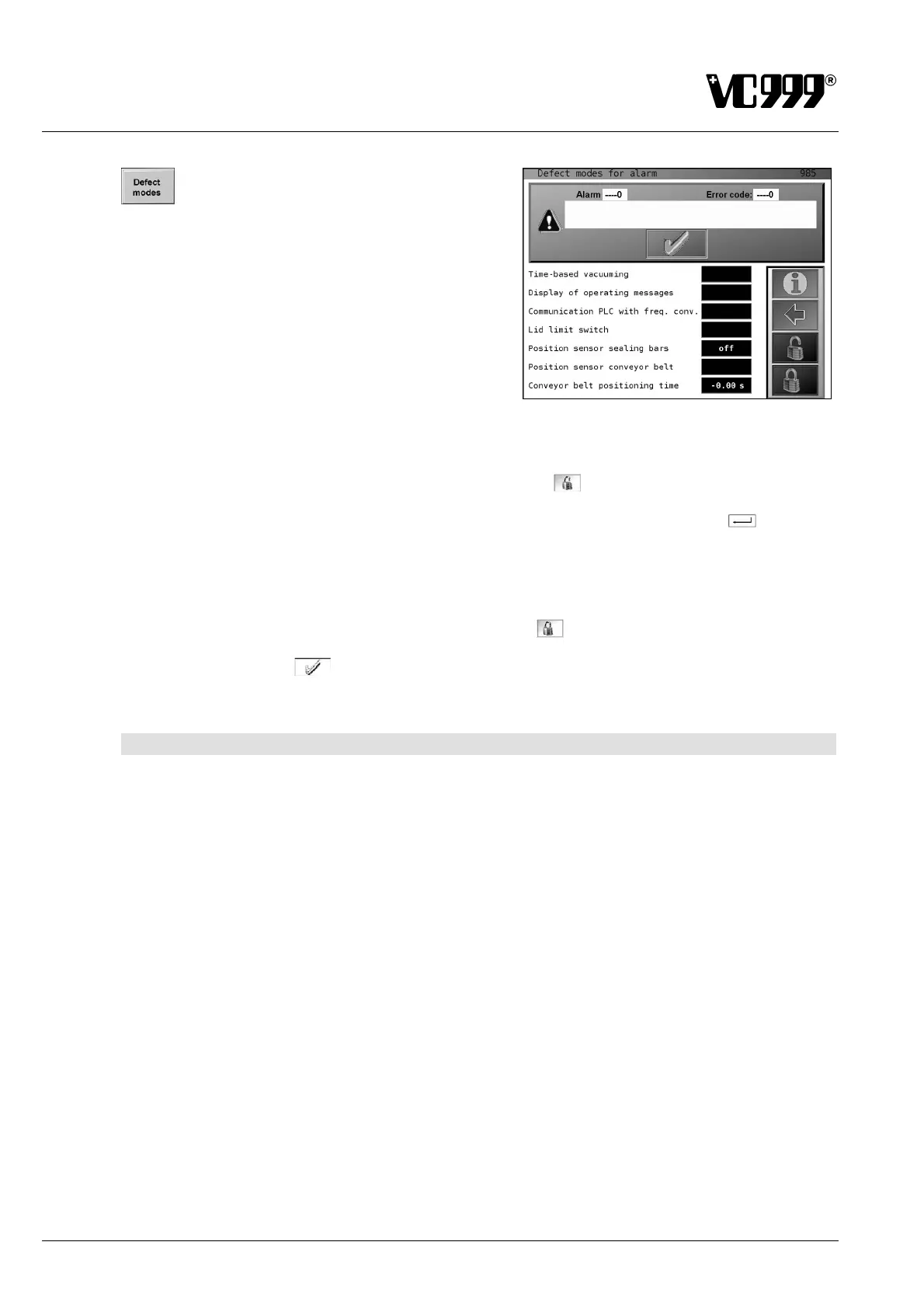
Press the function button Defect Modes to open Mask
985: Defect Modes for alarm shown on the right.
If an alarm occurs, individual functions or monitoring
elements can be switched on or off here, or set values
changed to at least ensure continued production.
Fig. 10/2
Procedure
1. Press the function button displaying the unlocked padlock
.
2. Enter the step 3 password via the displayed numeric keypad and press the ENTER
button to
confirm it.
3. Press the input field whose status is to be changed. The display changes or a numeric keypad is
displayed to enter the desired value.
4. Press the function button displaying the locked padlock
. Access is now blocked.
5. Subsequently press
to confirm the alarm message.
10.2 Faults and their remedies
The machine control is able to diagnose certain faults itself and display these accordingly.
General
• When the conveyor belt is off, the loading pause cannot be switched on and no automatic cycle can
be started.
• If the pump is running and no cycle is started after 300s or no function is executed, the pump will be
switched off. (sleep mode).
• If automatic operation is stopped and restarted, it is assumed that products are already in the cham-
ber area. For this reason, no transport is performed during the subsequent restart. But if the pump
was stopped and restarted, the first conveying operation will be performed. (start of production)
The following table describes the possible faults. In the event of one of these alarm messages, the Vac-
uum Packaging Machine will move to its home position. The message will remain on the display until
the fault has been acknowledged.



 To Next Page