Vacuum Packaging Machine VC999 K7
Repairs
2008-11-26 Art.-No. 592.016 Page 93/121
12.2 Repairs to electronics or control system
Do not under any circumstances carry out repairs to the electronics yourself. Consult the VC999 Cus-
tomer Service Dep. for this.
CAUTION
Risk of electric shocks. De-energize the machine before performing any maintenance and lock it
against unintentional restarting using a padlock on the main switch. Only perform work on the
power network if you are trained and authorized to do so.
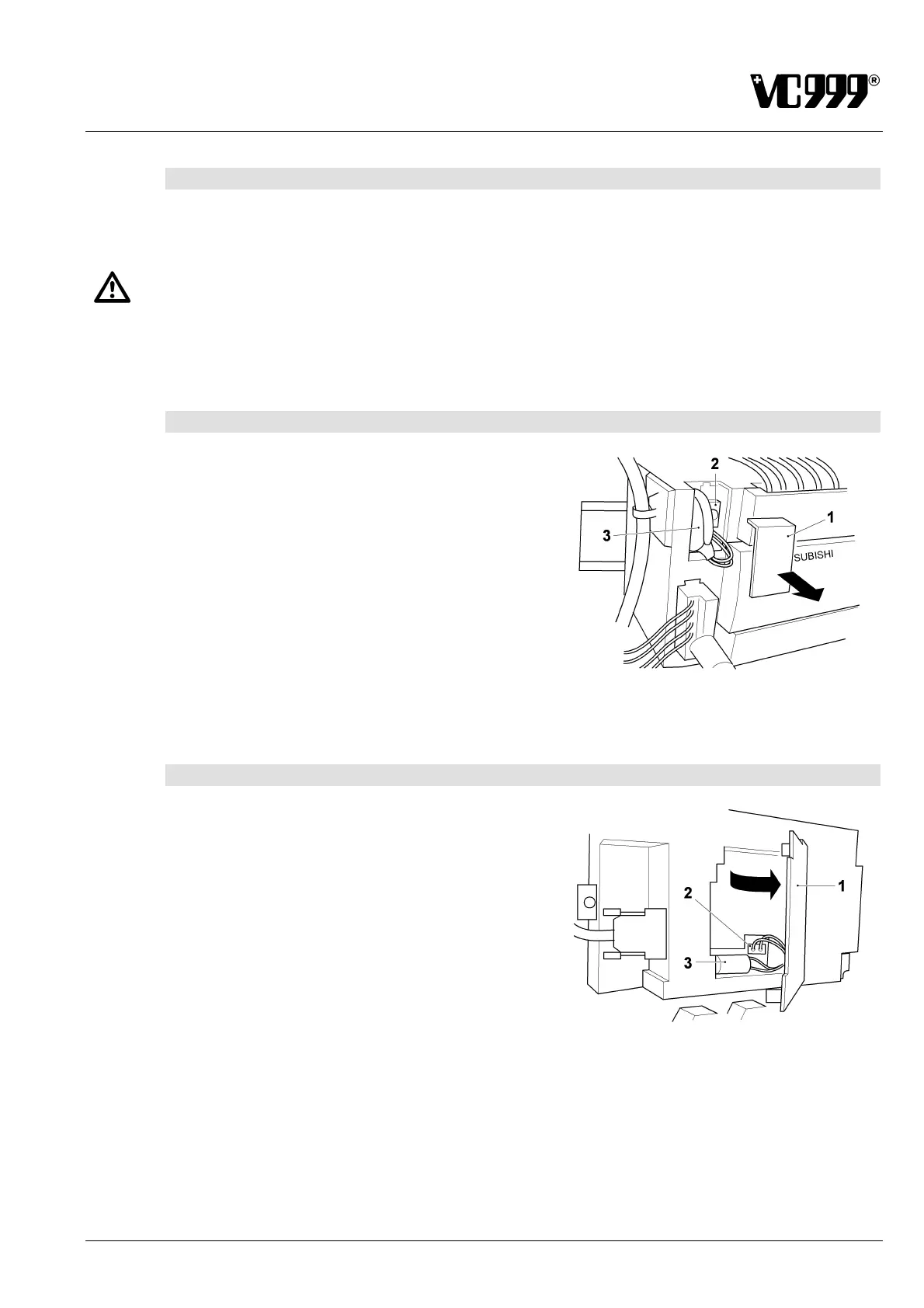
12.2.1 Replace buffer battery of PLC control system
The buffer battery of the PLC is located in the electrical
cabinet.
1. Open the electrical cabinet.
2. Remove the cover (1) from the PLC housing.
3. Pull out the plug (2).
4. Remove the buffer battery (3) from the housing
and replace it within 20 seconds with a new one.
Fig. 12/1
5. Reinstall the cover and close the electrical cabinet.
12.2.2 Replacing the buffer battery of the display
1. Use a screwdriver to open the rear of the cockpit.
2. Swing up the lid (1) on the display housing
3. Pull out the plug (2)
4. Remove the buffer battery (3) from the housing
and replace it within 30 seconds with a new one.
5. Close the lid (1) and the cockpit.
Fig. 12/2



 To Next Page