Vacuum Packaging Machine VC999 K7
Operation
Page 68/121 Art.-No. 592.016 2008-11-26
9.11 Packaging cycle
9.11.1 Conveyor belt positioning
The integral initiator ensures that within a packaging cycle the conveyor belt moves far enough for the
packaging product laid between the markings on the feed belt to come to a stop exactly in the vacuum
chamber. A prerequisite for this is that the conveyor belt must be in a clearly defined starting position
before the packaging cycle.
As the belt position changes when the belt is slackened, it must be reset when the machine is switched
on again. This ensures that the product for packaging stops in the correct position right from the first
packaging cycle.
Conveyor belt positioning is triggered via the button Start conveyor belt position in Mask 52: Test
function. For this purpose, read the relevant description of the mask functions.
9.11.2 Start / terminate packaging cycle
Make sure that the vacuum chamber is dry before starting the packaging process.
1. Make sure the required program is loaded. If necessary, load the program according to the descrip-
tion in section 9.10.2 "Load program".
2. If new sealing bars have been installed in the machine, they have to be calibrated and, possibly,
burnt-in. Please read section 9.8.1.1 Mask 152: Calibration sealing bars resp. section 9.8.1.2
"Burn-in sealing bars".
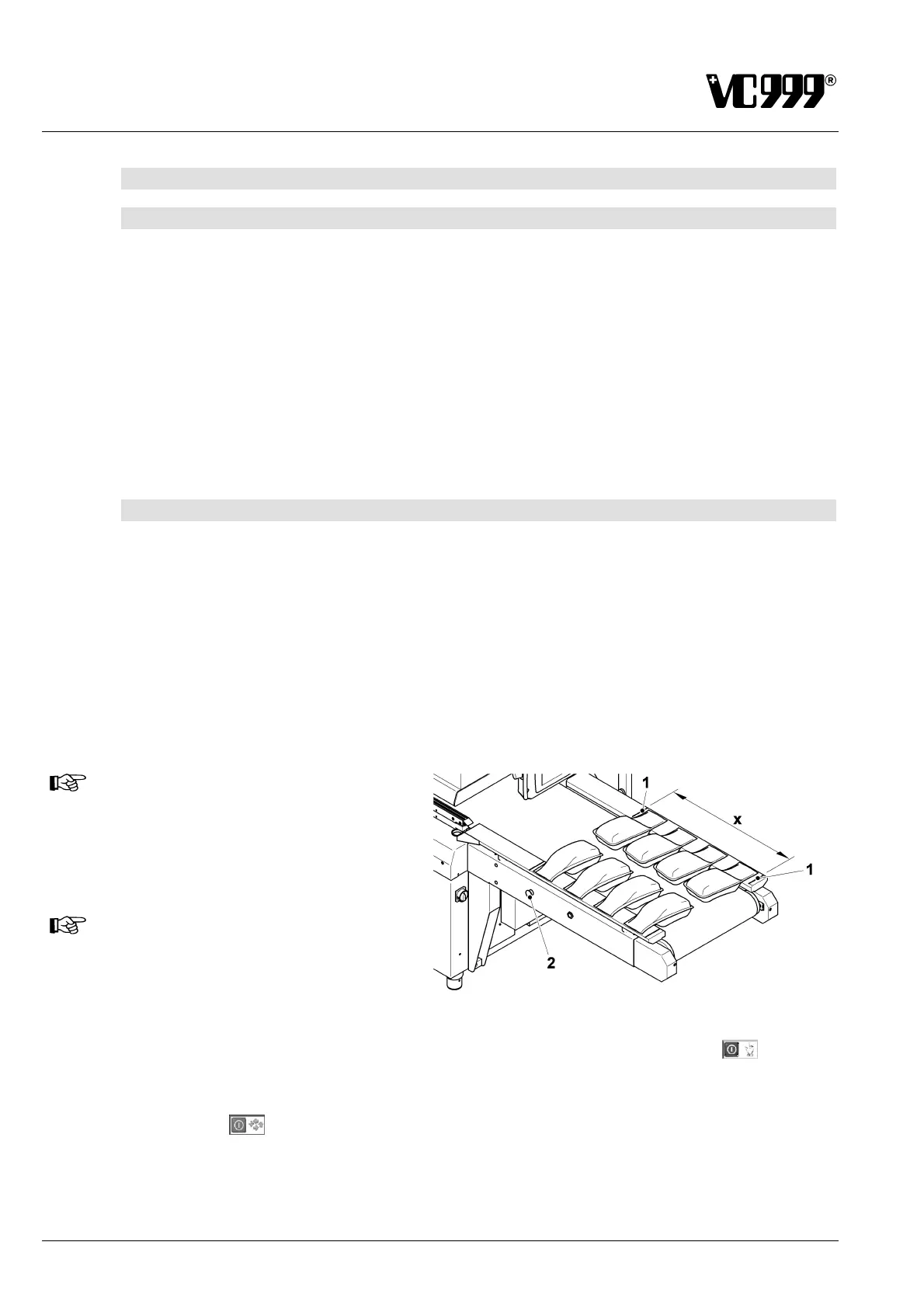
3. Place the bag for packaging on the conveyor belt so that the end of the bag opening lies flat on the
guide plate of the conveyor belt.
NOTICE
The bag must be positioned on the
guiding plate in the loading area (x)
between the two marks (1).
NOTICE
The VC999 K7 Vacuum Packaging
Machine can take goods for packaging
from both sides of the conveyor belt.
Fig. 9/26
4. To start a single cycle : With the vacuum pump on, press the symbol Single cycle
in Mask
13: Process monitoring.
5. To start automatic consecutive cycles: With the vacuum pump on, press the symbol Automatic
operation
in Mask 13: Process monitoring or press one of the green buttons (2) on the side.



 To Next Page