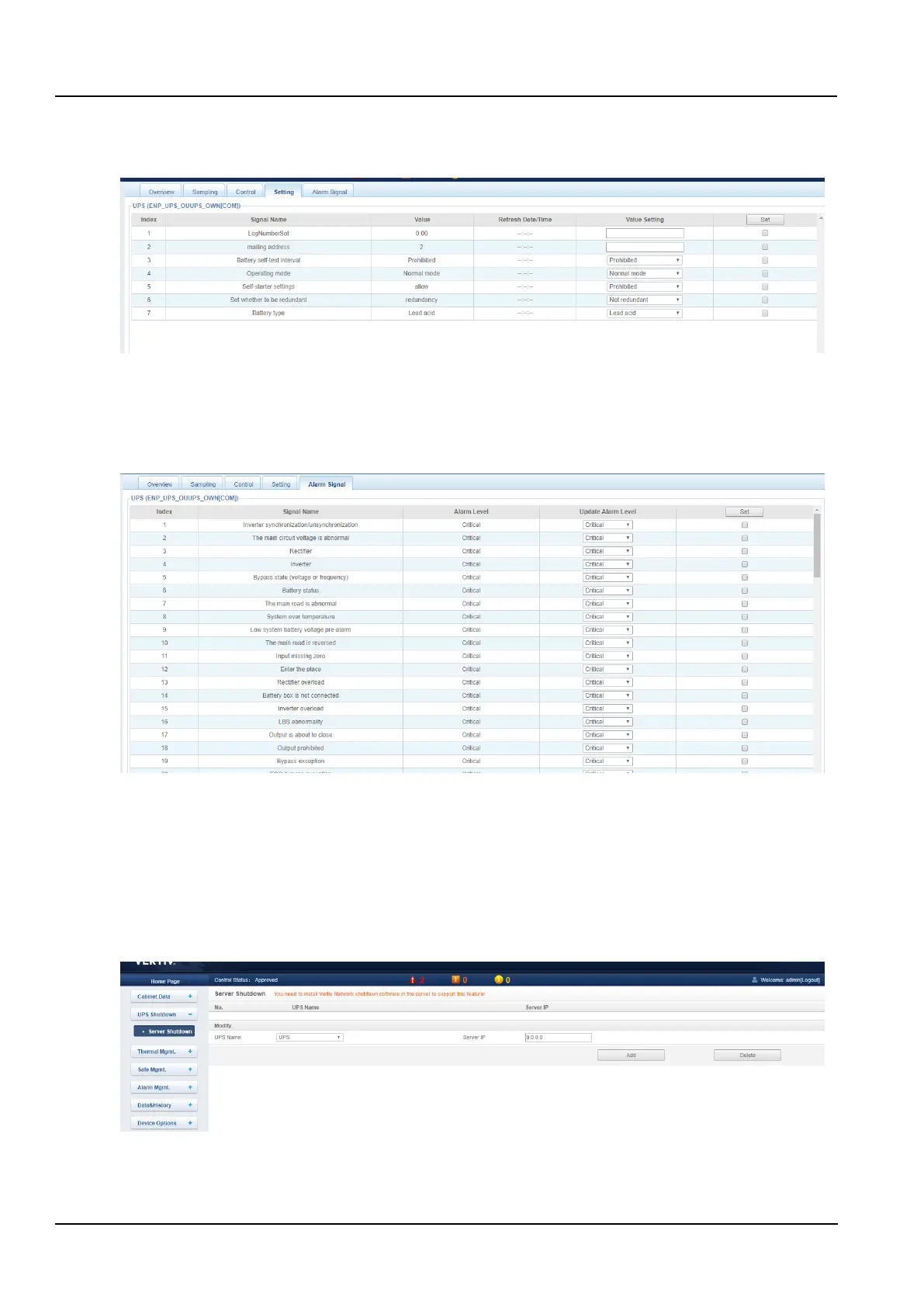
3) Setting
Click the Setting tab to enter the Set Signal page to display the setup signal for the selected device, as shown in
Figure 3-46.
Figure 3-46 Setting signal
Batch settings can be made for signals, and 16 signals can be set in maximum batch size at a time.
4) Alarm signal
Click the Alarm Signal tab to enter the alarm signal page to display the alarm signal of the selected device, as shown
in the figure 3-47.
Figure 3-47 Alarm signal
Batch settings can be made for the level of the alarm signal, and 16 signals can be set in maximum batch size at a
time.
2. UPS shutdown
In the home page of the MSC intelligent monitoring system, click the UPS shutdown menu on the left, and you can
see one sub-menu: Server shutdown.
Click the Server Shutdown submenu under the UPS Shutdown menu to pop up the Server Shutdown Settings page
as shown in the Figure 3-48.
Figure 3-48 Server Shutdown settings page
In the Server Shutdown settings page, users can add and remove server shutdown tasks.
The steps to add the server shutdown are as follows:



 To Next Page