1) Select the UPS device from the UPS drop-down box;
2) In the IP address of the associated server, enter the IP address of the server to be shut down;
3) Click the Add button to complete the server shutdown task. The basic information will also be displayed in the list
above the page.
Notices
1. To use this feature, install the software Vertiv network shutdown on the server.
2. Contact the VERTIV technical service center for this software.
3. When running the software on win10 system devices, select "use the software in compatibility mode" from the attributes and
select "windows xp (service pack 3)". Run as Administrator.
4. For other usage questions, contact the VERTIV technical personnel.
3. Thermal Mgmt.
Click on the Thermal Mgmt. menu on the left, and you can see a submenu: ECO Management.
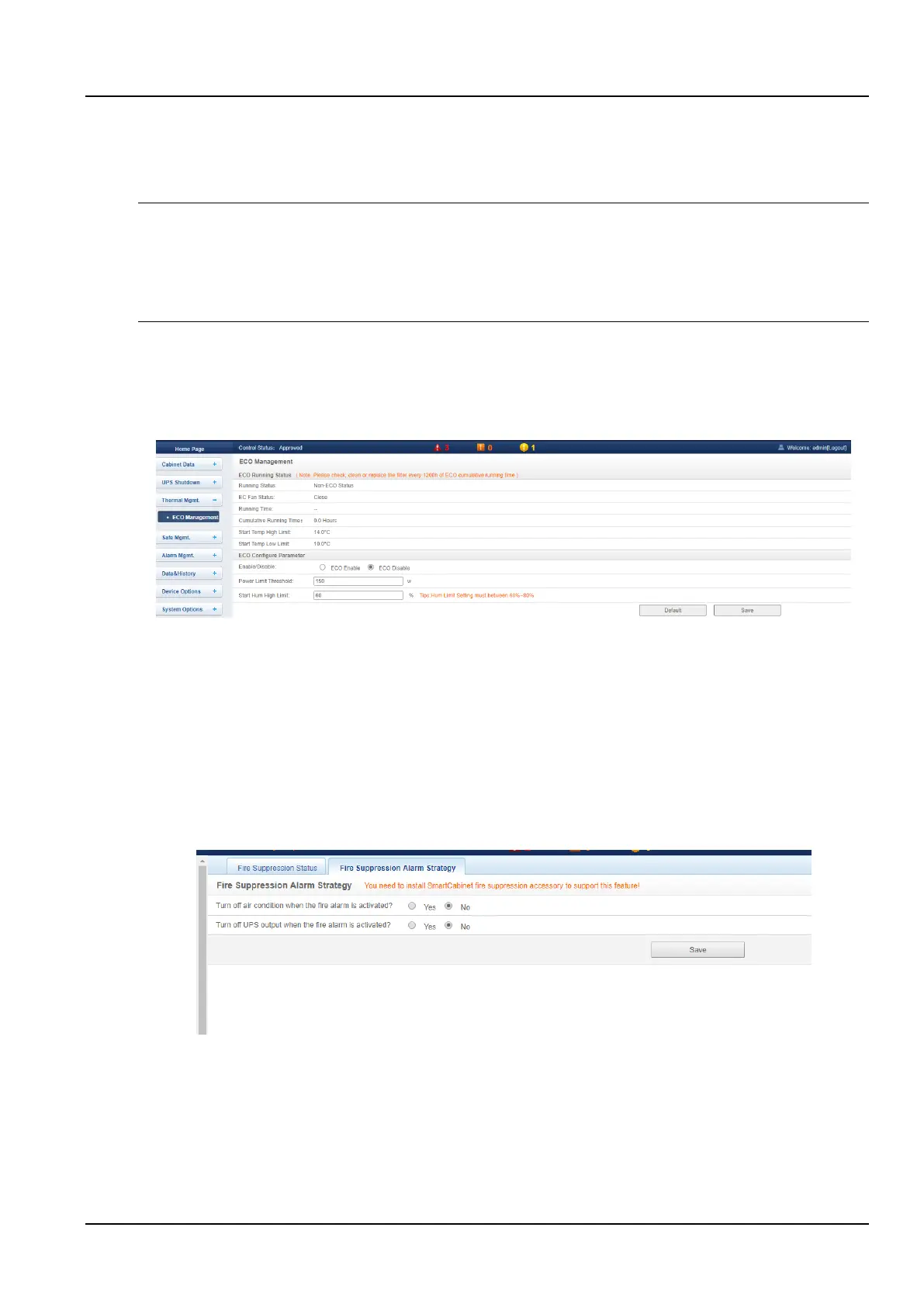
Click the ECO Management submenu under the Thermal Mgmt. menu to pop up the ECO Mode Settings page as
shown in the Figure 3-49.
Figure 3-49 ECO management
On this page, you can view the running status of the current ECO module. At the same time, you can set the startup
parameters of the ECO mode. For details on the ECO mode, please refer to 3.3 ECO Settings and Operation
Instructions.
4. Safe Mgmt.
Click on the left Safe Mgmt. menu, visible submenu: Fire Suppression System, Video Surveillance , Door
Access .
1) Fire Suppression System
Click the Fire Suppression System submenu under the Safe Mgmt. menu to pop up the Fire Suppression Alarm
Strategy page as shown in the Figure 3-50.
Figure 3-50 Fire Suppression System
When equipped with a fire subrack accessory, you can set the linkage control between fire subrack and air
conditioner and UPS on this page.
2) Video Surveillance
Click on the Video Surveillance submenu under the Safe Mgmt. menu and the page shown will be displayed.



 To Next Page