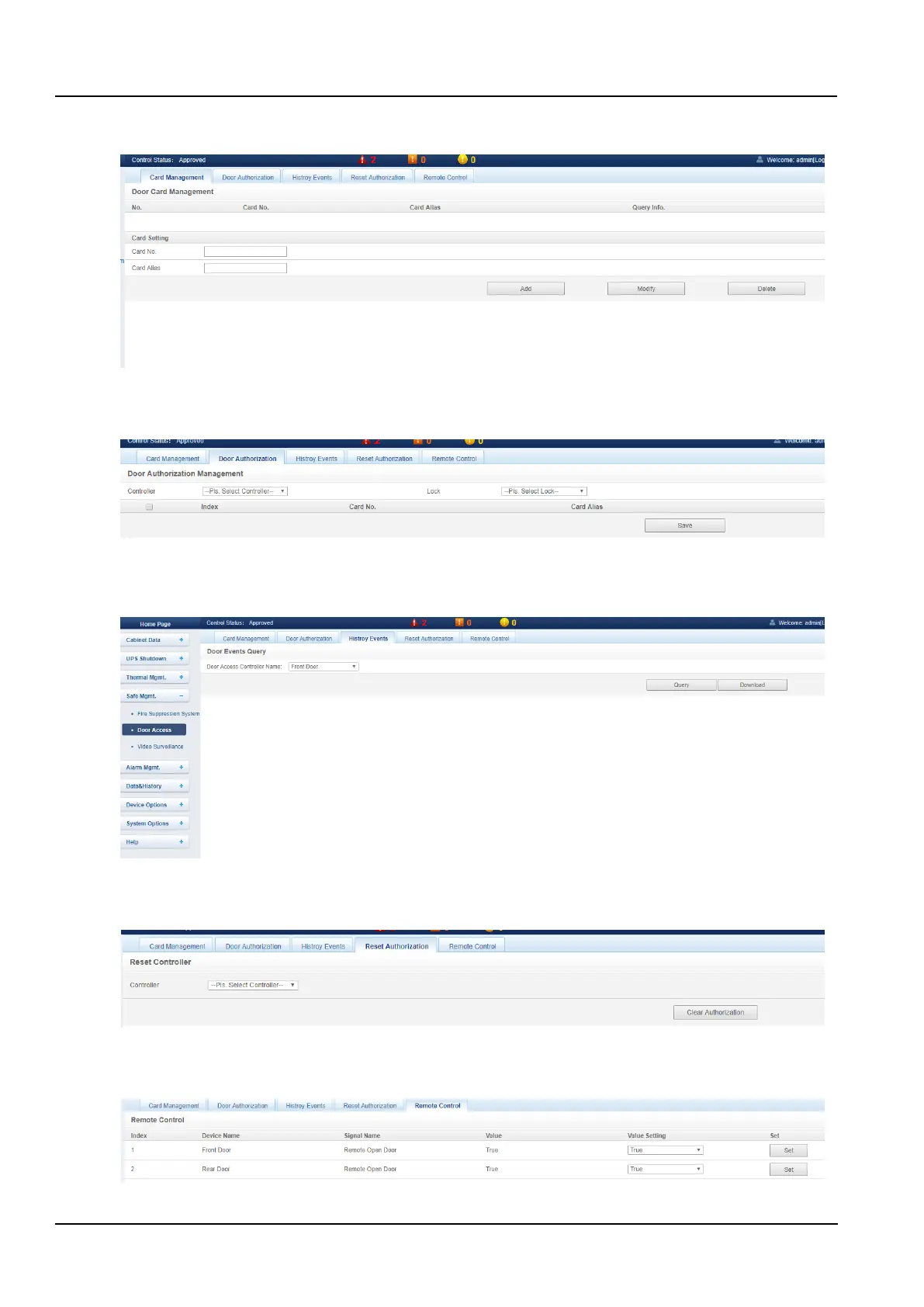
a) Click the Door Access submenu under the Safe Mgmt. menu to pop up the Card Management page as shown in
the Figure 3-58.
Figure 3-58 Card management
b) Click the Door Authorization tab and go to the Door Authorization page to set the authority of the card as shown
in the Figure 3-59.
Figure 3-59 Door authorization
c) Click the History Events tab to enter the Door Events Query page and list the event log of the access control as
shown in the Figure 3-60.
Figure 3-60 History Events
d) Click the Reset Authorization tab to enter the Reset Authorization page and select the front and rear door access
device controllers as shown in the Figure 3-61.
Figure 3-61 Reset authorization
e) Click the Remote Control tab to enter the remote control page and perform front and rear door remote switch
control as shown in the Figure 3-62.
Figure 3-62 Remote control



 To Next Page