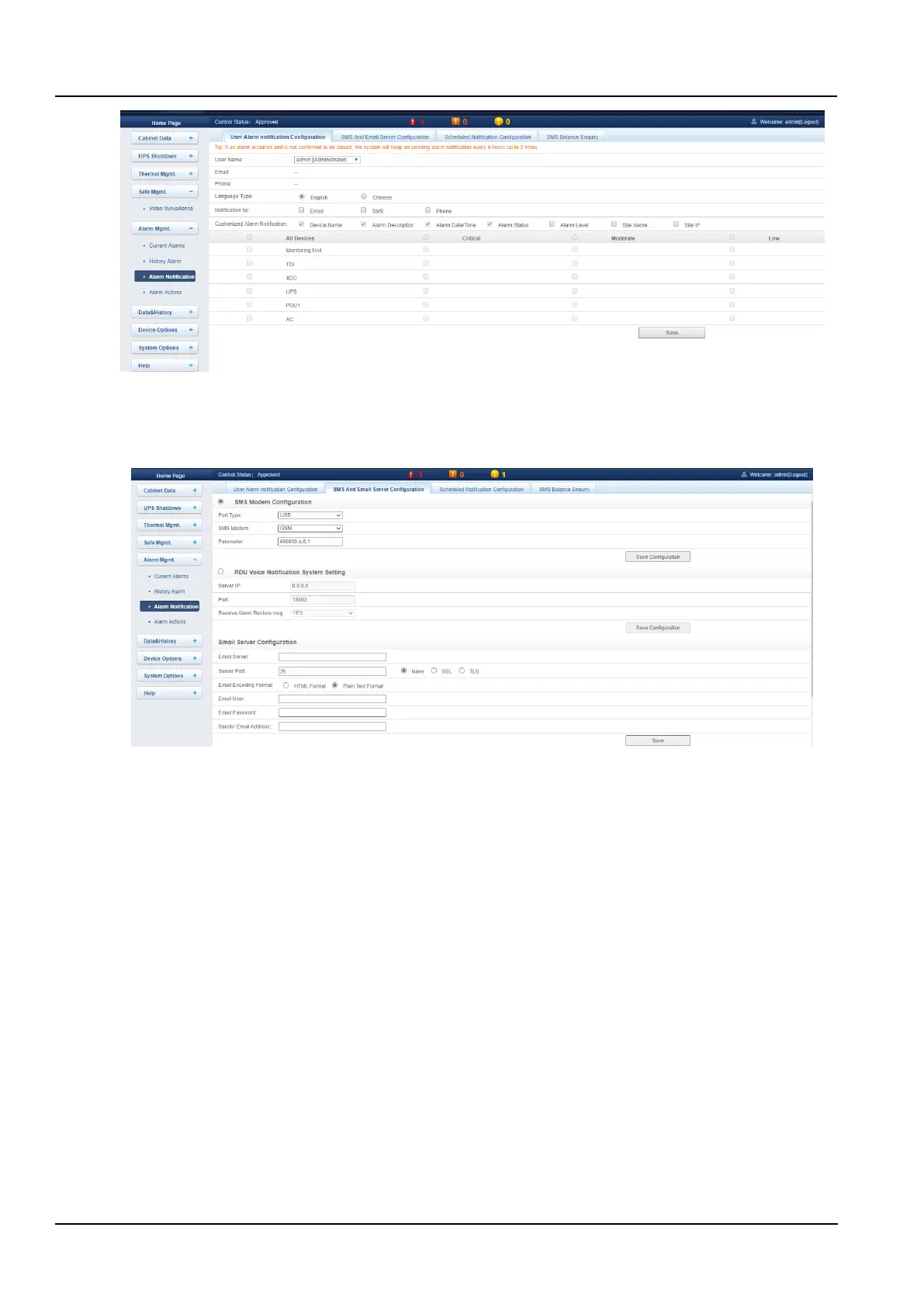
Figure 3-65 User alarm notification configuration
(2)SMS module and mail server configuration
Click the Alarm Notification submenu under the Alarm Mgmt. menu, then click the SMS and Email Server
Configuration button to pop up the page as shown in the Figure 3-66.
Figure 3-66 SMS and Email server configuration
In the page shown in the Figure 3-66, the user can configure the SMS modem Configuration or the RDU Voice
notification system setting to send an alarm notification through the short message or the telephone or configure
the Email server Configuration to enable the system to notify the alarm by email. The configuration steps are as
follows:
⚫ SMS modem configuration
1) Access the SMS MODEM through the USB port as needed, and then select the Port type, the page will
automatically display the communication parameters;
2) Select the type of the SMS modem according to the model of the SMS MODEM;
3) Set the communication parameters of the SMS MODEM;
4) Click the Save button to save the current user's SMS module configuration.
⚫ RDU multimedia voice notification system settings
1) The user needs to install the RDU multimedia voice notification software package before the RDU configuration;
2) Enter the Server IP address at the server IP address field;
3) Enter the Port at the port number field, the default is 13393;
4) Click the Save button to save the multimedia voice notification system configuration.
⚫ Email server configuration
1) Enter the server IP address or domain name at the Email server;
2) Enter the Server Port, Email user, Email password and Sender Email address in the corresponding field;
3) Click the Save button to save the current user's mail server configuration.



 To Next Page