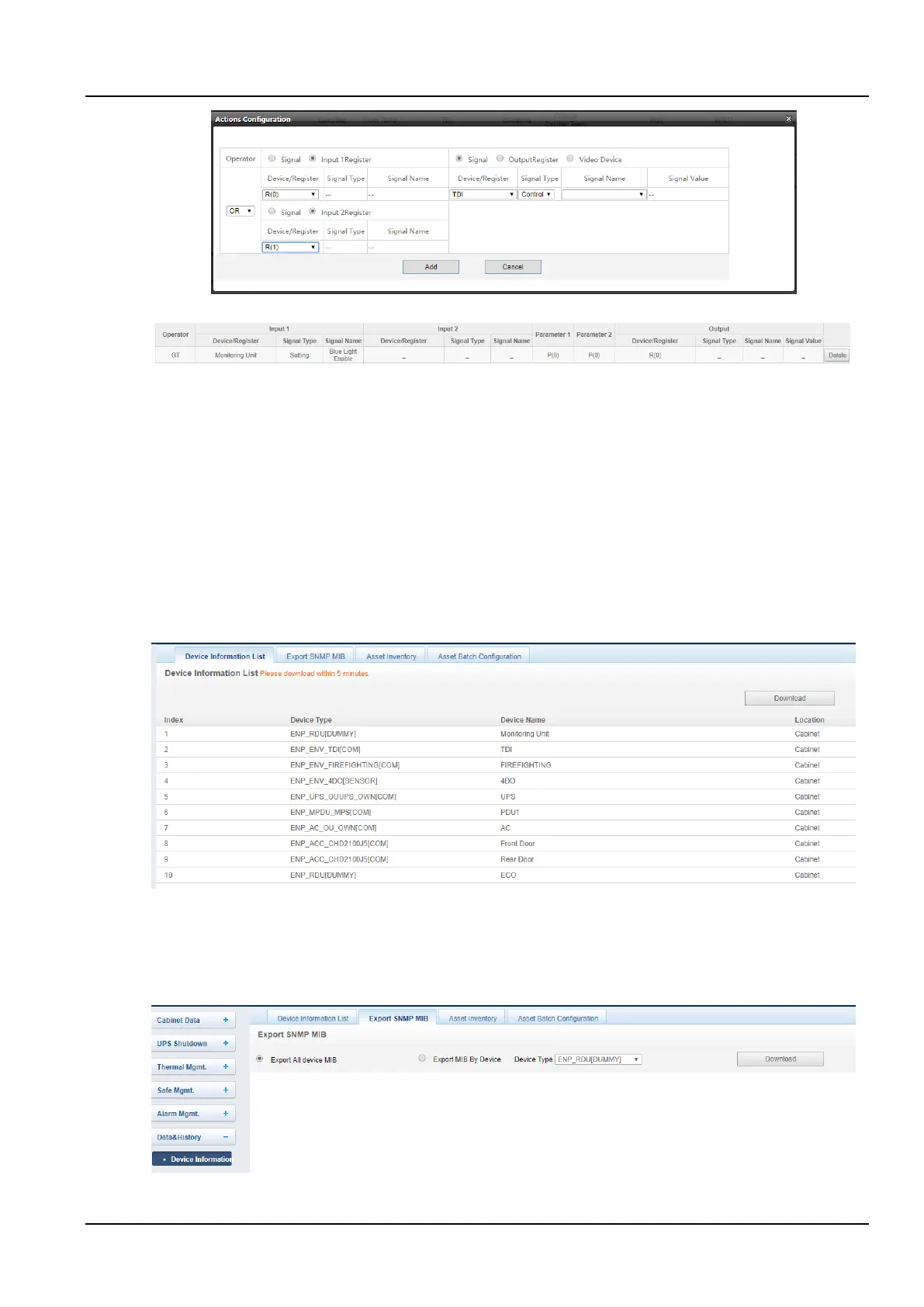
Figure 3-72 Alarm linkage configuration 3
Figure 3-73 Alarm linkage configuration 4
6. Data&History
Data management provides users with various types of historical data and log query services.
In the intelligent monitoring system homepage, click on the Data & History menu on the left, and you can see four
submenus, including: Device Information, History data, History Log, and Clear History.
a) Device data
Click the Device Information submenu under the Data & History menu to pop up the page as shown in the figure,
which contains four sub-pages: Device Information List, Export SNMP MIB, Asset Inventory and Asset Batch
Configuration.
1) Device information list
The main information of all devices is listed on the page as shown in the Figure 3-74. Click the Download button to
download the query results.
Figure 3-74 Device Information
2) Export SNMP MIB
As shown in the Figure 3-75, you can choose to export all device MIB information or export MIB information by device
type.
After selecting it, click the Download to complete the MIB information export.
Figure 3-75 SNMP MIB information derived
3) Asset inventory



 To Next Page