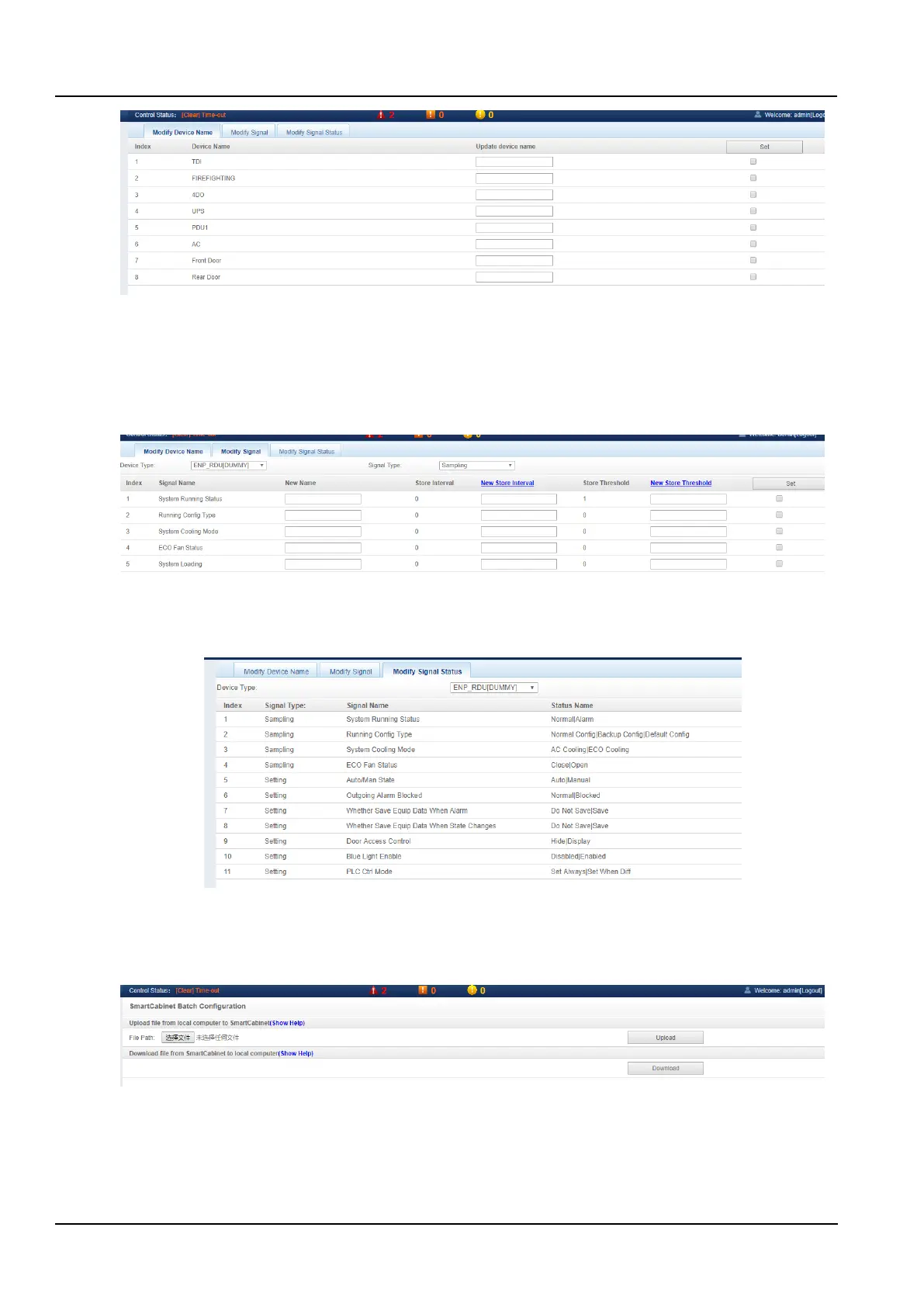
Figure 3-85 Modify the device name
In the page as shown in the Figure 3-85, the user can modify the device name. After entering the new device name,
click the Set button to make the batch settings.
Modify signal and modify signal status
Click the Modify Signal submenu under the Configuration Management menu to pop up the page as shown in the
Figure 3-86.
Figure 3-86 Modify signal
Click the Modify Signal Status submenu under the Configuration Management menu, select the Device type, select
the Signal type, view the signal status, and the page shown in the Figure 3-87 will pop up.
Figure 3-87 Modify the signal status
c) Batch configuration
Click the Batch Configuration submenu under the Device Options menu to pop up the page as shown in the Figure
3-88.
Figure 3-88 Batch Configuration
Users can perform Upload and Download operations to complete system batch configuration.



 To Next Page