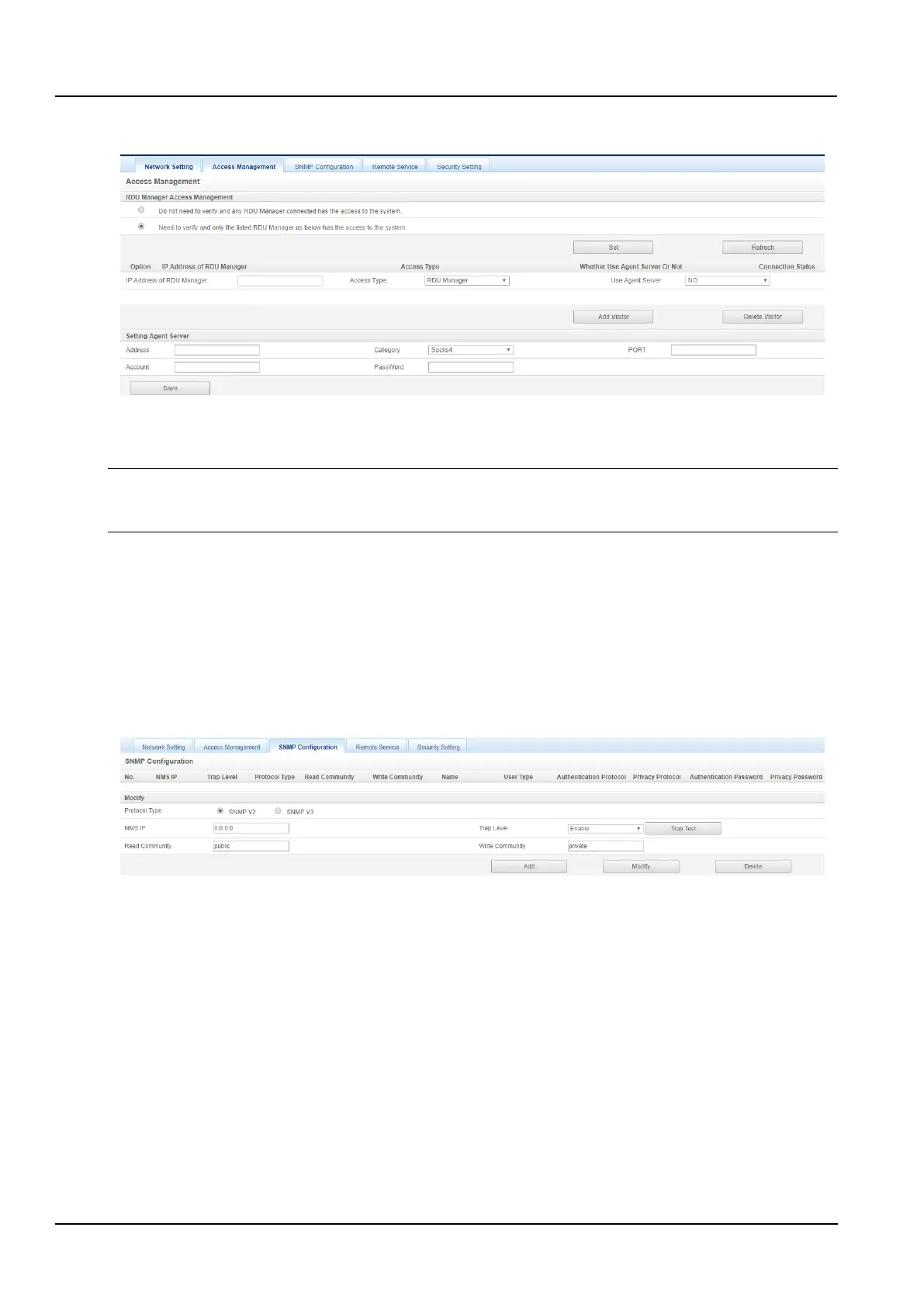
Click the Network Settings submenu under the System Options menu, then click the Access Management button
to pop up the page as shown in the Figure 3-91.
Figure 3-91 Access Management
When adding a visitor, enter the new OptimizeIT Manager IP address in the IP Address of RDU Manager text box,
click the Add Visitor button to complete the configuration.
Notices
1. The system can add up to 3 OptimizeIT Manager IP addresses.
2. If you choose to use a proxy when adding a visitor, you also need to configure the proxy server.
3) SNMP Configuration
The SNMP agent can be configured by clicking the Network Settings submenu under the System Options menu,
and then clicking the SNMP Configuration button. The SNMP agent of the Intelligent Monitoring System supports
both V2 and V3 versions:
As shown in the figure 3-92, the specific setting method of SNMP V2 is as follows:
(1)Set the NMS IP (main unit IP address of the SNMP agent data receiving end);
(2)Set Trap Level: “Enable” or “Disable”;
(3)Other parameters remain at their default values.
Figure 3-92 SNMP (v2) set
As shown in the figure 3-93, the specific setting method of SNMP V3 is as follows:
(1)Set the NMS IP (main unit IP address of the SNMP agent data receiving end);
(2)Select Trap Level: “Enable” or “Disable”;
(3)Set the name;
(4)Select the user type: "Authentication and Encryption", "Authentication, no encryption", "No authentication, no
encryption";
(5)Select the authentication Protocol: "MD5", "SHA";
(6)Select the Privacy Protocol: "DES";
(7)Customize the password for the authentication algorithm and encryption algorithm.



 To Next Page